Key takeaways
- Hugging Face is a legitimate company that is SOC 2 Type 2 certified, and the risk lies in files other people upload.
- The Hub scans files under 2 GB with ClamAV and checks pickle files, but its own docs say the scanning is not foolproof.
- Malspark found five malicious GGUF models with 2,428 downloads on November 27, 2026, and all five were disabled by November 28.
Yes, Hugging Face itself is safe to use. It is a legitimate, widely used company with security certifications and built-in file scanning. The risk is the files: anyone can upload a model, dataset or app, and Hugging Face's scanners catch some dangerous files but not all of them. So the real question is whether a given model is safe, which depends on who made it, its format and how you run it.
That question got a fresh answer this week. On November 27, 2026, the security blog Malspark reported five malicious models on the Hub that had been downloaded 2,428 times.
Is Hugging Face legit?
Hugging Face runs the Hub, where people share open-weight AI models, datasets and demo apps. Its security documentation says the company is SOC 2 Type 2 certified and GDPR compliant, and lists private repositories, access tokens, two-factor login, signed commits and malware scanning among its protections.
Scale is why bad files turn up: Malspark's scan on November 26 covered 3,273,389 public model repositories, 226,310 of them in GGUF format.
The November 2026 malicious GGUF models
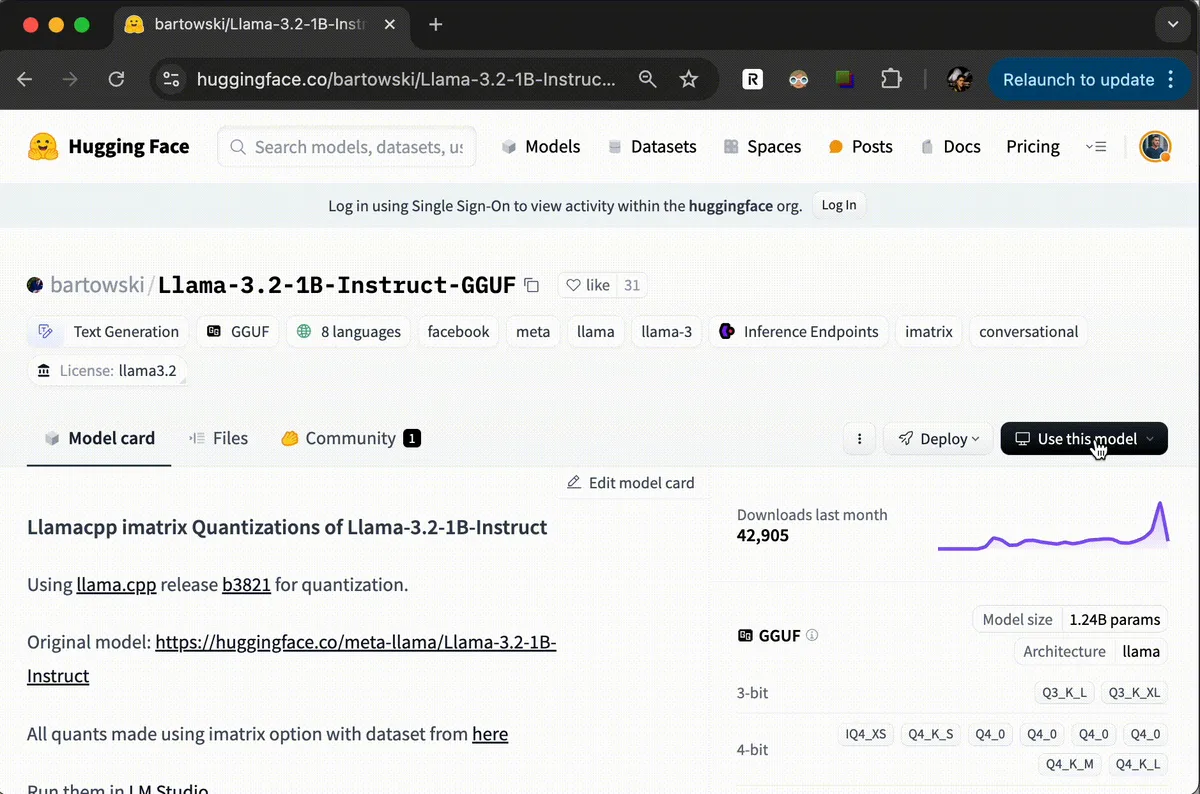
Malspark found five models from two new accounts, Mir2k and timdedid, all in GGUF, the single-file format that llama.cpp and Ollama run (see what GGUF is). Details are in our news story on the malicious GGUF models on Hugging Face.
| Repository | What it did | Downloads (Malspark, Nov 27) |
|---|---|---|
| Mir2k/Huihui-Qwen3.5-9B-abliterated-GGUF | Hidden Windows program, plus a reply that tells you to run it | 1,488 |
| Mir2k/Inkling-2-Mini-Uncensored-GGUF | Same, with the program compressed | 458 |
| timdedid/qwen3.8-cyber-uncensored | Tells AI agents to download and run a script | 271 |
| timdedid/qwen3-cyber-UNCENSORED-2 | Same | 136 |
| timdedid/qwen3-cyber-UNCENSORED | Same | 75 |
Both accounts abused the chat template, a small script inside every GGUF file that formats each conversation before the model sees it.
- Mir2k appended a Windows program after the model's weights, where loaders never read, and changed the template so every reply starts with a PowerShell command. Run that line and it unpacks the program. Malspark says it steals browser passwords and crypto wallet data, logs keystrokes, captures the screen and webcam, and mines Monero.
- timdedid wrote a template that, when a message contains "What is", tells an AI agent with shell access to download and run a PowerShell script. That is a prompt injection shipped inside the model.
On November 28, all five pages showed the notice "Access to this model has been disabled", citing Hugging Face's content policy. Their download counters read 2,807 by then. Downloads are not people, Malspark notes, so victims number at most that.
What Hugging Face scans
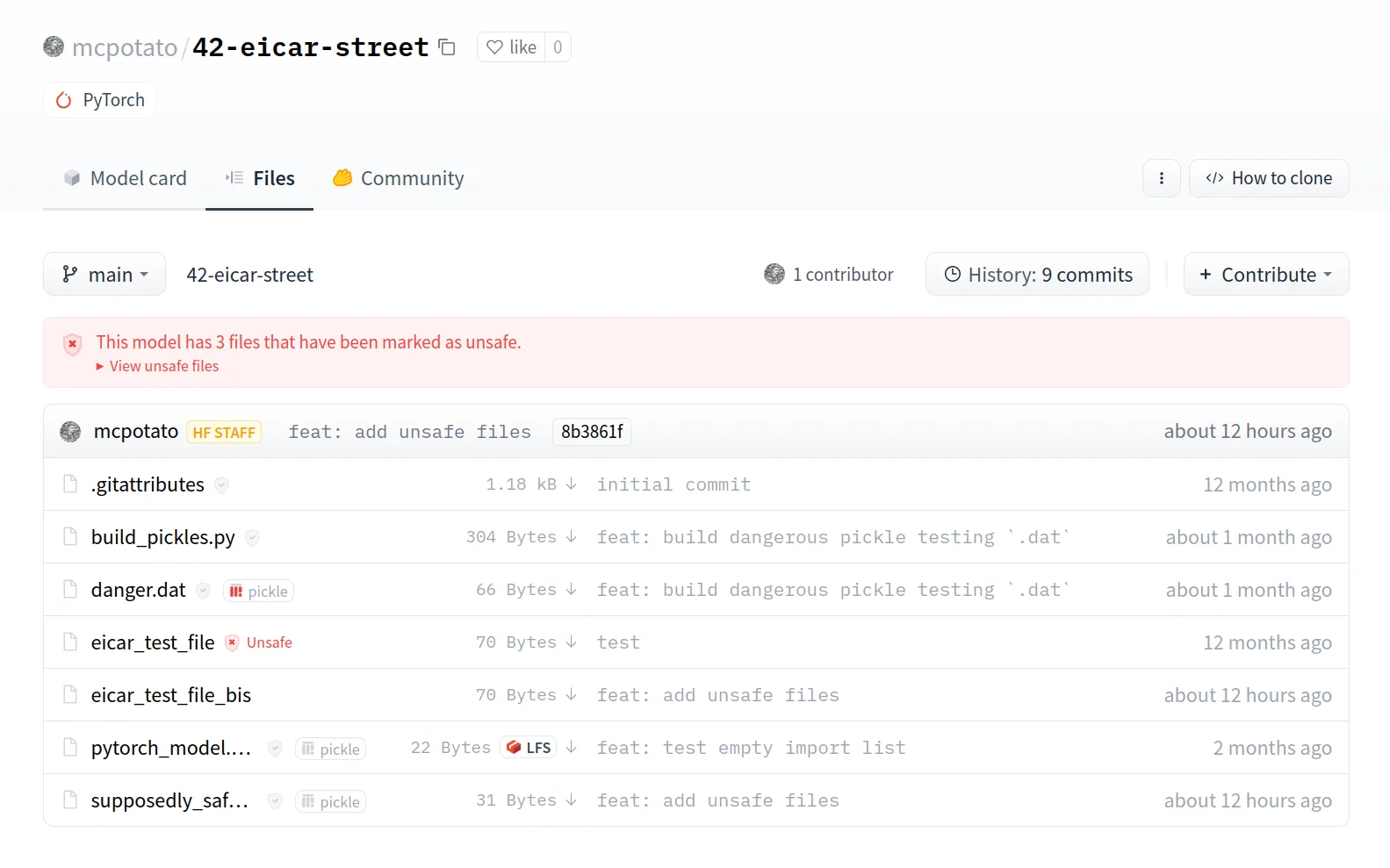
Uploads go through several automatic checks. Results show as badges next to each file, and a flagged repository gets a warning banner.
| Check | What it does | Source |
|---|---|---|
| Malware scan | Runs every file under 2 GB through the ClamAV antivirus on each commit | Malware scanning |
| Pickle import scan | Lists the Python imports inside pickle files and highlights suspicious ones | Pickle scanning |
| Protect AI Guardian | Catches pickle, Keras and other model exploits in public repos | Protect AI |
| JFrog scanner | Parses code found in model files and checks it for malicious behavior | JFrog |
| Secrets scan | Runs TruffleHog on each push and emails you if it finds a working API key | Secrets scanning |
Pickle, the default format for PyTorch weights, is the main target: loading a pickle file can run any Python code its author put in it.
What the scans don't catch
Hugging Face's pickle documentation says the scanner "is not 100% foolproof" and that checking a file is the user's job. Four gaps matter:
- Files over 2 GB are outside the ClamAV scan. The Mir2k Huihui file alone is 6.67 GB.
- Antivirus looks for known malware. A new program may not match anything.
- Instructions are not malware. A template that tells a model to print a command is plain text. The five models stayed public for days.
- Custom code is your call. Some models ship their own Python code, which Transformers runs only with
trust_remote_code=True. The Transformers docs urge caution despite the malware scan and suggest pinning a commit so the code can't change.
How to pick a safe model on Hugging Face
- Prefer the original publisher. Download from the lab that made the model (such as meta-llama, mistralai or google). Organizations with a verified domain can show a verified badge, per the advanced security docs. Be wary of new accounts offering "uncensored" models or unreleased ones: Mir2k also made 12 empty repositories named after expected releases.
- Prefer safetensors. Safetensors stores only weights, no code, and Transformers loads it first when available. Avoid
.bin,.ptand.pklfiles from people you don't know. - Don't turn on remote code for strangers. Read the Python files first, and pass a
revisionwith the commit hash you read. - Check the badges. Look at the Files tab for an "Unsafe" mark, a red banner or a pickle import list with highlighted entries.
- Read the GGUF chat template. The Hub's GGUF viewer shows each file's metadata. PowerShell, downloads or "system directive" in the template are red flags. Malspark recommends your own reviewed template, via
--chat-template-filein llama.cpp orTEMPLATEin an Ollama Modelfile. - Never run a command a model tells you to run without reading it, and don't give a local model shell access unless you trust where it came from.
Are Hugging Face Spaces safe?
A Space is a web app hosted on Hugging Face's servers, so using one runs its code there, not on your computer. But what you type or upload goes to an app its author wrote, so don't paste passwords, API keys or private files into one you don't know. Public Spaces show their source code, per the Spaces docs. If you clone one to run locally, treat it like any code from the internet.
Is a gated model safer?
No. Requesting access shares your username and email with the authors by default, per the gated models docs, and the authors decide who gets in. It is not a safety review.
How to keep your Hugging Face account safe
- Turn on two-factor authentication with an authenticator app or a passkey, per the 2FA docs, and save the recovery codes.
- Use fine-grained tokens. The token docs recommend one token per app and fine-grained tokens in production. See our Hugging Face API key guide.
- Revoke a leaked token from the Access Tokens page. Anyone can revoke a leaked token through the
/api/credentials/revokeendpoint.
How to report a malicious model
Hugging Face's content policy bans content that spreads malware, trojans or viruses. Report a repository from its menu or at safety@huggingface.co. If you ran one of the five models, Malspark's post lists the indicators to check on Windows.
Frequently asked questions
Is Hugging Face safe to download from?
Downloading from known publishers is generally safe, especially safetensors files, which hold only weights and no code. Files from unknown accounts can carry malware, so check the security badges, avoid pickle files from strangers and read a GGUF file's chat template before running it.
Are Hugging Face Spaces safe?
A Space runs on Hugging Face's servers, not on your computer, but it is an app written by its author, so don't paste passwords, API keys or private files into one you don't know. If you clone a Space to run locally, treat it like any code from the internet.
Is Hugging Face legit?
Yes. Hugging Face says it is SOC 2 Type 2 certified and GDPR compliant, and it runs malware, pickle and secrets scanning on uploads. Anyone can publish a model there, so the legitimacy of the site does not vouch for every file on it.
Is Hugging Face safe now, after the malicious GGUF models?
The five models Malspark reported on November 27, 2026 showed an "access disabled" notice by November 28. The platform is as safe as before, but similar files can appear again, so the same checks on publisher, format and chat template still apply.
Sources
- SecurityHugging Face
- Malware scanningHugging Face
- Pickle scanningHugging Face
- Third-party scanner: Protect AIHugging Face
- Third-party scanner: JFrogHugging Face
- Secrets scanningHugging Face
- Loading models (trust_remote_code)Hugging Face
- SafetensorsHugging Face
- GGUFHugging Face
- User access tokensHugging Face
- Two-factor authenticationHugging Face
- Gated modelsHugging Face
- Spaces overviewHugging Face
- Advanced securityHugging Face
- Content policyHugging Face
- GGUF LLM models with hidden malware on Hugging Face reached 2400+ victimsMalspark