Key takeaways
- Hugging Face is a hub for models, datasets and Spaces with paid inference, while Ollama is an app that runs models on your own machine with an optional cloud.
- Ollama can run any GGUF model on the Hub with ollama run hf.co/{username}/{repository}, defaulting to the Q4_K_M file when there is one.
- As of November 28, 2026, Hugging Face PRO costs $9 a month with $2 of compute credits, and Ollama Pro costs $20 a month with $60 of cloud usage credits.
Hugging Face vs Ollama is not a choice between two versions of the same tool. Hugging Face is a hub where people publish models, datasets and apps, with paid compute on top. Ollama is an app that runs models on your own computer, with an optional cloud for models too big for your machine. Most people who run open models locally use both: they find a model on Hugging Face and run it with Ollama.
The short version: pick Hugging Face to find, share, fine-tune or host models, and to call many models through one API. Pick Ollama to chat with a model or serve it to your own apps from your laptop or server. The comparison below is based on the products' docs and pricing pages, read on November 28, 2026.
What Hugging Face is
The Hugging Face Hub hosts "over 3M models, 1M datasets, and 2M AI apps (Spaces)", according to its documentation. Every model, dataset and Space is a Git repository with version history.
Around the Hub sit several paid services:
- Inference Providers, one API that routes requests to more than 200 models run by partner companies. Hugging Face says it charges the providers' own rates "with no additional fees" (pricing docs).
- Inference Endpoints, a dedicated server for one model, billed by the hour.
- Spaces, small web apps that demo a model, with free CPU and paid GPU hardware.
Hugging Face does not run anything on your laptop. You download a model and run it with a library such as Transformers or a local app, or you pay for its cloud.
What Ollama is
Ollama is a program for macOS, Windows and Linux that downloads a model and runs it on your machine. You type ollama run <model> and chat in the terminal, or you call it from code. It starts a local server on port 11434 (FAQ).
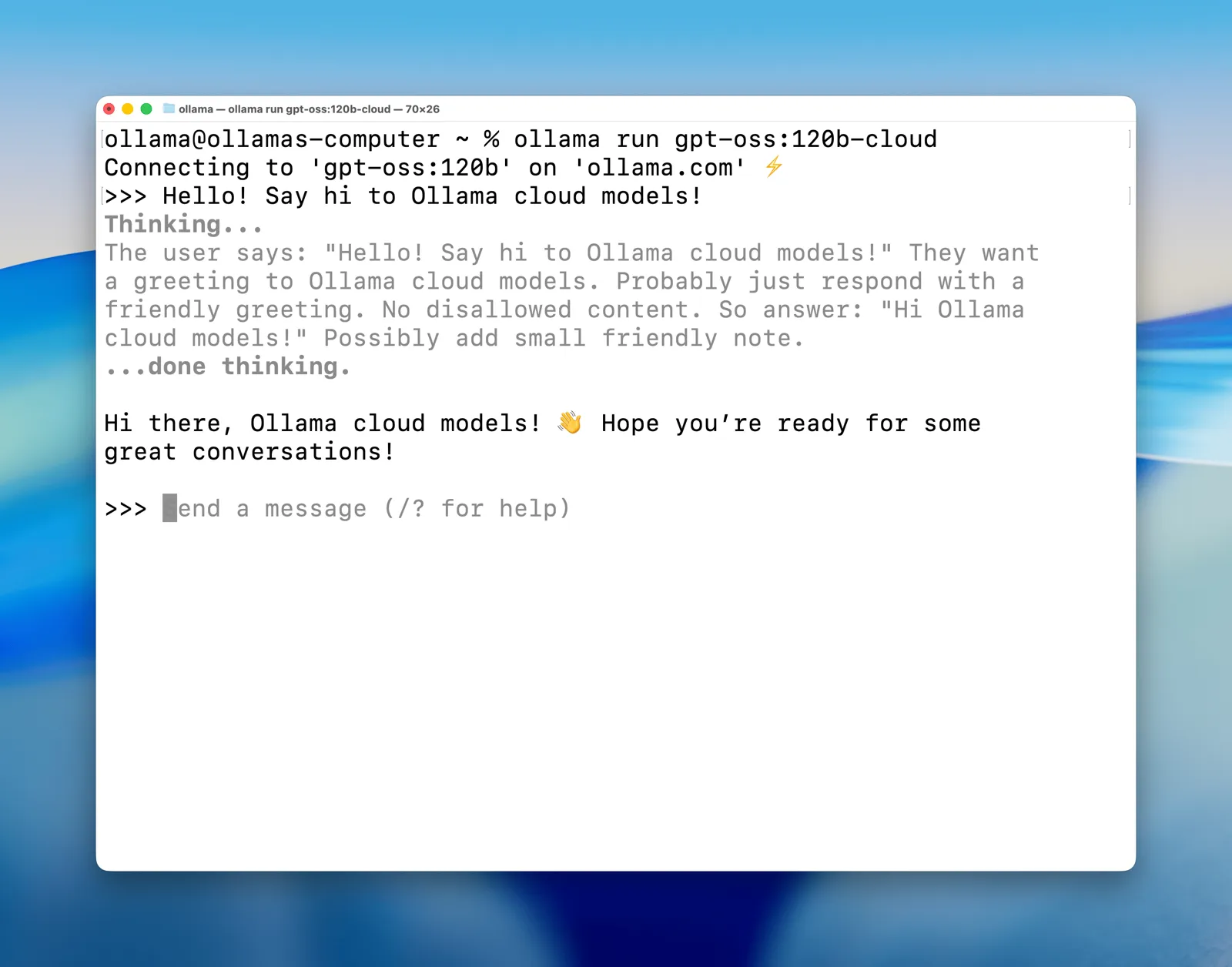
It also has its own library of ready-made models on ollama.com, and since September 2025 a cloud. Cloud models have tags that end in -cloud, such as gpt-oss:120b-cloud, and run on Ollama's servers after you sign in with ollama signin (Ollama blog). The point is to run models too big for a laptop with the same commands and API.
Hugging Face vs Ollama at a glance
| Hugging Face | Ollama | |
|---|---|---|
| What it is | A hub for models, datasets and Spaces, plus paid inference and hosting | An app that runs models locally, plus an optional cloud |
| Where models run | Your machine (you download them), partner providers, or your own Endpoints | Your machine, or Ollama's cloud for -cloud models |
| Model formats | Any file; safetensors and GGUF both recommended | GGUF, or safetensors imported with a Modelfile |
| Free use | Free account, free CPU Basic and ZeroGPU Spaces, no free inference credits | Local use is free and unlimited; cloud is pay per token |
| Paid individual plan | PRO, $9 a month, with $2 of compute credits | Pro, $20 a month or $200 a year, with $60 of usage credits |
| Bigger plans | Team $20 per user a month; Enterprise $500 per user a month | Max $100 a month; Team $500 a month; Enterprise custom |
| API | One OpenAI-compatible router for 200+ models at router.huggingface.co | Local API at localhost:11434, OpenAI and Anthropic compatible; same API at ollama.com |
| Privacy | Inference router does not store request bodies; providers set their own policies | Local prompts never leave your machine; cloud says no logging or training |
| Best for | Finding, sharing, fine-tuning and hosting models; calling many models in the cloud | Running models privately on your own hardware with one command |
Prices are as of November 28, 2026, from huggingface.co/pricing and ollama.com/pricing.
Where the models run
With Ollama, the default is your own computer. Your laptop's memory and GPU decide which models you can run and how fast. Running models on your own hardware "is always unlimited", Ollama's pricing page says. The cloud is an add-on for models that are too large.
With Hugging Face, the Hub stores the files, and you choose where they run. You can download them and run them yourself, pay per request through Inference Providers, rent a dedicated Endpoint, or put a demo in a Space. Endpoints start at $0.03 an hour for one CPU on AWS, and an Nvidia T4 GPU costs $0.50 an hour, according to the pricing page.
Safetensors vs GGUF
The two sides lean toward different file formats.
Safetensors is the format most Hub models ship in. Hugging Face built it as a safe alternative to Python's pickle format, and libraries such as Transformers and Diffusers read it (safetensors docs). These are usually full-precision weights, meant for a GPU and Python.
GGUF is a single-file format from the llama.cpp project. It stores the weights and the model's settings together, and it is usually quantized, meaning the numbers are rounded to 4 or 5 bits so the model fits in less memory (Hub GGUF docs). Ollama is built on llama.cpp and runs GGUF files directly. It can also import safetensors through a Modelfile, a short text file that points to the weights, but it does not quantize GGUF files on import (Ollama import docs). For more on the format, see what GGUF is and how it works.
How Hugging Face and Ollama work together
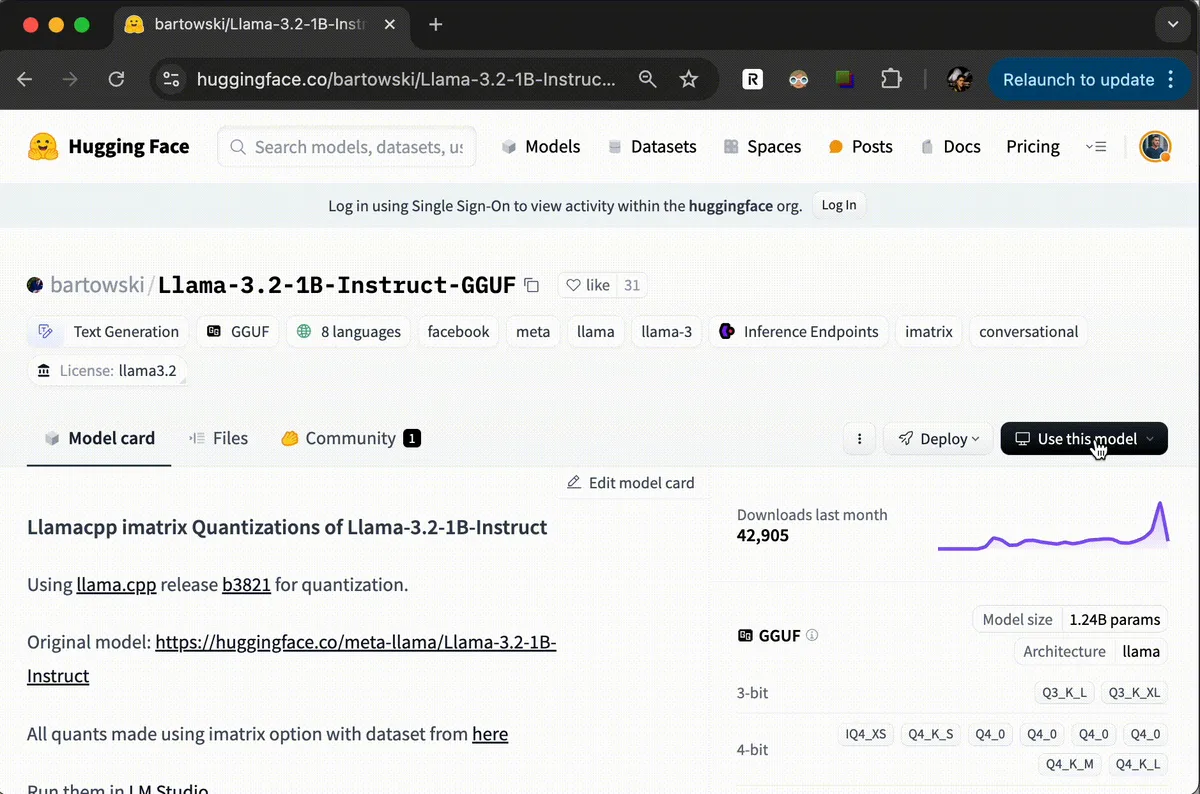
Ollama can pull any GGUF model straight from the Hub. The Hugging Face docs give the format:
ollama run hf.co/{username}/{repository}
For example:
ollama run hf.co/bartowski/Llama-3.2-1B-Instruct-GGUF
By default Ollama picks the Q4_K_M file, a 4-bit version, when the repository has one. To choose another size, add the quantization as a tag:
ollama run hf.co/bartowski/Llama-3.2-3B-Instruct-GGUF:Q8_0
Hugging Face counted 45,000 public GGUF checkpoints on the Hub when it wrote that page.
Private repositories work as well. Copy Ollama's public key from ~/.ollama/id_ed25519.pub, add it under SSH keys in your Hugging Face settings, and the same ollama run hf.co/... command reaches your private models.
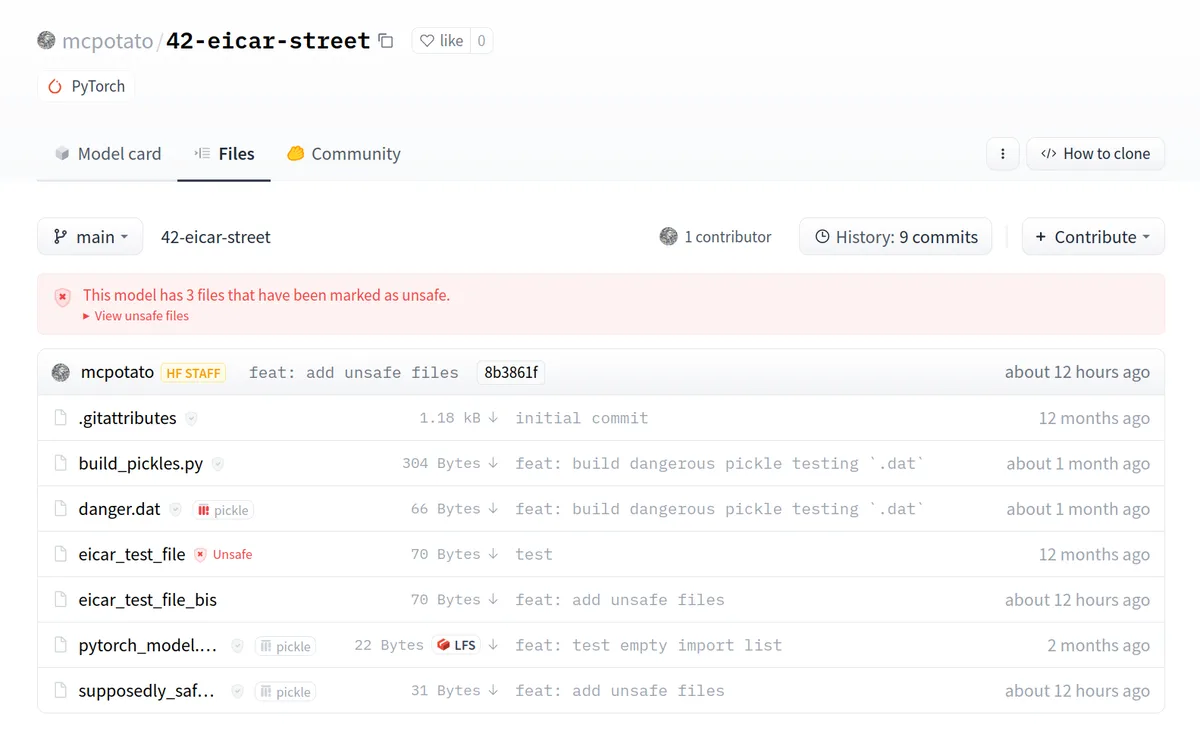
A word on safety. Anyone can upload a model to the Hub, and a file you run comes from whoever published it. Prefer repositories from the model's own lab or from well-known quantizers, and check the uploader before you pull. Malicious GGUF files have turned up on the Hub: a researcher found five on November 26, and Hugging Face has since disabled them.
Hugging Face vs Ollama prices (November 2026)
Hugging Face (pricing, Inference Providers billing):
- Free account: free CPU Basic Spaces (2 vCPU, 16 GB) and ZeroGPU Spaces. No monthly inference credits; free users can buy credits.
- PRO: $9 a month. Ten times the private storage, $2 of monthly compute credits, eight times the ZeroGPU quota, Dev Mode for Spaces.
- Team: $20 per user a month. Single sign-on, audit logs and $2 of credits per seat.
- Enterprise: $500 per user a month, with the highest limits and dedicated support.
- Storage beyond the free amount: $12 per TB a month public, $18 private.
The $2 of credits covers Inference Providers, Endpoints, Spaces hardware or Jobs; past that you pay the provider's rate.
Ollama (pricing):
- Pay as you go: $0. Run models locally, pay per token for cloud models, 3 requests at a time.
- Pro: $20 a month, or $200 a year. $60 of cloud usage credits a month and access to larger Pro models.
- Max: $100 a month. $300 of credits a month, early access to new models, 10 requests at a time.
- Team: $500 a month, in early access. Unlimited users and $1,000 of credits a month shared across the team.
- Enterprise: custom price.
Both are free for what most people need. If you only run models on your own computer, Ollama costs nothing and a free Hugging Face account is enough to download from the Hub. The paid plans matter only when you want someone else's GPUs.
Privacy
Ollama's FAQ is direct: "We don't see your prompts or data when you run locally." You can switch the cloud off entirely by setting OLLAMA_NO_CLOUD=1 or "disable_ollama_cloud": true in ~/.ollama/server.json. For cloud models, the pricing page says prompts and responses are never logged or used for training, compute runs mainly in the United States with overflow to Europe, and Ollama requires zero-retention terms from the hosting partners it uses.
Hugging Face says it does not store the request body or response when it routes Inference Providers traffic, and keeps logs without user data for up to 30 days (security docs). The partner that runs the model has its own data policy, so check the provider you pick. The Hub is SOC 2 Type 2 certified.
If data must stay on your machine, run the model locally, which is what Ollama does by default.
API
Both speak the OpenAI format, so the same client code works with a different base URL.
- Hugging Face:
https://router.huggingface.co/v1, authenticated with a Hugging Face token. One key reaches 200+ models across providers. The Hugging Face API key guide covers the token. - Ollama:
http://localhost:11434/v1on your machine with no key, orhttps://ollama.com/v1for the cloud with an API key (API docs). It also accepts Anthropic's Messages format, which is how coding tools built for Claude can run on a local model. See the Claude Code and Ollama setup guide.
Which one to use
Use Ollama when you want a model running on your own laptop or server in one command, with no account, no key and no data leaving the machine. It suits developers wiring a local model into an app and people with private documents.
Use Hugging Face when you need the models themselves: to browse and compare them, download full-precision weights to fine-tune, publish your own, share datasets, demo something in a Space, or call many hosted models through one API without running hardware.
Use both when you want a specific open model that isn't in Ollama's library, or a particular quantization of it. Find the GGUF repository on Hugging Face and run it with ollama run hf.co/....
Frequently asked questions
Can Ollama use models from Hugging Face?
Yes. Ollama runs GGUF models from the Hub with ollama run hf.co/{username}/{repository}, and you can add a quantization tag such as :Q8_0. Private repositories work after you add Ollama's SSH key to your Hugging Face account.
Is Hugging Face Pro or Ollama Pro better value?
They buy different things. Hugging Face PRO is $9 a month for more storage, ZeroGPU quota and $2 of compute credits, while Ollama Pro is $20 a month for $60 of cloud model usage. Neither is needed to run models locally.
What is the difference between Hugging Face and Ollama cloud?
Hugging Face Inference Providers routes requests to more than 200 models run by partner companies at their rates. Ollama's cloud runs a smaller set of models tagged -cloud on its own service, with the same commands and API as local Ollama.
Does Ollama use safetensors or GGUF?
Ollama runs GGUF files directly and can import safetensors weights through a Modelfile. It does not quantize GGUF files on import, so pick the size you want on the Hub.
Sources
- PricingHugging Face
- PricingOllama
- Use Ollama with any GGUF model on Hugging Face HubHugging Face
- Hugging Face Hub documentationHugging Face
- Inference Providers pricing and billingHugging Face
- Inference Providers security and complianceHugging Face
- GGUFHugging Face
- SafetensorsHugging Face
- FAQOllama
- CloudOllama
- API introductionOllama
- Importing a modelOllama
- Cloud modelsOllama