Key takeaways
- Ollama 0.14.0 and later serve an Anthropic-compatible API, and `ollama launch claude` starts Claude Code on an Ollama model.
- Local models cost nothing to run but need tool support and a 64k context window, while Ollama defaults to 4k on machines with under 24 GiB of video memory.
- Ollama's cloud works with a pay-per-token plan or subscriptions from $20 a month, and features such as prompt caching and hosted web search are not fully supported.
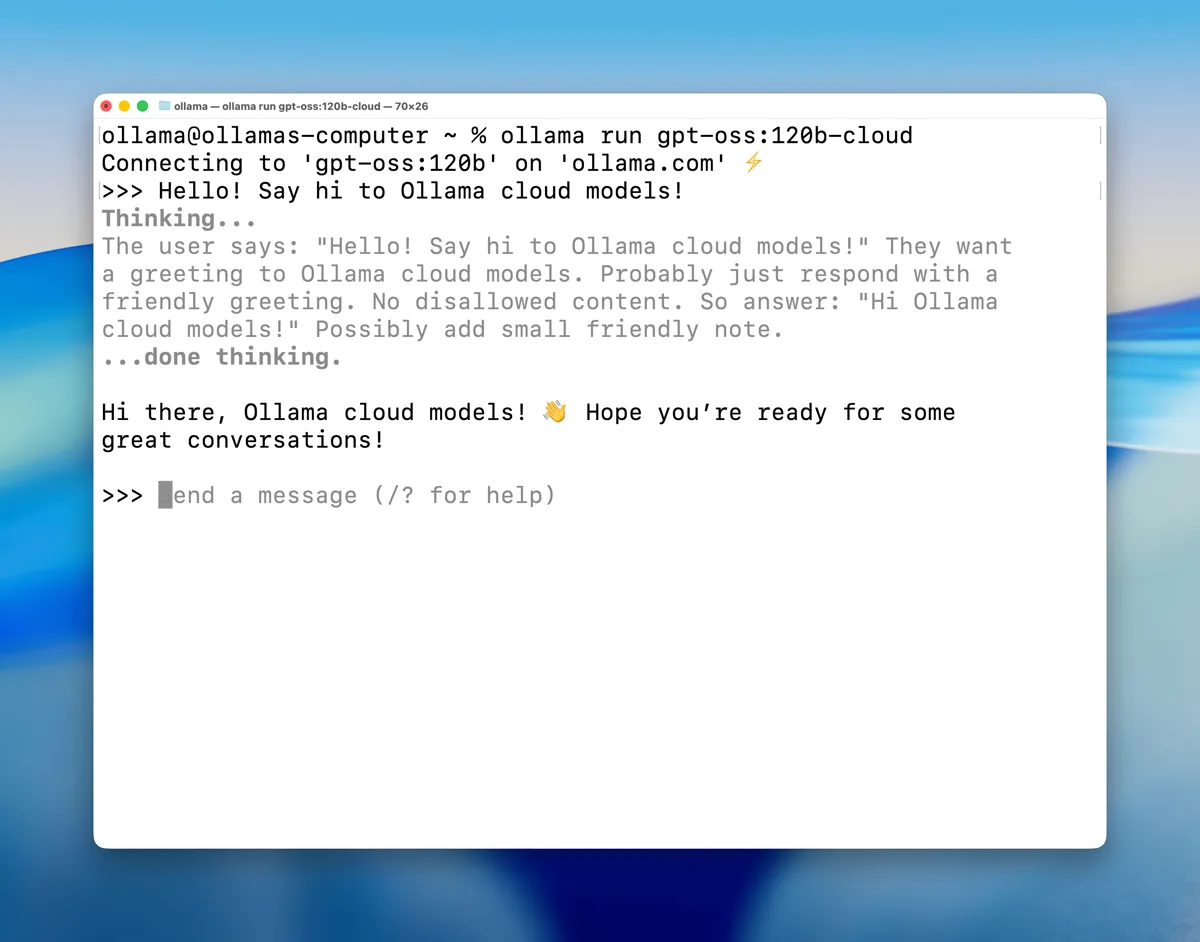
To run Claude Code with Ollama, install Ollama 0.14.0 or later and run ollama launch claude. Ollama serves an Anthropic-compatible API, so Claude Code talks to an open model on your own machine or in Ollama's cloud instead of to Claude. If you'd rather wire it up by hand, you point three environment variables at Ollama, and Ollama's Claude Code docs list them.
The local route costs nothing beyond your hardware. The catch is that most "not working" reports come from one setting: Ollama gives a model only a 4k-token context window on machines with less than 24 GiB of video memory, and Claude Code needs 64k or more.
This guide is for developers who already use Claude Code, or want to try it, without a Claude subscription or API key. At the end you'll have Claude Code editing files and running commands on a local or cloud Ollama model, and you'll know which features stop working when you do.
What you need first
- Ollama 0.14.0 or later. That release added the Anthropic Messages API, according to Ollama's announcement of January 16, 2026. On Windows, Ollama runs as a native app on Windows 10 22H2 or newer and serves its API at
http://localhost:11434. - Claude Code. The install commands are below.
- A model that supports tool calling. Claude Code works by calling tools: reading files, editing them, running shell commands. Ollama lists local models with tool support and cloud models separately.
- For local models, enough memory for a 64k context. A bigger context window needs more memory, and Ollama's context length docs say coding tools should get at least 64,000 tokens.
- For cloud models, an Ollama account. Local models need no sign-in.
How to set up Claude Code with Ollama the quick way
- Install Ollama from ollama.com and make sure it is running.
- Run the launcher:
ollama launch claude
ollama launch is Ollama's command for setting up and starting coding tools. It also supports OpenCode, Codex, VS Code and Droid. It lets you pick a model and then starts Claude Code connected to it. To skip the picker, name the model:
ollama launch claude --model qwen3.5
For scripts, Docker or CI, add --yes. It skips the selectors, pulls the model if it isn't downloaded yet, and requires --model. Anything after -- goes straight to Claude Code:
ollama launch claude --model gemma4:cloud --yes -- -p "how does this repository work?"
How to connect Claude Code to Ollama manually
The manual setup is the one to use when you want Claude Code configured permanently, or when you run Claude Code from an editor.
1. Install Claude Code. On macOS or Linux:
curl -fsSL https://claude.ai/install.sh | bash
On Windows, in PowerShell:
irm https://claude.ai/install.ps1 | iex
If you already have it, update Claude Code first.
2. Point Claude Code at Ollama. In Bash or Zsh:
export ANTHROPIC_AUTH_TOKEN=ollama
export ANTHROPIC_API_KEY=""
export ANTHROPIC_BASE_URL=http://localhost:11434
Here is what each one does, according to Anthropic's environment variable reference:
| Variable | What it does | Value for Ollama |
|---|---|---|
ANTHROPIC_BASE_URL |
Sends Claude Code's requests to a different endpoint | http://localhost:11434 (local) or https://ollama.com (cloud) |
ANTHROPIC_AUTH_TOKEN |
Sent as an Authorization: Bearer header |
ollama locally, where it is required but ignored; your Ollama API key for the cloud |
ANTHROPIC_API_KEY |
Sent as x-api-key, and used in place of a Claude subscription when set |
Empty, so it doesn't override the token |
In PowerShell, Anthropic's gateway guide uses this form:
$env:ANTHROPIC_BASE_URL = "http://localhost:11434"
$env:ANTHROPIC_AUTH_TOKEN = "ollama"
Shell variables last only for that terminal. To keep them, put them in the env block of ~/.claude/settings.json (%USERPROFILE%\.claude\settings.json on Windows):
{
  "env": {
    "ANTHROPIC_BASE_URL": "http://localhost:11434",
    "ANTHROPIC_AUTH_TOKEN": "ollama",
    "ANTHROPIC_API_KEY": ""
  }
}
3. Start Claude Code with an Ollama model:
claude --model qwen3.5
4. Check the connection. Run /status inside Claude Code. The Anthropic base URL line should show your Ollama address, and an Auth token line should name ANTHROPIC_AUTH_TOKEN. If the base URL line is missing, the variable never reached the session.
How to use Claude Code with Ollama cloud
Ollama's cloud runs larger models on its servers, so you don't need a big GPU. There are two ways to use it.
Through your local Ollama. Run ollama signin, then use a model name ending in :cloud, such as gemma4:cloud. No separate download is needed, and cloud models always run at their full context length.
Directly, with no Ollama install. Create an API key in your Ollama account settings, put it in OLLAMA_API_KEY, and run:
ANTHROPIC_BASE_URL=https://ollama.com \
ANTHROPIC_AUTH_TOKEN="$OLLAMA_API_KEY" \
ANTHROPIC_API_KEY="" \
claude --model glm-5.3-flash
The cloud endpoint needs the key as a bearer token. It does not accept x-api-key alone, so the key has to go in ANTHROPIC_AUTH_TOKEN, not ANTHROPIC_API_KEY. Ollama says basic chat and file edits work with compatible cloud models, while hosted web search and advanced tool controls are not fully supported.
Is Claude Code with Ollama free
Local models are free to run. Ollama's pricing page says running models on your own hardware is always unlimited. When ANTHROPIC_AUTH_TOKEN is set, Claude Code sends that credential instead of a claude.ai login, so no Claude plan limits or Anthropic billing apply to those requests, per Anthropic's gateway docs.
Cloud models cost money. Ollama's plans as of November 28, 2026:
| Plan | Price | Cloud credits included | Concurrent requests |
|---|---|---|---|
| Pay as you go | $0, pay per token | None | 3 |
| Pro | $20 a month, or $200 a year | $60 a month | 3 |
| Max | $100 a month | $300 a month | 10 |
| Team (early access) | $500 a month | $1,000 a month, shared | 10 |
| Enterprise | Custom | Custom | Not listed |
Pro also gives access to larger "Pro" models. You can check spend with Ollama's usage endpoint, https://ollama.com/api/usage, using your API key.
Which Ollama model to use with Claude Code
Ollama doesn't name one best model. Its current docs use qwen3.5 as the local example and kimi-k2.7-code:cloud, gemma4:cloud and glm-5.3-flash as cloud examples. Its January announcement suggested gpt-oss:20b and qwen3-coder for local use and glm-4.7:cloud and minimax-m2.1:cloud for the cloud. Whatever you pick, it needs tool support and, locally, a 64k context window.
Expect the result to differ from Claude Code on Claude. The agent loop is the same, but the model doing the work is not, and Anthropic's own docs say it doesn't support routing Claude Code to non-Claude models. Problems with an Ollama setup go to Ollama, not to Anthropic support. If you want an open-source agent built for any model, see Claude Code vs OpenCode.
How to use Claude Code with Ollama in VS Code
The Claude Code extension for VS Code reads its gateway settings from VS Code's own user settings, not reliably from your shell. Open Preferences: Open User Settings (JSON) and add:
{
  "claudeCode.environmentVariables": [
    { "name": "ANTHROPIC_BASE_URL", "value": "http://localhost:11434" },
    { "name": "ANTHROPIC_AUTH_TOKEN", "value": "ollama" }
  ],
  "claudeCode.disableLoginPrompt": true
}
disableLoginPrompt skips the Anthropic sign-in screen for setups like this one. Ollama also has its own VS Code extension, but that one adds Ollama models to VS Code's built-in chat. It does not connect Claude Code.
Claude Code not working with Ollama: common fixes
- The model forgets files or stops mid-task. The context window is probably too small. Ollama sets 4k on machines with under 24 GiB of video memory and 32k with 24 to 48 GiB. Raise it to at least 64k with the slider in the Ollama app's settings, or start the server with
OLLAMA_CONTEXT_LENGTH=64000 ollama serve. Runollama psand check theCONTEXTcolumn, and thatPROCESSORsays 100% GPU. - Claude Code still uses Claude, or asks you to log in. A settings file wins over a shell variable when both set the same one, so an old
envblock in~/.claude/settings.jsoncan undo your exports. Run/status. Also leaveANTHROPIC_API_KEYempty, as Ollama's setup does: when it holds a key, Claude Code uses that key in place of other sign-ins. - 401 errors on Ollama cloud. The key is in the wrong variable. Use
ANTHROPIC_AUTH_TOKEN. - The model chats but doesn't edit files or run commands. Check that it supports tool calling. Ollama's docs say local models need tool support, and cloud models should be ones that support tools.
- A local model isn't available. Ollama's docs say to pull a local model before use:
ollama pull <model>. The launcher with--yespulls it for you. - Some features are missing. Ollama's Anthropic compatibility page lists what it doesn't support: prompt caching, the token-counting endpoint, forced tool choice, PDF input, citations and the Batches API. Anthropic's docs add that Remote Control turns off when
ANTHROPIC_BASE_URLpoints anywhere but Anthropic, and voice dictation needs a claude.ai login. - Claude Code misjudges how much context is left. Set
CLAUDE_CODE_MAX_CONTEXT_TOKENSto the window you gave the model. Anthropic documents it for models reached throughANTHROPIC_BASE_URLwhose window doesn't match the built-in size. For how Claude Code spends that window, see the Claude Code context window explained.
Where to go next
Once the connection works, the rest of Claude Code works as usual: /loop for scheduled prompts, plugins, permission rules and subagents. To switch back to Claude, unset the three variables or remove them from your settings file, then run /status to confirm Claude Code is talking to Anthropic again.
Frequently asked questions
Is Claude Code with Ollama free?
Running local models through Ollama is free, and Ollama says running models on your own hardware is always unlimited. Cloud models are billed per token or through Ollama plans starting at $20 a month, as of November 28, 2026.
Can I use Claude Code with Ollama cloud without installing Ollama?
Yes. Set ANTHROPIC_BASE_URL to https://ollama.com, put your Ollama API key in ANTHROPIC_AUTH_TOKEN, leave ANTHROPIC_API_KEY empty and start Claude Code with a cloud model that supports tools.
Which Ollama model works best with Claude Code?
Ollama does not name one best model. It asks for a model with tool support and, for local models, a 64k context window; its docs use qwen3.5 locally and kimi-k2.7-code:cloud, gemma4:cloud and glm-5.3-flash in the cloud as examples.
Why is Claude Code not working with Ollama?
The most common cause is a context window that is too small, since Ollama sets 4k on machines with under 24 GiB of video memory. Other causes are a settings file overriding your shell variables, a model without tool support, or an API key in the wrong variable.
Sources
- Claude CodeOllama
- Anthropic compatibilityOllama
- Claude Code with Anthropic API compatibilityOllama
- Context lengthOllama
- Ollama pricingOllama
- CLI referenceOllama
- Ollama for WindowsOllama
- Environment variablesAnthropic
- Connect Claude Code to an LLM gatewayAnthropic
- Other LLM gatewaysAnthropic
- Use Claude Code in VS CodeAnthropic