Key takeaways
- The Gemini app is Google's chat assistant, while Antigravity is a coding agent that edits files and runs commands in your projects.
- The same Google AI plans raise limits in both: Plus $4.99, Pro $19.99 and Ultra $99.99 or $199.99 a month, as of November 27, 2026.
- Gemini CLI was replaced by Antigravity CLI for free and Google AI subscribers on June 18, 2026, and stays only for paid API keys and Code Assist licenses.
Gemini vs Antigravity is not a choice between two rival products. The Gemini app is Google's chat assistant for questions, writing, research, images and quick code, while Google Antigravity is a coding agent that edits files, runs commands and works in your projects. One Google AI subscription raises your limits in both: Google AI Pro costs $19.99 a month and Ultra $99.99 or $199.99, as of November 27, 2026, according to Google's plans page.
So the real question is which one fits the job. If you want answers, drafts or a working prototype in a chat window, use Gemini. If you want an agent to change a real codebase, use Antigravity. If you are a Gemini CLI user, Google has already moved most people to Antigravity's terminal client.
This comparison is based on the products' docs, Google's plans and pricing pages and Google's published benchmark results, read on November 27, 2026. We did not test either product hands-on.
Gemini vs Antigravity at a glance
| Gemini app | Google Antigravity | |
|---|---|---|
| What it is | Chat assistant | Agentic development platform |
| Where it runs | Web and mobile apps | Desktop app, agy CLI, editor extensions, Python SDK, web app |
| Main job | Questions, writing, Deep Research, images, video, Canvas prototypes | Editing code, running commands and tests, multi-agent work |
| Free tier | Gemini 4 Hydrogen, 32,000-token context | Gemini 4 Hydrogen, weekly quota |
| Google AI Plus ($4.99) | 2x free limits, 128,000-token context | Same models and weekly quota as free |
| Google AI Pro ($19.99) | 4x free limits, Gemini 4 Neon, 1M-token context | Gemini 4 Neon, Carbon, Orchestrator, Claude Sonnet 5.5 and Opus 5.5 |
| Google AI Ultra ($99.99 or $199.99) | 5x or 20x Pro limits, adds Gemini 4 Carbon | 5x higher or the highest rate limits, same main models as Pro |
| How limits refresh | Every 5 hours, up to a weekly limit | Weekly on free and Plus; every 5 hours plus a weekly limit on Pro and Ultra |
| Past the limit | AI credits on Pro and Ultra, or continue with Flash-Lite | AI credits on Pro and Ultra |
| Other vendors' models | No | Anthropic's Claude on paid Pro and Ultra |
| Work accounts | Gemini with Google Workspace, from $14 per seat a month | Gemini Enterprise from $30 per seat a month, or pay as you go |
Prices as of November 27, 2026, in US dollars, before tax.
What the Gemini app is for
The Gemini app is the assistant at gemini.google.com and in Google's mobile apps. It answers questions, writes and edits, runs Deep Research reports, makes images and, on paid plans, video. Google's overview page says coding "has quickly become one of its most popular applications."
For code, the useful part is Canvas. Google says Canvas can "generate the code that brings your idea to life as a working, shareable app or game." That makes it good for a one-page prototype, a script you paste somewhere else, or an explanation of a bug. It does not open your repository, run your test suite or make commits. That is the line between the two products.
What Antigravity is for
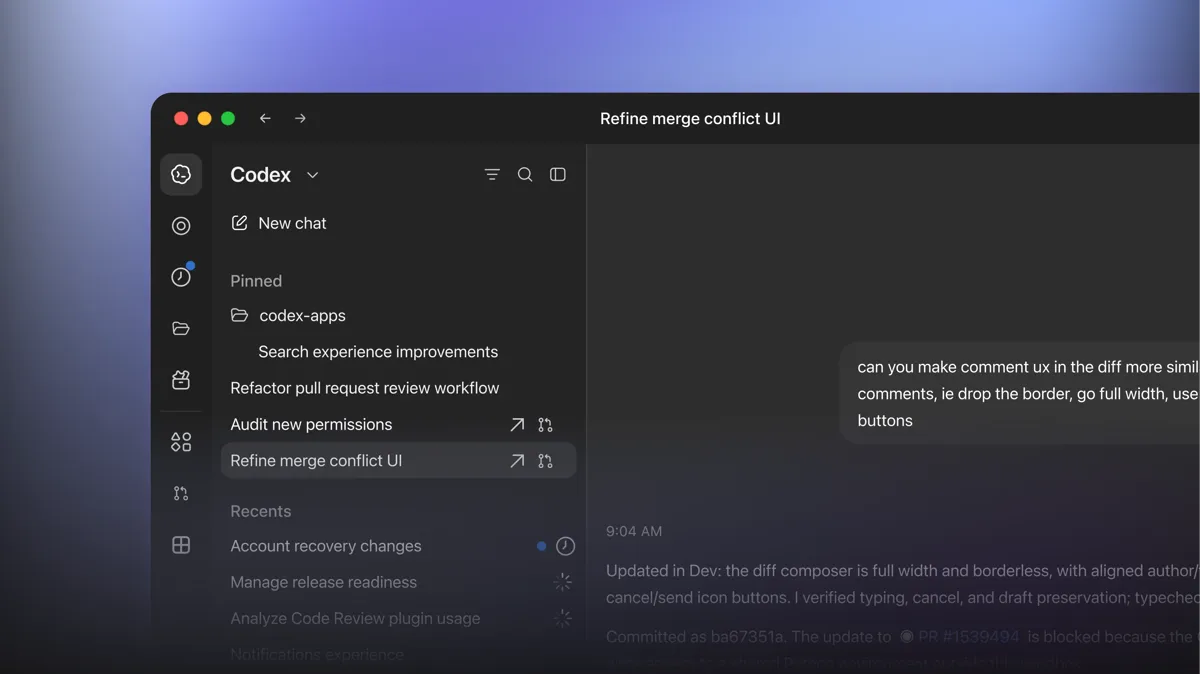
Antigravity is Google's agent for software work. Its overview docs list four surfaces: a desktop app for "launching, orchestrating, and inspecting autonomous agent teams," the agy terminal client, extensions for VS Code, Visual Studio, JetBrains IDEs, Android Studio, Zed, Xcode and Eclipse, and a Python SDK for building your own agents. There is also a web app, and Remote Control lets you drive desktop and CLI sessions from a browser.
The agent reads your project, plans, edits files and runs commands. The pricing page says even the free tier gets parallel background agents, subagents, browser use and scheduled tasks. Google ships changes almost daily: the changelog added SSH connections to remote Linux machines on November 17 and model switching in the middle of a turn on November 25.
Our explainer on what Gemini is covers the assistant and the model family in more depth.
Which models each one runs
Both run Google's Gemini 4 family, which has three main models. Google describes Carbon as the model for "your hardest, long-horizon projects," Hydrogen for "fast everyday execution," and Neon, launched on November 18, as the balance between them.
In the Gemini app, per the plans page:
- Free and Plus: Gemini 4 Hydrogen, with automatic model selection.
- Pro: Gemini 4 Neon and Hydrogen.
- Ultra: Gemini 4 Carbon, Neon and Hydrogen.
In Antigravity, the models docs list a longer menu:
- Free and Plus: Gemini 4 Hydrogen, plus Gemini 3.8 Flash, Claude Sonnet 4.6, Claude Opus 4.6 and GPT-OSS-120b until November 30, 2026, when Google removes those four.
- Paid Pro: Gemini 4 Neon, Carbon, Argon and Hydrogen, Orchestrator, and Claude Sonnet 5.5 and Opus 5.5. The Claude 5.5 models are for non-trial subscriptions only.
- Ultra: the same Gemini and Claude 5.5 models as paid Pro.
- Gemini 4 Argon also leaves on November 30.
Two differences matter here. First, a $19.99 Pro plan gets Gemini 4 Carbon in Antigravity, but in the Gemini app Carbon is listed only for Ultra. Second, Antigravity includes Anthropic's Claude models and the Gemini app does not. Orchestrator, which exists only in Antigravity, pairs a planning model with Gemini 4 Hydrogen as a faster executor.
Context windows differ too. The Gemini app gives Pro and Ultra a 1 million-token window, according to Google's Gemini Apps limits page. Antigravity lists Gemini 4 Neon at up to 512,000 tokens.
How much Gemini and Antigravity cost
Neither product has its own subscription. Both start free and get higher limits from the same Google AI plans. As of November 27, 2026:
| Plan | Price a month | Gemini app | Antigravity |
|---|---|---|---|
| Free | $0 | Standard limits, 32K context | Baseline quota refreshed weekly |
| Google AI Plus | $4.99 | 2x standard limits, 128K context | Same as free |
| Google AI Pro | $19.99 | 4x standard limits, 1M context | Quota refreshed every 5 hours, higher weekly limits |
| Google AI Ultra | $99.99 | 5x Pro limits, 1M context | 5x higher rate limits |
| Google AI Ultra | $199.99 | 20x Pro limits, 1M context | Highest quota and weekly limits |
The paid plans also bundle things that have nothing to do with code: 400 GB of storage on Plus, 5 TB on Pro and from 20 TB on Ultra, plus Google Flow credits for images and video.
Work accounts are split. Google says Pro and Ultra "require a personal Google Account." Workspace plans add Gemini from $14 per seat a month, but the Antigravity plans docs say Workspace plans don't include Antigravity plans or higher limits. Teams use Antigravity through Google Cloud: Gemini Enterprise from $30 per seat a month, or a pay-as-you-go plan with a $0 seat fee. Our Antigravity pricing guide breaks down every tier.
Usage limits and what happens when you hit them
Google publishes no fixed prompt counts for either product. Both meter by compute, so a long, complex task uses more of your allowance than a short one.
In the Gemini app, the limits page says "your limit refreshes every 5 hours until you reach your weekly limit." Subscribers who run out can keep chatting with Flash-Lite, and Pro and Ultra users can buy AI credits, charged at standard API prices.
In Antigravity, free and Plus users get a weekly quota. Paid Pro and Ultra get a quota that refreshes every five hours, under a higher weekly cap. A setting called AI Credit Overages decides what happens at the limit: "Never" waits for the refresh, "Always" spends AI credits automatically.
Gemini CLI vs Antigravity CLI
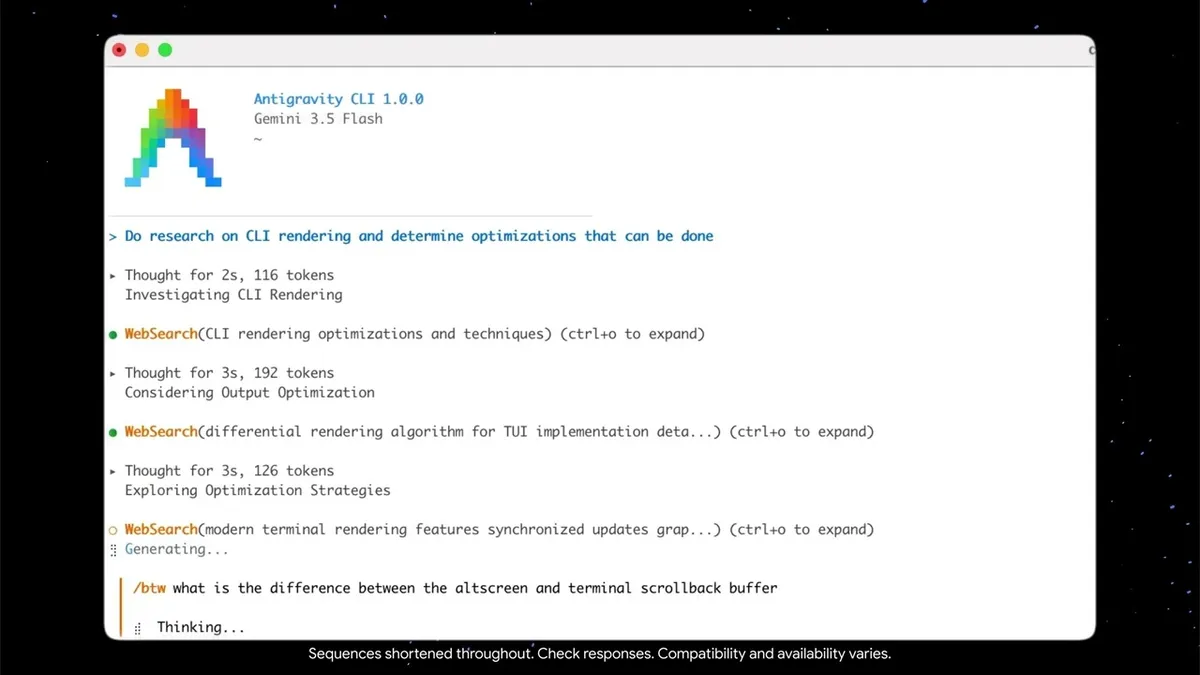
If you came here comparing Gemini CLI with Antigravity, the answer changed in 2026. Google announced on May 19 that Gemini CLI and the Gemini Code Assist editor extensions would stop serving free users and Google AI Pro and Ultra subscribers on June 18, 2026. The Gemini CLI site now says Gemini CLI "was replaced by Antigravity CLI on June 18th, 2026" for unpaid tier and Google One users.
Gemini CLI still works in two cases. Google says it "will remain accessible via paid Gemini and Gemini Enterprise Agent Platform API keys," and companies with a Gemini Code Assist Standard or Enterprise license keep their access.
The replacement, agy, is written in Go and shares its agent with the Antigravity desktop app. The migration guide says agy offers to import your old setup on first launch, agy plugin import gemini converts extensions, and GEMINI.md and AGENTS.md files work without changes. Workspace skills must move from .gemini/skills/ to .agents/skills/, and MCP servers move into a separate mcp_config.json.
What Google's benchmarks say
Google's own numbers for Gemini 4 Neon, the model both products offer on paid plans, are strong for coding. In its launch post, Google says Neon ranks first on Artificial Analysis's Coding Agent Index with 58.6 and scores 65.2% on Terminal-Bench 4.1. Google also says Neon costs about 32% less per task than Carbon at its default thinking level.
These are Google's figures. They describe the model, not the product around it, so they don't tell you whether Antigravity's agent beats the Gemini app at a given task. For code that lives in a repository, the agent wins by design: the chat app can't run your tests.
Which one to use
- Use the Gemini app for questions, writing, research reports, images and video, and quick code you'll paste somewhere else. Canvas is enough for a small app or game.
- Use Antigravity for work on a real project: multi-file changes, running tests, background agents, or editor and terminal integration. Of the two, it is the only one that also runs Anthropic's Claude Sonnet 5.5 and Opus 5.5.
- Use Antigravity CLI if you used Gemini CLI on a personal account. Keep Gemini CLI only if you pay with an API key or your company has a Code Assist license.
If you are on the free tier, try both: neither costs anything to start. If you pay for one Google AI plan, you already have the higher limits in both. For a look at Google's other developer tool, see Google AI Studio vs Antigravity.
Frequently asked questions
Is Google Antigravity free?
Yes. Antigravity has a free tier with a personal Google account that includes Gemini 4 Hydrogen and a quota refreshed weekly. Google AI Pro and Ultra raise the quota and add models such as Gemini 4 Neon, Carbon and Claude Opus 5.5.
Does Google AI Pro include Antigravity?
Yes. Google AI Pro at $19.99 a month gives higher limits in both the Gemini app and Antigravity, as of November 27, 2026. In Antigravity its quota refreshes every five hours under a higher weekly limit.
Is Gemini CLI still available?
Only for some users. Google replaced Gemini CLI with Antigravity CLI for free users and Google AI Pro and Ultra subscribers on June 18, 2026. It still works with paid Gemini API keys and for companies with a Gemini Code Assist Standard or Enterprise license.
Can I use Claude in Antigravity?
Yes, on paid plans. Claude Sonnet 5.5 and Opus 5.5 are available on paid, non-trial Google AI Pro and on Ultra. The Gemini app does not offer Claude models.
Sources
- Google AI plansGoogle
- Antigravity pricingGoogle
- Antigravity modelsGoogle
- Antigravity plansGoogle
- Antigravity overviewGoogle
- Antigravity changelogGoogle
- Gemini Apps limits and upgradesGoogle
- Gemini overviewGoogle
- Canvas in GeminiGoogle
- Introducing Gemini 4 NeonGoogle
- An important update: Transitioning Gemini CLI to Antigravity CLIGoogle for Developers
- Gemini CLIGoogle
- Migrating from Gemini CLIGoogle