Key takeaways
- The Antigravity CLI runs as the agy command and installs with one script on macOS, Linux, Googlebook and Windows.
- On first launch you sign in with a Google account in the browser, or use a Gemini API key or Google Cloud credentials for scripts and CI.
- Every Antigravity plan includes the CLI, from Free with a weekly quota to Pro and Ultra with five-hour refreshes and optional AI credits.
The Antigravity CLI is Google's terminal version of its Antigravity coding agent, and the command is agy. You install it with one line (curl -fsSL https://antigravity.google/cli/install.sh | bash on macOS and Linux), run agy, sign in with your Google account in the browser, and type a task. It is included in every Antigravity plan, the free one too.
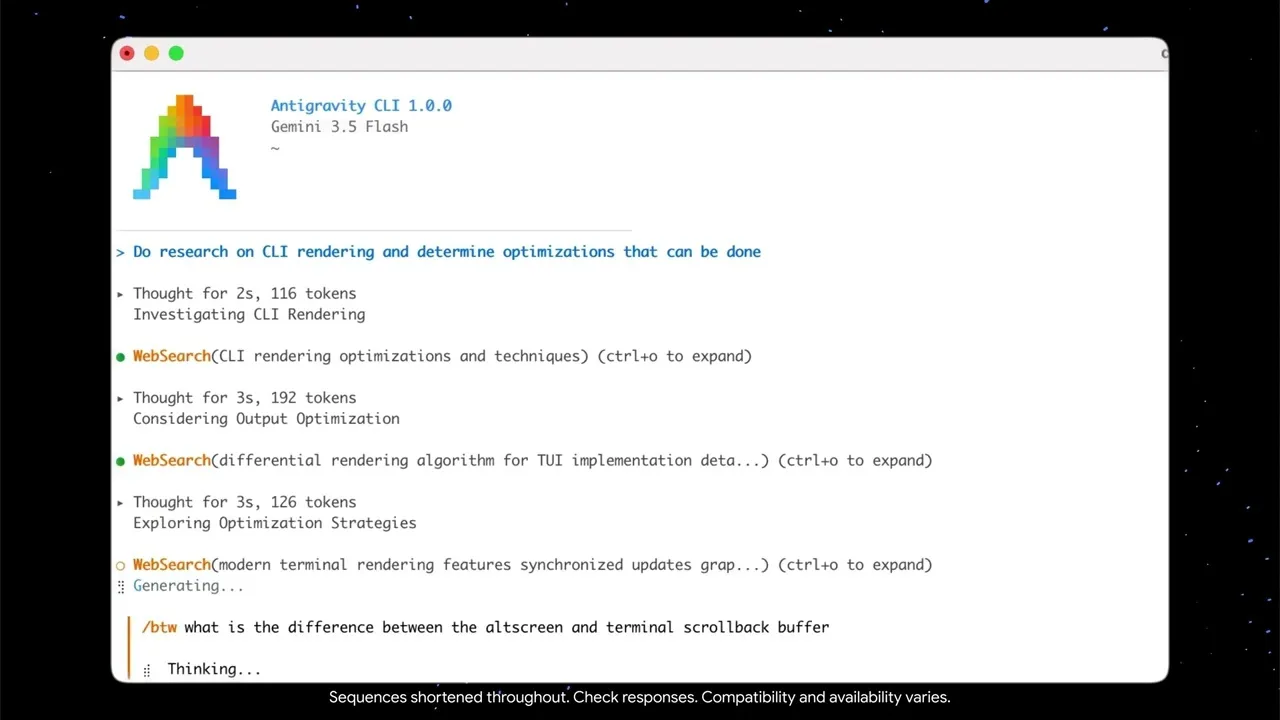
Google announced the Antigravity CLI on May 19, 2026, as "the most lightweight way to invoke, monitor, and interact with Antigravity agents." It runs the same agent harness as the Antigravity 2.0 desktop app and shares its settings. Google built it partly from Gemini CLI parts, and it reads Gemini CLI's old config files. As of November 27, 2026, the download page lists version 1.5.16.
This guide is for developers who want an agent in the terminal, on their own machine or over SSH. Every step comes from Google's Antigravity docs and its hands-on codelab. By the end you will have agy installed, signed in and working on a small project.
What you need before you install
- A computer running macOS, Linux, Windows or a Googlebook. The getting started page gives install commands for all four. It lists no minimum OS version or hardware.
- A Google account. A personal Gmail account works on the Free, Pro and Ultra plans. Google Workspace accounts without Gemini Enterprise are not covered by the individual plans, according to the plans page.
- A browser for the sign-in step. Over SSH, the browser can be on your local machine.
- A terminal you are comfortable in. The codelab also uses Git, Python 3 and the GitHub CLI for its optional project, but the CLI itself does not need them.
Gemini API key users and Google Cloud teams can sign in other ways, covered below.
How to install the Antigravity CLI
Run the command for your system. Each one downloads Google's install script and puts the agy binary in your user folder.
macOS, Linux and Googlebook:
curl -fsSL https://antigravity.google/cli/install.sh | bash
The binary goes to ~/.local/bin/agy.
Windows PowerShell:
irm https://antigravity.google/cli/install.ps1 | iex
Windows CMD:
curl -fsSL https://antigravity.google/cli/install.cmd -o install.cmd && install.cmd && del install.cmd
On Windows the binary goes to C:\Users\<username>\AppData\Local\agy\bin.
The script adds that folder to your PATH. Two flags change that, per the authentication docs: --skip-path leaves your shell profile alone, and --skip-aliases leaves old agy or antigravity shell aliases in place.
Check that it worked:
agy --version
The CLI updates itself in the background, so you don't need to rerun the script for new versions.
How to sign in to the Antigravity CLI
Start the CLI from the folder you want it to work in:
agy
On the first launch it walks you through setup:
- Pick a login method. Choose Google OAuth for a personal account. Choose "Use a Google Cloud project" for Gemini Enterprise or pay-as-you-go billing.
- Sign in in the browser. The CLI opens your default browser. In the codelab's flow, you copy the code the browser shows and paste it into the terminal.
- Pick a color scheme: Dark, Solarized Dark, Solarized Light or your terminal's default.
- Pick a rendering mode. Alt-Screen takes over the whole terminal window. Inline keeps the output in your scrollback.
- Accept the terms and trust the folder. The agent needs permission to read, edit and run files in it, so only trust folders you mean to work in.
The CLI saves your session token in the operating system's keychain: Apple Keychain, the Linux secret service, or Windows Credential Manager. The next time you run agy, it signs you in without asking.
Signing in over SSH
The CLI notices when it runs over SSH. Run agy on the remote machine, copy the URL it prints, open it in a browser on your own computer, sign in, then paste the code the browser shows back into the remote terminal.
Signing in with a Gemini API key
For scripts and CI, the docs describe an API key mode with no Google account session. Add "modelProvider": "gemini" to ~/.gemini/antigravity-cli/settings.json, then set the key:
export GEMINI_API_KEY="your-api-key"
agy
The header then shows "Gemini API key" instead of your email. The CLI does not read GOOGLE_API_KEY or .env files. Google Cloud teams can instead use Application Default Credentials: run gcloud auth application-default login --project <project> and set AGY_ADC_AUTH=true.
To sign out, type /logout at the prompt. It clears your credentials and removes the saved profile from the keychain.
Run your first task
The getting started page uses a small Python script as the first task:
mkdir agy-demo && cd agy-demo
agy
- At the prompt, type:
Write a simple python script to fetch web page text - The agent indexes the folder and writes
main.py. If it asks to create the file, press Y. - Type
/diffto see the change, or press Ctrl + R to review artifacts, the plans and walkthroughs the agent writes. Press Esc to get back to the prompt. - Type:
Run the python script and show me the output, and press Y when it asks to runpython3 main.py. - Quit with Ctrl + D or
/exit.
Three habits help from here on. Type /plan before a bigger request so the agent outlines the work before it writes code. Press ! to drop into a shell without leaving the CLI, and ! or Esc to come back. Type /help for every command and shortcut.
Choose how much the agent can do on its own
Press Shift + Tab to cycle through four modes, described on the modes page:
| Mode | What it does without asking |
|---|---|
| default | Nothing. It shows a diff before every file write and asks before every command. |
| accept-edits | Creates and edits files in your workspace. Still asks before commands. |
| auto | Edits files and runs commands in a sandbox. Risky commands outside the sandbox still ask. |
| plan | Investigates and writes a plan before any code. |
Auto mode needs a personal account and the terminal sandbox, and version 1.3.5 or later on macOS and Linux, 1.4.4 or later on Windows. When it is available, the CLI starts in it unless you set agentMode in your settings. You can also pick a mode for one run with agy --mode=plan. The flag --dangerously-skip-permissions approves every action; the codelab tells you to use it with care.
Run it without the chat window
agy -p "<prompt>" runs one prompt, prints the answer and exits, which is how you call it from scripts and CI. The headless docs add --output-format json for machine-readable output and --model to pick a model (agy models lists them). Run an interactive agy once first, because headless mode reuses the saved login.
Antigravity CLI plans and limits
The CLI has no separate price. The plans page lists "scheduled tasks and the CLI" among the features in every plan, and the CLI uses your plan's quota. As of November 27, 2026:
| Plan | Quota | Refresh |
|---|---|---|
| Free and Google AI Plus | "A meaningful quota" with a weekly rate limit | Weekly |
| Google AI Pro trial | A lower quota and fewer models, subject to capacity | Not stated |
| Google AI Pro | "A high, generous quota" and a higher weekly limit | Every five hours, until the weekly limit |
| Google AI Ultra | The highest quota and weekly limits | Every five hours |
Google doesn't publish the quotas as numbers. Prices are on Google's subscription pages; our Google Antigravity pricing guide covers what each plan costs.
Pro and Ultra subscribers can buy AI credits to keep working after the quota runs out. In the CLI, the status line shows the credits left, /credits opens a panel with usage and a link to buy more, and /usage shows quotas per model. The "Use AI Credits" setting under /config decides whether the CLI spends credits automatically when the quota is gone, according to the credits docs.
Common problems and fixes
These come from Google's troubleshooting page.
agy: command not found. The install folder isn't on your PATH. On macOS or Linux, add this line to ~/.zshrc or ~/.bashrc, then run source ~/.zshrc (or open a new terminal):
export PATH="~/.local/bin:$PATH"
On Windows, add %LOCALAPPDATA%\agy\bin to your user PATH (the troubleshooting page has a PowerShell snippet) and restart the terminal.
secret keyring is locked, or the CLI hangs at start. The CLI can't read your token from the keychain. On Linux, make sure GNOME Keyring or KWallet is not locked; in a headless SSH session, start a D-Bus session first with export $(dbus-launch). On a Mac over SSH, open the login keychain from the terminal:
security unlock-keychain ~/Library/Keychains/login.keychain-db
Pasting images fails over SSH. Plain SSH doesn't carry the clipboard. Google recommends iTerm2 or Ghostty, with "Applications in terminal may access clipboard" turned on in iTerm2, and set -s set-clipboard on in your tmux config.
Updates hang or don't apply. A crashed updater can leave a lock file behind. Remove it:
rm -f ~/.gemini/antigravity-cli/updater/update.lock
To turn off auto-updates, add export AGY_CLI_DISABLE_AUTO_UPDATE=true to your shell profile. Also check that your user can write to ~/.local/bin/.
The CLI won't start after editing settings. The codelab warns that a broken ~/.gemini/antigravity-cli/settings.json causes a startup error. Fix the JSON, or change settings with /config instead, which can't produce an invalid file.
Coming from Gemini CLI
On first launch, agy finds Gemini CLI's configuration and offers to move it over, including the saved login. GEMINI.md and AGENTS.md files keep working unchanged. Two things need a hand, per the migration guide: workspace skills move from .gemini/skills/ to .agents/skills/, and MCP servers move to their own file, ~/.gemini/config/mcp_config.json. Gemini extensions convert with agy plugin import gemini.
Where to go next
Skills and MCP servers are how you teach the agent your project's habits. Our guide on how to add skills to Antigravity covers the folder layout. If you are still choosing a terminal agent, Codex vs Antigravity compares the two on features, limits and price.
Frequently asked questions
What is the Antigravity CLI command?
The command is agy. Run agy to start an interactive session, agy --version to check the install, and agy -p "<prompt>" to run one prompt without the chat window.
Is the Antigravity CLI free?
Yes, Google's plans page includes the CLI in every plan, including Free. The free tier has a weekly quota, while Google AI Pro and Ultra get larger quotas that refresh every five hours.
How do I fix agy: command not found?
The install folder is missing from your PATH. On macOS or Linux add export PATH="~/.local/bin:$PATH" to ~/.zshrc or ~/.bashrc and reload it; on Windows add %LOCALAPPDATA%\agy\bin to your user PATH and restart the terminal.
Does the Antigravity CLI replace Gemini CLI?
Google built the Antigravity CLI partly from Gemini CLI components and offers a migration guide. On first launch agy detects Gemini CLI settings and offers to move them, and GEMINI.md and AGENTS.md files keep working.
Sources
- Get started with Antigravity CLIGoogle
- Introducing Google Antigravity CLIGoogle
- Antigravity docs overview: CLIGoogle
- Download Google AntigravityGoogle
- AuthenticateGoogle
- Execution modesGoogle
- Headless modeGoogle
- PlansGoogle
- AI credits in the CLIGoogle
- CLI troubleshootingGoogle
- Migrating from Gemini CLIGoogle
- Hands-on with Antigravity CLIGoogle Codelabs