Key takeaways
- In Claude Code, a custom agent is a subagent: a Markdown file in .claude/agents/ or ~/.claude/agents/ with a name, a description and a system prompt.
- In the Claude app, custom sub-agents come inside plugins and run in Cowork and Claude Code, not in regular chat.
- Developers can create a hosted agent with the Claude Managed Agents API, then run it in an environment as a session.
How to create an agent in Claude depends on where you use it. Most people want a custom subagent in Claude Code: a Markdown file in .claude/agents/ (one project) or ~/.claude/agents/ (all projects) with a name, a description and a system prompt. You can ask Claude Code to write the file for you. In the Claude app, agents come inside plugins and run in Cowork, and developers who want Anthropic to host an agent create one with the Claude Managed Agents API.
All three routes below follow Anthropic's own docs and help center as of November 15, 2026. The commands are copied from the docs and were not run for this guide, so check them against the linked pages if your version is newer.
Which kind of agent you can create
"Agent" means three different things in Anthropic's products. Pick the row that matches what you want.
| You want | Where | What you create |
|---|---|---|
| A specialist helper that Claude hands tasks to while you code | Claude Code (terminal, IDE, desktop) | A subagent file in .claude/agents/ |
| Agents for everyday work, without a terminal | Claude app, in Cowork | A plugin that bundles skills, connectors and sub-agents |
| An agent that runs in your own product, on Anthropic's servers | Claude Platform (API) | A Managed Agents agent, environment and session |
If you want to write the agent loop in your own Python or TypeScript code, that is a fourth route, the Agent SDK. It has its own guide: how to build an agent with Claude.
How to create an agent in Claude Code (subagents)
Anthropic's subagents documentation describes a subagent as a specialized assistant with its own context window, its own system prompt, its own tool access and its own permissions. When a task matches a subagent's description, Claude hands the task to it, and only the subagent's summary comes back to your main conversation. That keeps long searches, logs and file dumps out of your context.
Claude Code already ships with built-in subagents: Explore (read-only codebase search), Plan (research during plan mode) and general-purpose (exploration plus edits). You create your own when you keep asking for the same kind of worker with the same instructions.
Step 1: Ask Claude to write the subagent
In Claude Code, describe the subagent and say where to save it. This is the prompt from Anthropic's quickstart:
Create a personal code-improver subagent in ~/.claude/agents/ that scans
files and suggests improvements for readability, performance, and best
practices. It should explain each issue, show the current code, and
provide an improved version. Make it read-only and have it use Sonnet.
Claude writes a Markdown file with a name, a description, a tools list, a model and a system prompt.
Step 2: Check the file
Open ~/.claude/agents/code-improver.md. The docs show the result looking like this:
---
name: code-improver
description: Scans files and suggests improvements for readability, performance, and best practices. Use after writing or modifying code.
tools: Read, Grep, Glob
model: sonnet
---

You are a code improvement specialist. For each issue you find, explain
the problem, show the current code, and provide an improved version.
The part between the --- lines is YAML frontmatter, a short block of settings. Everything below it becomes the subagent's system prompt. A subagent gets only that prompt plus basic details such as the working directory, not Claude Code's own system prompt.
Step 3: Choose where it lives
The folder decides who can use the subagent:
| Location | Who gets it |
|---|---|
.claude/agents/ in a project |
That project. Commit it so your team shares it |
~/.claude/agents/ |
You, in every project on your machine |
--agents flag on the command line |
The current session only, not saved to disk |
A plugin's agents/ folder |
Anyone who enables the plugin |
| Managed settings | Everyone in an organization, set by admins |
When two subagents share a name, the higher-priority location wins. Managed settings come first, then the --agents flag, then the project folder, then your user folder, then plugins.
Step 4: Use it
Ask in plain words, for example Use the code-improver agent to suggest improvements in this project. To make sure a specific subagent runs, @-mention it: type @agent-code-improver or pick it from the typeahead. Claude also delegates on its own when a task matches the description, and the docs suggest adding a phrase like "use proactively" to that field if you want it to happen more often.
To run a whole session as one subagent, start Claude Code with claude --agent code-improver.
Write the file by hand instead
You don't need Claude to write the file. Any Markdown file in those folders with valid frontmatter works. Only name and description are required. The fields people change most:
tools: an allowlist such asRead, Grep, Glob. Leave it out and the subagent gets every tool available to subagents.disallowedToolsdoes the opposite.model:sonnet,opus,haiku,fable, a full model ID orinherit. Without it, the subagent uses the main conversation's model.permissionMode: for exampleplanfor read-only work oracceptEditsto approve file edits automatically.maxTurns,skills,mcpServers,memoryandisolation: worktree, which runs the subagent in a separate git worktree, a temporary copy of the repository.
To test subagents for one session without saving a file, pass JSON with the --agents flag:
claude --agents '{
  "code-reviewer": {
    "description": "Expert code reviewer. Use proactively after code changes.",
    "prompt": "You are a senior code reviewer. Focus on code quality, security, and best practices.",
    "tools": ["Read", "Grep", "Glob", "Bash"],
    "model": "sonnet"
  }
}'
Subagents can also preload skills. If you are deciding between a skill and a subagent, a skill is a set of instructions Claude loads into the current conversation, while a subagent works in its own context. Our guide to creating Claude Code skills covers the first.
What changed with /agents
Many older tutorials say to run /agents and click through a wizard. According to the current docs, /agents now only prints a reminder to ask Claude or to edit .claude/agents/ and ~/.claude/agents/ directly. The wizard, with Running and Library tabs, is how it worked on Claude Code v2.1.197 and earlier.
How to create an agent in the Claude app (Cowork)
In the Claude desktop, web and mobile apps, the agent experience is Cowork. Anthropic says it uses the same agent architecture as Claude Code without a terminal, and that Claude "may coordinate multiple sub-agents working simultaneously" on a big task. You start it by selecting Cowork in the message box and describing the task. Cowork needs a paid plan: Pro, Max, Ultra, Team or Enterprise.
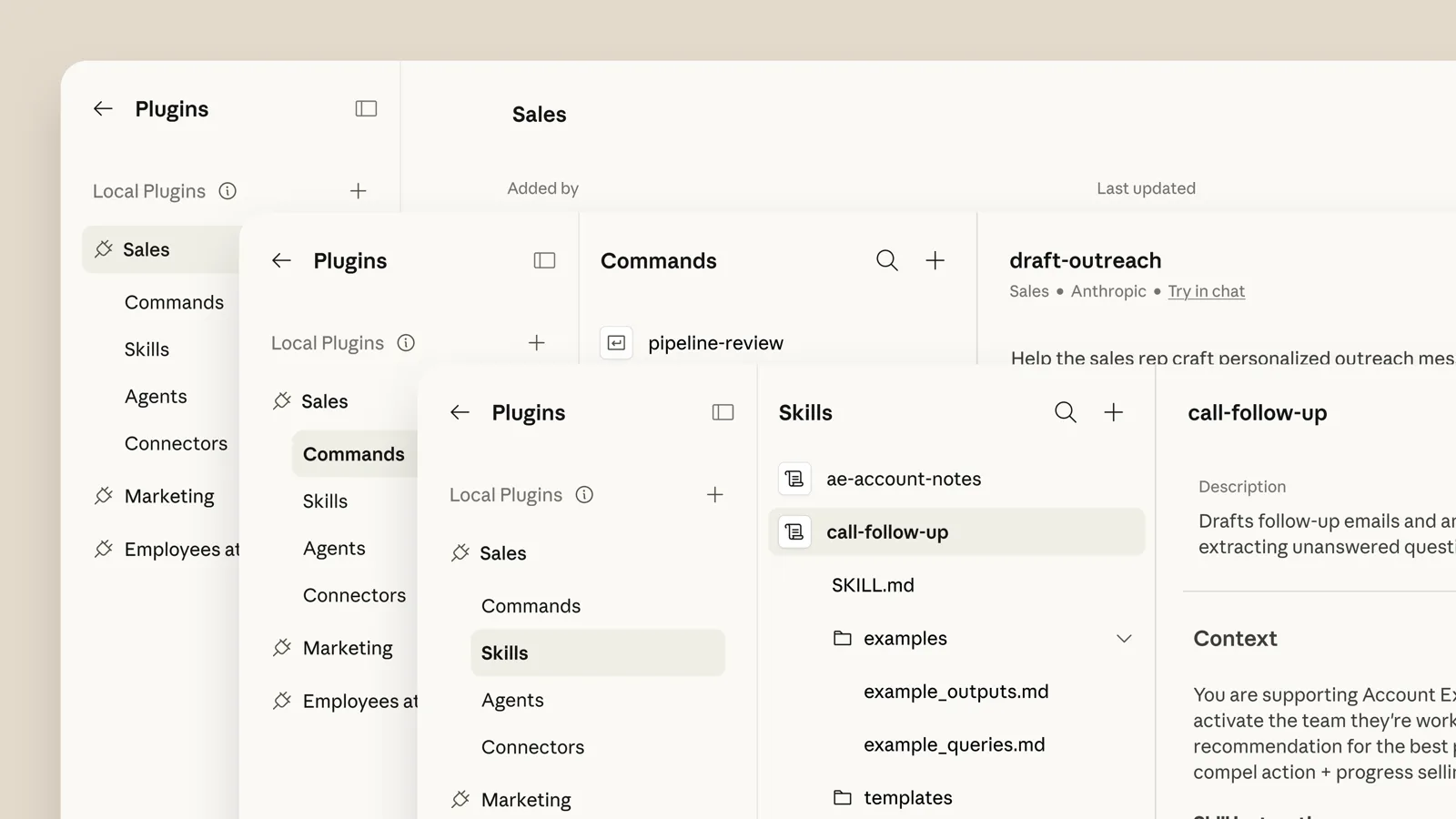
Cowork's help pages don't describe a separate "create agent" button. Custom sub-agents come inside plugins, packages that bundle skills, connectors and sub-agents for a role or team. Sub-agents in a plugin run in Cowork and Claude Code, not in regular chat. To make your own:
- Use the Plugin Create plugin, which walks you through building a plugin from scratch, or start from one of Anthropic's templates and change it.
- Follow the plugin structure in the Claude Code plugins reference. Sub-agents go in the plugin's
agents/folder in the same Markdown format as Claude Code subagents. - Open Customize in the left sidebar (in Cowork, open the Cowork tab first), go to Plugins and upload your plugin file.
Plugins you add in the app are saved to your account and sync to Claude Code (v2.1.273 or later) when you sign in with the same account. If all you want is a task that repeats, you may not need an agent at all: type /schedule in a Cowork task to save it and run it on a schedule.
How to create an agent with Claude Managed Agents
Claude Managed Agents is for developers who want Anthropic to run the agent loop and the sandbox. It is in beta. An agent here is a saved configuration: the model, system prompt, tools, MCP servers and skills. You run it inside an environment (a cloud sandbox) as a session. For what the product is and who it is for, see what Claude Managed Agents is.
The quickstart has four steps. You need a Claude Console account and either the ant CLI signed in or an API key in ANTHROPIC_API_KEY, plus the SDK (pip install anthropic for Python).
Step 1: Create the agent
from anthropic import Anthropic

client = Anthropic()

agent = client.beta.agents.create(
    name="Coding Assistant",
    model="claude-opus-5-5",
    system="You are a helpful coding assistant. Write clean, well-documented code.",
    tools=[
        {
            "type": "agent_toolset_20260401",
            "configs": [
                {"name": "web_search", "enabled": False},
                {"name": "web_fetch", "enabled": False},
            ],
        },
    ],
)
print(f"Agent ID: {agent.id}, version: {agent.version}")
The agent_toolset_20260401 type switches on the prebuilt tools, such as bash and file operations. Save the agent ID, because every session refers to it. With the CLI you can instead put the same settings in a Markdown file with frontmatter and run ant apply coding-assistant.md.
Steps 2 to 4: Environment, session, message
Create an environment with client.beta.environments.create(...), which in the quickstart is a cloud sandbox with limited networking and package managers allowed. Then start a session with client.beta.sessions.create(agent=agent.id, environment_id=environment.id). Finally, open an event stream, send a user.message event and print the agent's messages and tool calls until the session goes idle. The quickstart has the full code in eight languages.
Managed Agents is not eligible for zero data retention, except for self-hosted setups, and session transcripts stay until you delete them.
Common problems
- Claude Code doesn't see a new subagent. Restart if the
agentsfolder didn't exist when the session started. Claude Code watches existing folders and picks up edits within a few seconds, but not a brand-new folder. - A subagent file is silently skipped. The docs list the causes: no
name, a---that isn't on the first line, anamethat starts with-or contains:, a missingdescription, or YAML that doesn't parse. Runclaude plugin validate .claude/agents(v2.1.233 or later) or start withclaude --debugto see why. - Claude never uses your subagent. Make the
descriptionsay when to use it, or @-mention the subagent to force it. - Usage goes up. Each subagent sends its own requests, and they count toward the same usage limits as your main conversation. Setting
model: haikuon simple subagents is the docs' suggestion for keeping costs down. - Sub-agents in a plugin don't run in chat. That is expected. They run in Cowork and Claude Code only.
Where to go next
Start with one read-only subagent, such as a code reviewer with tools: Read, Grep, Glob, and add write access once you trust it. The subagents page also covers hooks, persistent memory and agent teams, where several Claude Code sessions work together.
Frequently asked questions
How do I create a subagent in Claude Code?
Ask Claude Code to create one and say where to save it, or write a Markdown file yourself in .claude/agents/ or ~/.claude/agents/. Only the name and description fields are required, and the text below the frontmatter becomes the system prompt.
Does the /agents command still create agents in Claude Code?
Not in current versions. The docs say /agents now prints a reminder to ask Claude or edit the agents folders directly, and the interactive wizard was how it worked on v2.1.197 and earlier.
Can I create an agent in the Claude desktop app?
Custom sub-agents in the Claude app come inside plugins, which you build with the Plugin Create plugin or a template and upload under Customize. Their sub-agents run in Cowork and Claude Code, and Cowork needs a paid plan.
Can Claude subagents create other subagents?
Yes. By default subagents can nest up to three layers below the main conversation, and the CLAUDE_CODE_MAX_SUBAGENT_SPAWN_DEPTH setting changes that limit.
Sources
- Create custom subagentsAnthropic
- Get started with Claude CoworkAnthropic
- Use plugins in ClaudeAnthropic
- Get started with Claude Managed AgentsAnthropic
- Customize Cowork with pluginsAnthropic