Key takeaways
- A Claude Code skill is a folder with a SKILL.md file, saved in ~/.claude/skills/ for personal use or .claude/skills/ for a project.
- Claude uses the description in the frontmatter to decide when to load a skill, and you can run it yourself with /skill-name.
- If a skill doesn't trigger, check the description keywords, the YAML, and the paths setting, and run with --debug.
To create a Claude Code skill, make a folder named after the skill, put a SKILL.md file inside it, and save the folder in ~/.claude/skills/ for yourself or .claude/skills/ in a project. Claude Code reads the skill's description to decide when to use it, and you can also run it yourself by typing /skill-name. This guide follows the Claude Code skills documentation.
A skill is a set of instructions Claude loads when a task matches it. Use one when you keep pasting the same checklist, review steps or deploy routine into the chat.
Where SKILL.md goes
Each skill is a folder with a SKILL.md file in it. Where you put the folder decides who gets the skill. These are the locations the docs list:
| Scope | Path | Who gets it |
|---|---|---|
| Personal | ~/.claude/skills/<skill-name>/SKILL.md |
All your projects on this machine |
| Project | .claude/skills/<skill-name>/SKILL.md |
Sessions in this repository. Commit it to share with your team |
| Nested | <subdir>/.claude/skills/<skill-name>/SKILL.md |
Sessions started in or below that subdirectory |
| Plugin | <plugin>/skills/<skill-name>/SKILL.md |
Wherever the plugin is enabled, as /plugin-name:skill-name |
| Enterprise | .claude/skills/<skill-name>/SKILL.md in the managed settings directory |
Everyone on machines where the organization deploys it |
If two skills share a name, the docs say enterprise wins over personal, and personal wins over project. Plugin skills carry a namespace, so they don't clash. Older files in .claude/commands/ still work and create the same slash commands, but a skill takes precedence over a command file of the same name.
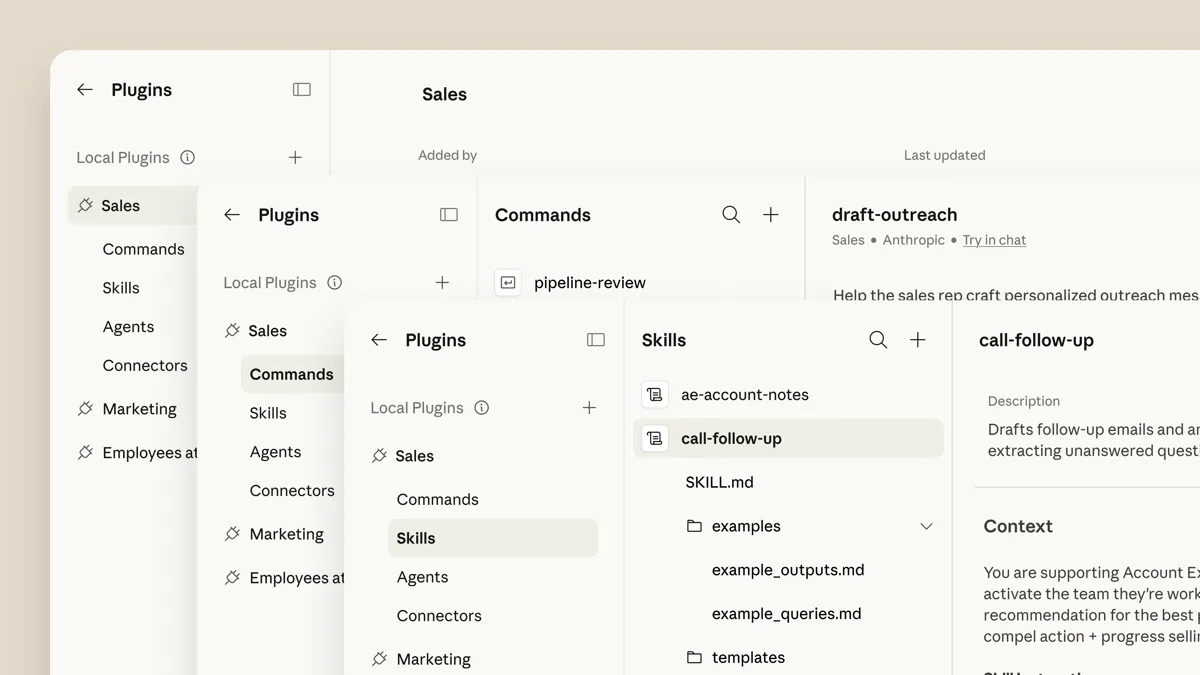
A skill can hold more than one file. The docs suggest this layout and recommend keeping SKILL.md under 500 lines:
my-skill/
├── SKILL.md
├── reference.md
├── examples.md
└── scripts/
    └── helper.py
Mention the extra files from SKILL.md so Claude knows when to open them, for example "For complete API details, see reference.md".
How to create your first skill
The docs walk through a skill that summarizes uncommitted changes.
Create the folder:
mkdir -p ~/.claude/skills/summarize-changesWrite
~/.claude/skills/summarize-changes/SKILL.md:--- description: Summarizes uncommitted changes and flags anything risky. Use when the user asks what changed, wants a commit message, or asks to review their diff. --- ## Current changes !`git diff HEAD` ## Instructions Summarize the changes above in two or three bullet points, then list any risks you notice such as missing error handling, hardcoded values, or tests that need updating. If the diff is empty, say there are no uncommitted changes.Test it. Ask something that matches the description, such as "What did I change?", and Claude can load the skill. Or run it directly with
/summarize-changes.
The line starting with ! followed by a command in backticks is dynamic context injection. Claude Code runs the command and replaces the line with its output before Claude sees the skill.
Frontmatter fields
The block between the --- lines at the top of SKILL.md is the frontmatter. All fields are optional, and the docs recommend at least description. Field names must match exactly, and unknown fields are ignored without an error.
| Field | What it does |
|---|---|
name |
The command name in the / menu. Defaults to the directory name. |
description |
What the skill does and when to use it. Claude uses it to decide when to apply the skill. If you leave it out, the first non-empty line of the content is used. |
when_to_use |
Extra trigger phrases or example requests. |
argument-hint |
A hint shown in autocomplete, such as [issue-number]. |
disable-model-invocation |
true stops Claude from loading the skill by itself. Default false. |
user-invocable |
false hides the skill from the / menu so only Claude can invoke it. Default true. |
allowed-tools |
Tools Claude can use without asking during the turn that invokes the skill. |
model, effort |
Model and effort level for the rest of the current turn. |
context |
fork runs the skill in a forked subagent. |
paths |
Glob patterns that limit when the skill activates on its own. |
There are more fields, including arguments, disallowed-tools, agent, background, hooks and shell. The docs list them all. The combined description and when_to_use text is cut at 1,536 characters in the skill listing, so put the main use case first.
How to run a skill
There are two ways.
- Type its name.
/deploy stagingruns the skill nameddeploy. The name must be at the start of your message. If you write "go ahead and /deploy to staging", the skill is not run directly. The name gives Claude permission, and Claude decides from your wording whether you asked for it. - Let Claude pick it. Claude loads a skill when the task matches its
description.
Two frontmatter fields change this. With disable-model-invocation: true, only you can run the skill, which suits anything with side effects such as a deploy. With user-invocable: false, only Claude can.
Pass arguments
Everything after the skill name goes into $ARGUMENTS:
---
name: fix-issue
description: Fix a GitHub issue
disable-model-invocation: true
---

Fix GitHub issue $ARGUMENTS following our coding standards.
Running /fix-issue 123 tells Claude to fix GitHub issue 123. You can also read arguments by position with $0, $1 and so on. Quote values that contain spaces.
How to see your skills
Run /skills in Claude Code to list the skills available in the session. You can also ask "What skills are available?". The docs also name /skill-doctor, which reports the context cost and usage of your skills, and /doctor, which estimates how much context the skill listing takes.
Edits to files under skill directories are picked up without a restart. If you create a new top-level skills directory, run /reload-skills.
Skill not working: troubleshooting
The skill doesn't trigger
The docs give this checklist:
- Check that the description has keywords people would naturally say.
- Check that the skill shows up when you ask "What skills are available?".
- Rephrase your request to match the description more closely.
- Run it directly with
/skill-nameif it is user-invocable. - If
/skill-nameisn't recognized either, Claude Code may have refused the skill's name. The docs have a section on characters a skill name can't hold. - If the skill sets
paths, make sure the files Claude touches are inside its current working directory. The skill doesn't activate for files outside it, even in a worktree you added with/add-dir.
Broken YAML is a common cause. If the frontmatter doesn't parse, Claude Code loads the body with empty metadata. /skill-name still works, but Claude can't match your description. Run Claude Code with --debug to see the parse error. You can also run claude plugin validate ~/.claude/skills (or .claude/skills for project skills) to find files whose frontmatter fails. The docs say that command needs Claude Code v2.1.233 or later.
The skill triggers too often
Make the description more specific. If you only want to run it by hand, add disable-model-invocation: true.
Claude stops following the skill
The docs name three cases:
- A rule that must hold every time belongs in a hook, not a skill. A hook runs every time its event occurs. You can define one in the skill's
hooksfrontmatter. - For guidance Claude should apply with judgment, word it for the whole task: "Run the tests after every edit" instead of "Run the tests". Claude Code adds the skill to the conversation when it is invoked and doesn't re-read the file on later turns.
- After the conversation is compacted, invoke the skill again. Claude Code can keep only the start of an invoked skill, so put the most important instructions near the top.
Descriptions are cut short
If you have many skills, Claude Code drops some descriptions to fit a character budget of 1% of the model's context window, starting with the skills you use least. Run /doctor for an estimate. You can raise the budget with the skillListingBudgetFraction setting or the SLASH_COMMAND_TOOL_CHAR_BUDGET environment variable, or set rarely used skills to "name-only" in skillOverrides.
Share a skill
Commit .claude/skills/ to version control for a project skill, put a skills/ directory in a plugin, or deploy skills organization-wide through managed settings.
Related guides
- How to use skills in Claude
- How to add skills in Antigravity
- How to allow all commands in Claude Code, for the permission side of
allowed-tools
Frequently asked questions
Where do I put SKILL.md in Claude Code?
Put it in a folder named after the skill. Use ~/.claude/skills/<skill-name>/SKILL.md for all your projects or .claude/skills/<skill-name>/SKILL.md in a repository to share it with your team.
How do I list my skills in Claude Code?
Run /skills, or ask Claude what skills are available. The /skill-doctor command reports context cost and usage.
How do I run a Claude Code skill manually?
Type /skill-name at the start of your message, with any arguments after it, such as /fix-issue 123.
Why is my Claude Code skill not triggering?
Claude matches your request against the skill's description, so add keywords people would say. Also check that the YAML frontmatter parses, and run with --debug to see errors.
Sources
- Extend Claude with skillsAnthropic