Key takeaways
- Claude connectors are included on Free, Pro, Max, Ultra, Team and Enterprise, but Free accounts can add only one custom connector.
- You add a connector from Customize > Connectors or the + menu in a chat, sign in to the app, then switch it on for each conversation.
- A beta from November 24, 2026 lets Claude send files to directory apps and save files from them, rolling out to Pro, Max and Ultra, and to Team and Enterprise when an owner turns it on.
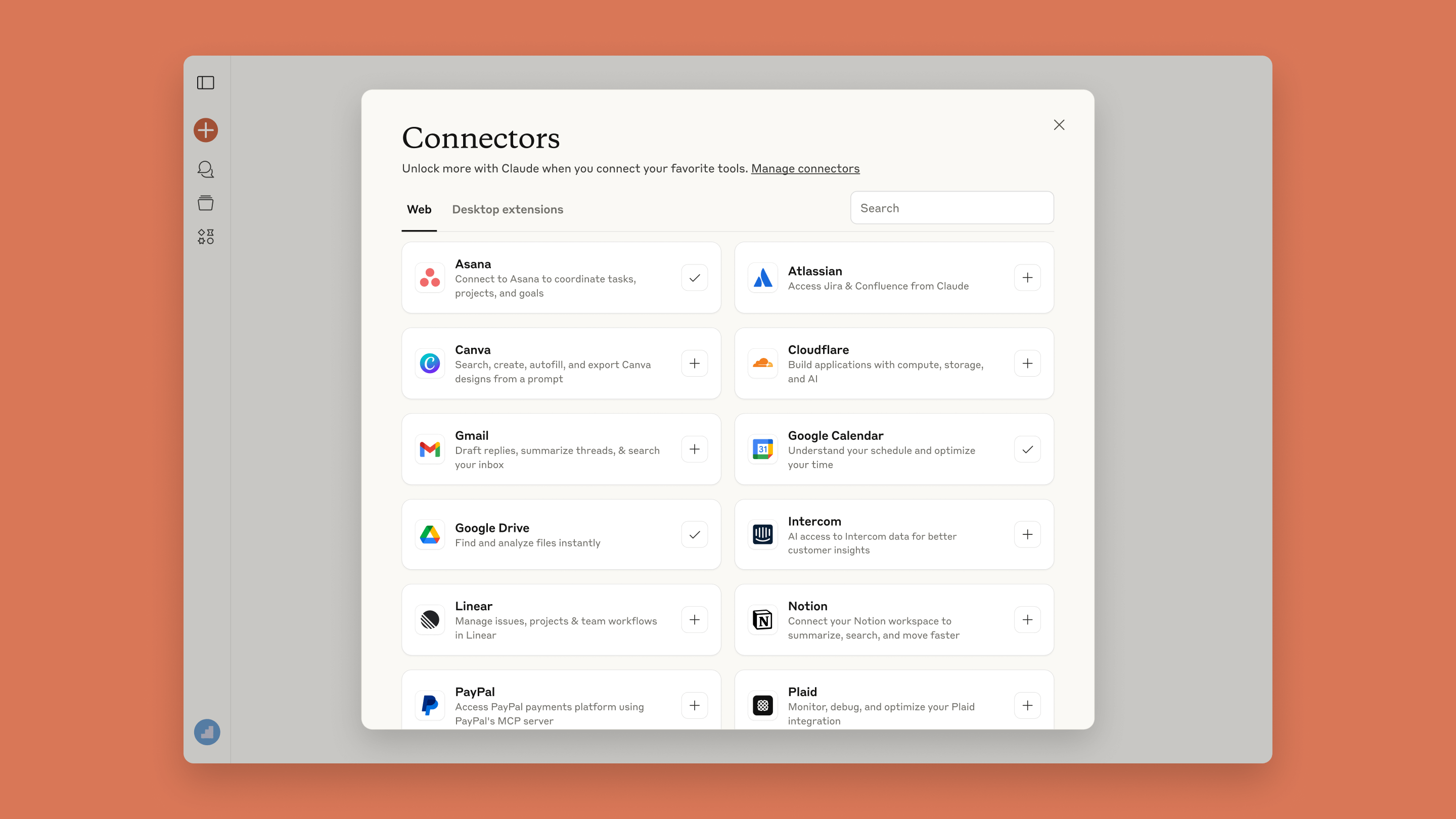
Claude connectors link Claude to apps you already use, such as Google Drive, Gmail, Slack, Notion or Linear, so it can read your data there and act for you. They work on every plan, the Free plan included, as of November 25, 2026. You add one from Customize > Connectors or the + menu in a chat, sign in to the app, and switch it on for the conversation. The steps below come from Anthropic's help article on connectors.
On November 24, 2026, Anthropic's release notes also added a beta that lets Claude send files to connected apps and save files from them. It is covered near the end.
What Claude connectors are
A connector gives Claude access to one outside service. Once connected, Claude can search your Google Drive, send a Slack message or create a Linear issue, depending on what the connector offers.
Claude only gets the access you have. If you can't open a file or channel in the app, Claude can't either. The exception is a custom connector that uses one shared credential, such as an API key: it reaches whatever that key can reach.
Connectors are built on the Model Context Protocol (MCP), an open standard Anthropic created for linking AI models to tools and data. For background, see what Claude is.
There are two kinds, according to the help article on desktop and web connectors:
- Remote (web) connectors run in the cloud and suit services you sign in to. They work on the web, mobile, Claude Desktop, Cowork and Claude Code. Everything in the directory is this kind.
- Desktop extensions run on your computer and suit local files, a database on localhost or desktop apps. They work only in Claude Desktop and Claude Code.
Which plans can use Claude connectors
Connectors are not limited to paid plans. Anthropic's pricing page marks "Connectors" and "Desktop extensions" as included on Free, Pro, Max and Ultra, and lists "Connectors" for Team and Enterprise. The limits sit elsewhere, as of November 25, 2026:
| Plan | Price | Directory connectors | Custom (remote MCP) connectors | Send and save files (beta) |
|---|---|---|---|---|
| Free | $0 | Yes | One | Not yet, "will follow" |
| Pro | $20 a month, or $17 a month billed yearly | Yes | Yes | Rolling out gradually |
| Max | $100 a month | Yes | Yes | Rolling out gradually |
| Ultra | $200 a month | Yes | Yes | Rolling out gradually |
| Team | From $20 a seat a month billed yearly | Once an owner enables each one | Owners add them | Off until an owner turns it on |
| Enterprise | Seat price plus usage at API rates | Once an owner enables each one | Owners and some custom roles add them | Off until an owner turns it on |
The pricing page also marks "Claude for Microsoft 365" as "No" on Free and "Yes" from Pro up.
How to add a Claude connector on web and desktop
Claude on the web and Claude Desktop use the same steps.
- In a chat, click + in the lower left (or type /), hover over Connectors and select Manage connectors. Or go to Customize > Connectors.
- Click + next to Connectors to open the directory.
- Open the connector you want and read its description. The directory shows what it can read and write.
- Click Connect or Install.
- Sign in to the app when asked and approve the permissions.
Connecting lets Claude read and possibly change data in that app, within your own account's permissions.
How to turn connectors on for a conversation
Connecting an app doesn't mean every chat uses it. In a chat, click + (or type /), hover over Connectors, and switch on the services you want.
The same menu has Tool access. The tool access help article lists three modes: Auto, the default, where Claude picks connectors for the task; Always available, which loads them all at the start and suits fewer than 10; and On demand, which Anthropic suggests for 10 or more, though Claude may take an extra step to find the right one. The setting applies to one conversation.
How to use Claude connectors on mobile
Connectors you add on the web or in Claude Desktop show up in the iOS and Android apps the next time you log in there. That is the simplest route. Installing a connector on your phone also works, but Anthropic still calls it beta, and the web and desktop apps remain the main way to add custom connectors.
Some connectors are interactive: they show a live view in the chat, such as a dashboard or task board, and carry an "Interactive" badge in the directory.
How to disconnect a Claude connector
- Go to Customize > Connectors.
- Find the service. From here you can disconnect it, change its settings or review its permissions. For a custom connector, click Remove or the three dots next to it.
You can also revoke Claude's access in the other service's security settings. If sign-in keeps failing, Anthropic's first fix is to disconnect and reconnect from the same page.
How custom connectors work
A custom connector points Claude at any remote MCP server, one a company publishes or one you build. Anthropic's custom connector guide covers the details. They work on every plan, with Free limited to one.
- Go to Customize > Connectors and click Add (on some accounts + Add, then Add custom connector). If shown, hover over Custom and select Web.
- Enter a name and the server's URL, then click Continue.
- Check the sign-in settings Claude detected and click Continue.
- Under Authentication, pick Sign in now, Sign in when needed or No sign in.
- Under OAuth client, pick Use Claude's published identity (Recommended), Register automatically or Use your own OAuth client.
- Under Request headers, add an API key or bearer token if the server doesn't use OAuth.
- Click Add and finish signing in.
Claude connects from Anthropic's cloud, not from your device, on every client. A server on a private network, behind a VPN or behind a firewall won't connect unless you allowlist Anthropic's IP ranges, and it must use the standard HTTPS port, 443. A local server set up in claude_desktop_config.json is a different thing and isn't available on claude.ai.
Anthropic hasn't verified custom connectors and warns that a malicious server can hide instructions aimed at Claude. Connect only servers you trust. For worked examples, see the guides to Google Workspace MCP servers and setting up a Gmail MCP server.
Plugins are different again. A plugin can bundle remote MCP servers, local ones or both; one with a local server works only in Cowork and Claude Code. A skill teaches Claude a task, as in how to use a skill in Claude.
How admins control connectors on Team and Enterprise
Members can't use a directory connector until an Owner or Primary Owner goes to Organization settings > Connectors, clicks Browse connectors, picks one and clicks Add to your team. Each member then still signs in with their own account.
Owners have more controls on the same page:
- Requests. Members can click Request on a connector's directory page. This is on by default for Team and off for Enterprise, under Let members request connectors.
- Tool limits. Under a connector's Tools tab, owners set each permission to Always allow, Needs approval or Blocked, for example to make it read-only. Members can't override this.
- Custom connectors. On Team only Owners and Primary Owners add them. On Enterprise, so can custom roles that include Manage access to Libraries.
New beta: send files to connected apps and save files from them
The November 24 release notes say Claude "can now send a file to an app you've connected, or save a file that the app offers." The help article gives examples: uploading a presentation to cloud storage, or pulling in a contract to review.
It is rolling out gradually on Pro, Max and Ultra. On Team and Enterprise it stays off until an owner goes to Organization settings > Connectors, then File transfers, and turns on File uploads to connectors, File downloads from connectors or both. The help article says Free "will follow," with no date.
To send a file, attach it or ask Claude to send one it made, and say where it should go. Claude asks before the first file it sends to each app, even in Auto mode. To save a file, ask Claude for it; in a chat, it lands in that chat.
The limits: it works only with directory apps whose developers added file support, so custom connectors can't use it. Chats send up to 10 files at a time, 500 MB in total, and save files up to 500 MB each. It doesn't work in incognito chats or scheduled tasks, and many older chats can't use it.
Which connectors are available
Anthropic doesn't rank connectors. Its directory lists 1,219, with Google Drive, Gmail, Google Calendar, Canva, Notion, Microsoft 365, Figma, Slack and Asana in its top row. An April 23, 2026 post added consumer apps such as Spotify, Uber, Instacart and TurboTax.
There is no Apple Calendar connector. On iPhone, Claude's iOS apps feature, on all plans, can read your calendar to find free time and add, edit or delete events you own, once you allow access.
Frequently asked questions
Are Claude connectors free to use?
Yes. Anthropic's pricing page lists connectors and desktop extensions on the Free plan, as of November 25, 2026. Free accounts are limited to one custom connector and don't get Claude for Microsoft 365.
Can free Claude use connectors?
Yes. Free users can add directory connectors on the web, Claude Desktop and mobile, plus one custom remote MCP connector. The new file send and save beta is not on Free yet; Anthropic says Free will follow.
Is there a Claude connector for Apple Calendar?
No, the connectors directory has no Apple Calendar connector. On iPhone, Claude's iOS apps feature can read Apple's Calendar to find free time and add, edit or delete events you own, once you allow calendar access.
What is the difference between Claude connectors and plugins?
A connector links Claude to one app through an MCP server. A plugin can bundle remote MCP servers, local ones or both; a plugin with a local server works only in Cowork and Claude Code.
Sources
- Use connectors to extend Claude's capabilitiesAnthropic
- Release notesAnthropic
- Send files to connected apps and save files from themAnthropic
- Get started with custom connectors using remote MCPAnthropic
- When to use desktop and web connectorsAnthropic
- Manage Claude's tool accessAnthropic
- Use Claude with iOS appsAnthropic
- Claude pricingAnthropic
- Connectors and pluginsAnthropic
- New connectors in Claude for everyday lifeAnthropic