Key takeaways
- Copilot in Excel needs Microsoft 365 Personal, Family or Premium, a Copilot Chat-eligible business plan, or a Microsoft 365 Copilot licence; a free account and Microsoft 365 Basic don't qualify.
- As of November 18, 2026, Microsoft 365 Personal costs $9.99 a month or $99.99 a year, and Premium costs $19.99 a month or $199.99 a year.
- At work, Microsoft 365 Copilot costs $30 per user per month paid yearly, and the Copilot Business add-on is $18 under a promotion that ends December 31, 2026.
Copilot in Excel is not free with a free Microsoft account. You get it with a paid Microsoft 365 subscription: Personal from $9.99 a month, Family, or Premium at home, and a business plan with Copilot Chat or a Microsoft 365 Copilot licence at work. Prices below are as of November 18, 2026, from Microsoft's plan comparison page and its Copilot business pricing page.
On November 17, 2026, Microsoft made Office in Copilot generally available, which puts Word, Excel and PowerPoint inside the Copilot app (our news story has the details). Copilot in Excel is still sold through Microsoft 365 plans, and what you get depends on the plan.
Who can use Copilot in Excel
Microsoft's Copilot in Excel FAQ lists four ways in. You need one of these:
- A Microsoft 365 Personal or Family subscription with AI credits.
- A Microsoft 365 Premium subscription.
- A commercial Microsoft Copilot subscription, such as Microsoft 365 Copilot.
- A Microsoft 365 or Office 365 business or enterprise subscription that is eligible for Copilot Chat.
A free Microsoft account is not on that list. Neither is Microsoft 365 Basic: the comparison page says "AI features are not available in Microsoft 365 Basic." The one-time purchase, Office Home 2024 at $179.99, shows no entry in the comparison page's Copilot in Excel row.
One detail is confusing. The same comparison page describes Copilot in Excel usage on Personal and Family as "Higher than free", which suggests some free allowance exists somewhere. The Excel FAQ doesn't list a free account as eligible, so don't count on it.
What Copilot in Excel costs at home
| Plan (as of November 18, 2026) | Monthly | Yearly | Copilot in Excel |
|---|---|---|---|
| Free Microsoft account | $0 | $0 | Not in the FAQ's list of eligible plans |
| Microsoft 365 Basic | Not listed | Not listed | No AI features |
| Microsoft 365 Personal | $9.99 ($6.99 first month) | $99.99 ($69.99 first year) | "Higher than free" usage |
| Microsoft 365 Family | $12.99 | $129.99 | "Higher than free", subscription owner only |
| Microsoft 365 Premium | $19.99 ($13.99 first month) | $199.99 ($139.99 first year) | "Extensive" usage |
| Office Home 2024 (one-time) | n/a | $179.99 once | Not listed |
The lower first-period prices are an offer. Microsoft's terms say the subscription then renews at the regular price, and customers who already used a Microsoft 365 trial don't qualify.
Three limits matter for home users:
- Only the owner gets it. On Family and Premium, Microsoft says AI features "are only available to the subscription owner and cannot be shared." Other people on a Family plan don't get Copilot in Excel.
- Usage is capped. Microsoft's AI credits and limits page, last updated October 2026, describes monthly allotments. The Analyst agent, which does data analysis, is "Not available" on Personal and Family and "Extensive usage" on Premium. Microsoft doesn't publish a number of Excel prompts per month.
- The file has to be in OneDrive. Microsoft says Copilot in Excel "requires AutoSave to be enabled, meaning the file must be saved to OneDrive." It doesn't work on unsaved files.
Premium also adds the model switcher in Excel. The FAQ says choosing the model requires "a commercial Microsoft Copilot subscription or a Microsoft 365 Premium subscription."
What Copilot in Excel costs at work
At work there are two levels. Microsoft shows a label in the app so you can tell which one you have.
- M365 Copilot (Basic). You have no Microsoft 365 Copilot licence but your organization's plan is eligible for Copilot Chat. The FAQ says you then get "standard access to Copilot in Excel." Microsoft's business pricing page says Copilot Chat is "included at no additional cost with eligible Microsoft 365 plans."
- M365 Copilot (Premium). You have the paid Microsoft 365 Copilot licence, which includes "priority access for Copilot in Excel."
Standard access has limits. Microsoft's support page on standard and priority access says it uses fair-use limits for users without a Microsoft 365 Copilot licence and does not publish the numbers. The FAQ also says availability can vary with "your organization's tenant configuration", so your IT admin can decide what you see.
Here is what the paid options cost, per user per month:
| Business plan (as of November 18, 2026) | Paid yearly | Paid monthly |
|---|---|---|
| Microsoft 365 Copilot Business (add-on) | $18.00 (regular $21.00) | $25.20 |
| Microsoft 365 Business Standard with Copilot | $23.50 | $28.20 |
| Microsoft 365 Business Premium with Copilot | $32.00 | $38.40 |
| Microsoft 365 Copilot (enterprise add-on) | $30.00 | Not shown |
The $18.00 Copilot Business price is a promotion that runs from July 1 to December 31, 2026. It needs an annual commitment and applies to the first year only. The add-on is sold only to existing Microsoft 365 customers on an eligible Business plan, and the enterprise page says Microsoft 365 Copilot also needs "a separate license for a qualifying Microsoft 365 plan." All three business plans list Copilot in Word, Excel, PowerPoint and OneNote as "Priority."
Some extras cost more on top. The business page says "some AI experiences require usage-based billing," and lists Copilot Cowork and Autopilot as usage-based.
Is Office in Copilot free
Not on its own. In the Ignite announcement, Microsoft says you can build "a PowerPoint deck or Excel spreadsheet without spinning a meter," and that this is "already included in your Copilot subscription license." So it doesn't add usage charges, but it assumes you already pay for a Copilot licence. The Ignite Book of News says the files save to OneDrive with Microsoft 365 permissions.
Microsoft's support page for the Word, Excel and PowerPoint agents in the Copilot app says they "are only available to Microsoft 365 users with a Microsoft 365 Copilot license." Neither Ignite source names the consumer plans, so it isn't clear yet how much of Office in Copilot reaches Personal, Family or Premium subscribers.
Is Copilot in Excel for Mac and Excel 365
Yes to both, with a paid plan. The FAQ says Copilot in Excel runs "on Windows, Mac, the web, iPad, iPhone, and Android." Edit, chat and plan modes work on Windows, Mac and the web. iPad has chat and plan mode, iPhone and Android have chat, and edit mode is rolling out to iPad and iPhone.
"Excel 365" is the Excel that comes with a Microsoft 365 subscription, so it has Copilot when the subscription qualifies. The one-time Office Home 2024 doesn't list it.
Is there a Copilot add-in for Excel
No add-in to install. Microsoft describes its consumer apps as "productivity apps with Copilot built-in," and the FAQ calls Copilot in Excel "a Microsoft Copilot Chat tool" that organizations can't switch off on its own. The word "add-on" in Microsoft's pricing refers to a licence your organization buys, such as Microsoft 365 Copilot Business, not to something you install in Excel.
How to enable Copilot in Excel
If you have an eligible plan but no Copilot, Microsoft's article on finding a missing Copilot button, last updated July 2026, gives these steps:
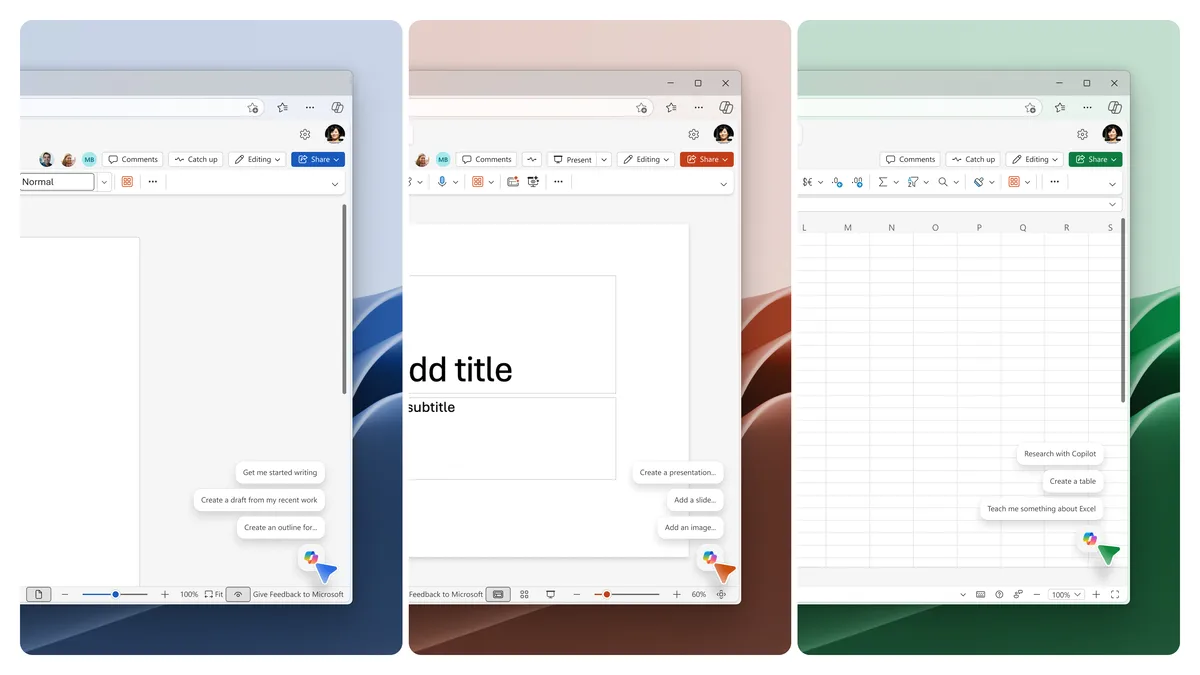
- Look in the lower-right corner of the workbook. Copilot may have moved to a single button there, which Microsoft calls the Copilot Dynamic Action Button.
- Update Office to the latest build.
- Go to File > Account, select Update License, then close and restart all Microsoft 365 apps.
- At work, check File > Account > Product Information. Copilot isn't available on the Semi-Annual Enterprise Channel; ask IT to move you to Current Channel or Monthly Enterprise Channel.
- Go to File > Account, select Manage Settings under Account Privacy, and turn on "Experiences that analyze your content" and "All connected experiences."
Then save the workbook to OneDrive in a modern format such as .xlsx, with AutoSave on. The FAQ adds that Copilot only edits when Calculation Options are set to Automatic. If it still won't load, our guide to Copilot not working in Word, Excel and Outlook covers more fixes.
The cheapest way in for one person is Microsoft 365 Personal, at $99.99 a year or $9.99 a month. At work, check the label in Excel first. If it says Basic, you already have standard access and pay nothing extra.
Frequently asked questions
Is Copilot in Excel 365?
Yes, when your Microsoft 365 subscription qualifies: Personal or Family with AI credits, Premium, a Copilot Chat-eligible business plan, or a Microsoft 365 Copilot licence. The one-time Office Home 2024 doesn't list Copilot in Excel.
Is Copilot in Excel for Mac?
Yes. Microsoft says Copilot in Excel runs on Windows, Mac, the web, iPad, iPhone and Android, with edit, chat and plan modes on Windows, Mac and the web.
Is there a Copilot add-in for Excel?
No. Copilot is built into Excel. The add-on in Microsoft's pricing, such as Microsoft 365 Copilot Business, is a licence your organization buys, not something you install.
How do I enable Copilot in Excel?
Update Office, go to File > Account and select Update License, then restart the apps. Save the workbook to OneDrive with AutoSave on, and check that connected experiences are turned on in your privacy settings.
Sources
- Frequently asked questions about Copilot in ExcelMicrosoft
- Compare all Microsoft 365 plansMicrosoft
- Microsoft 365 Copilot for business pricingMicrosoft
- Microsoft 365 Copilot for enterprise pricingMicrosoft
- Copilot at Microsoft Ignite: Expanding what's possible with intelligence built for workMicrosoft
- Microsoft Ignite 2026 Book of NewsMicrosoft
- AI credits and limits for Microsoft 365 subscriptionsMicrosoft
- Standard versus priority access to features in Microsoft 365 Copilot ChatMicrosoft
- Get started with Word, Excel, and PowerPoint Agents in Microsoft CopilotMicrosoft
- How to find and enable missing Copilot button in Microsoft 365 appsMicrosoft
- Frequently asked questions about Copilot in Microsoft 365 subscriptionsMicrosoft