Key takeaways
- DLSS 5 needs a GeForce RTX 50 Series GPU or an RTX Spark laptop, a current Game Ready driver and a game that supports it.
- You turn it on in each game's settings: "DLSS Neural Rendering" in NBA 2K27 and "Neural Rendering" in Hogwarts Legacy.
- The NVIDIA app installs the driver but has no documented override that adds DLSS 5 to other games.
How to turn on DLSS 5 comes down to hardware and one in-game switch. You need a GeForce RTX 50 Series GPU or an RTX Spark laptop, a current Game Ready driver and a game that supports it, and then you switch it on inside the game: in NBA 2K27 the setting is called "DLSS Neural Rendering", and in Hogwarts Legacy it is "Neural Rendering". There is no global switch for it in the NVIDIA app.
This guide is for PC players with an RTX 50 card who want to see what DLSS 5 looks like in their games. By the end you will have the right driver installed, DLSS 5 running in a supported game, and the other DLSS settings NVIDIA recommends alongside it. Everything below comes from NVIDIA's GeForce news posts and its DLSS page, as of November 22, 2026.
What DLSS 5 does
Earlier versions of DLSS were mostly about speed. Super Resolution renders a game at a lower resolution and uses AI to rebuild a sharper, higher-resolution image. Frame Generation uses AI to create extra frames between the ones the game draws. Both make games run faster.
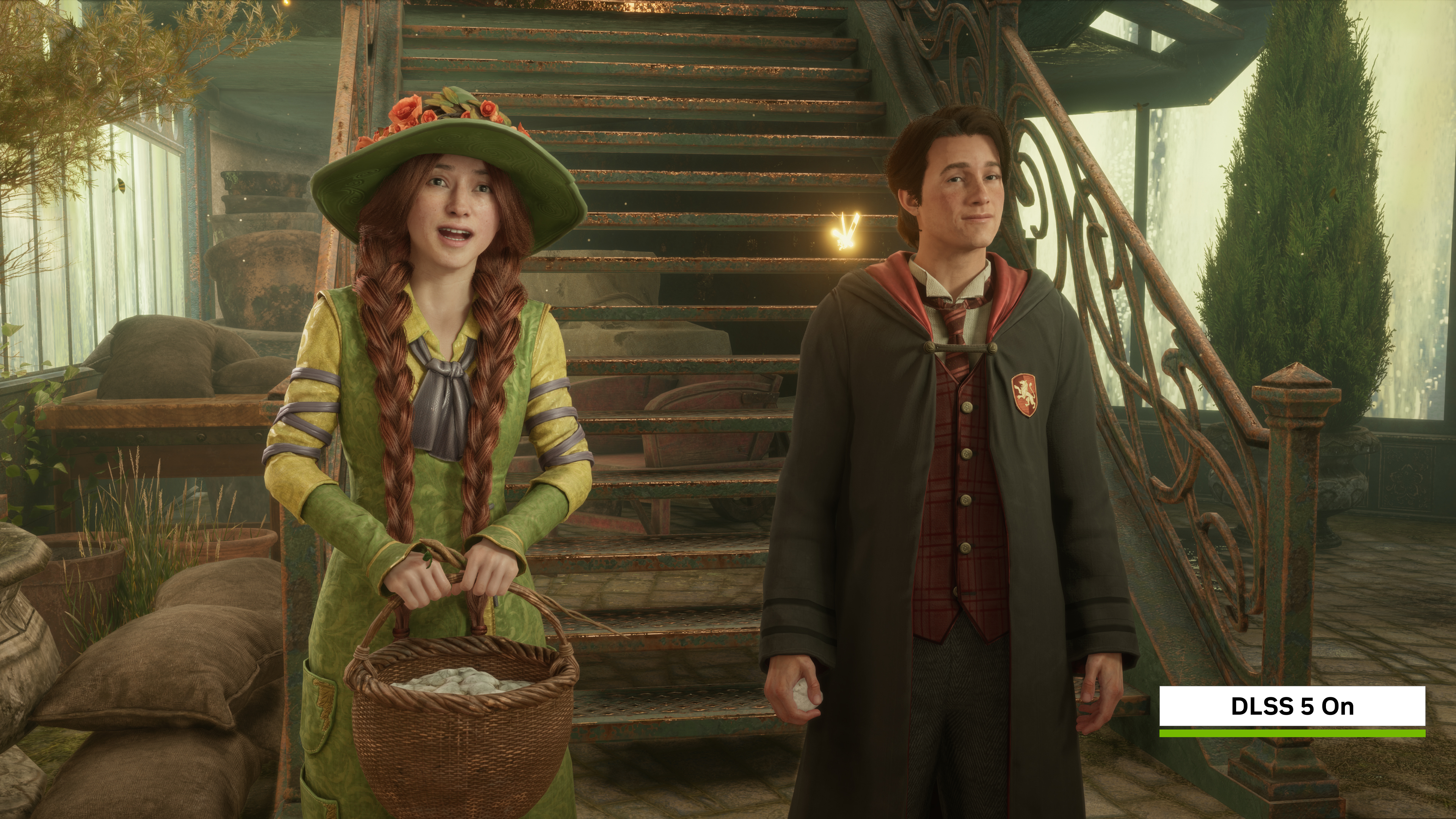
DLSS 5 does something different. NVIDIA calls it 3D-Guided Neural Rendering: an AI model that runs as the last step of each frame, takes the frame's color and motion data from the game engine, and adds more realistic lighting and materials to skin, hair, fabric and surfaces. The game's own geometry decides what stays fixed, and the developers tune how much the model may change. Jensen Huang, NVIDIA's founder, called it "the GPT moment for graphics" when he announced it at GTC on March 16, 2026.
So DLSS 5 is about how the picture looks, not how fast it runs. NVIDIA says it is optional and independent of the other DLSS features, so you can use it together with Super Resolution, Frame Generation and Ray Reconstruction.
What you need first
| Requirement | What NVIDIA says |
|---|---|
| GPU | Any GeForce RTX 50 Series desktop or laptop GPU, or an RTX Spark laptop or PC |
| Cloud | GeForce NOW Ultimate, which streams from RTX 5080-powered servers |
| Driver | 616.64 WHQL or newer for NBA 2K27; 621.14 for Hogwarts Legacy; 621.24 for Where Winds Meet |
| Game | One that has added DLSS 5 (list below), updated to its latest version |
| NVIDIA app | Optional, but the easiest way to get the driver |
NVIDIA's DLSS support table marks DLSS 5 as RTX 50 Series only. RTX 40, 30 and 20 cards don't get it, although they keep the features they already had, such as Super Resolution and, on RTX 40, Frame Generation.
NVIDIA's DLSS 5 posts list no minimum VRAM and no Windows settings to change.
Which games support DLSS 5
As of November 22, 2026, NVIDIA has named these:
- NBA 2K27, the first game with DLSS 5, from its launch on September 3. NVIDIA's faster October model reached it with Season 2 on October 16.
- Hogwarts Legacy, since a game update on November 5.
- War Thunder, with the Eagle's Shadow major update, which NVIDIA dated to mid-November.
- Where Winds Meet, from November 23, per NVIDIA's 621.24 driver post.
- RTX Remix, NVIDIA's modding tool for classic games, since October 23.
At GTC, NVIDIA also listed games that will get DLSS 5 later, including Assassin's Creed Shadows, Resident Evil Requiem, Starfield, The Elder Scrolls IV: Oblivion Remastered, Phantom Blade Zero and AION 2. It has not given dates for them.
How to turn on DLSS 5, step by step
1. Update your driver
Install the newest GeForce Game Ready driver through the NVIDIA app or from NVIDIA's driver page. NVIDIA released driver 616.64 on September 3 with DLSS 5 for NBA 2K27, driver 621.14 on November 4 ahead of Hogwarts Legacy, and 621.24 in November for Where Winds Meet. The newest one covers all of them.
2. Update the game
DLSS 5 arrives in a game patch, so install the latest version through Steam, Epic or the game's own launcher. In Hogwarts Legacy, NVIDIA says to download the new game update before looking for the option.
3. Turn on the setting in the game
- NBA 2K27: launch the game, open Video Settings and turn on "DLSS Neural Rendering". Press F9 to switch it on and off during gameplay and replays, which is the quickest way to compare.
- Hogwarts Legacy: open the in-game options and turn on "Neural Rendering".
- War Thunder and Where Winds Meet: NVIDIA's posts don't name the menu yet. Look in the game's graphics settings next to the other DLSS options.
- RTX Remix: update RTX Remix from the NVIDIA app's Home screen or GitHub, press Alt + X, open the Developer Settings Menu and enable DLSS 5 in the runtime or toolkit menu.
4. Set the other DLSS options
DLSS 5 does not replace the other DLSS settings. For Hogwarts Legacy, NVIDIA recommends:
- Upscale Type: DLSS Super Resolution
- Frame Generation: DLSS Multi Frame Generation
- Low Latency Mode: NVIDIA Reflex
- Ray Reconstruction, if you also turn on the game's ray-traced effects
For NBA 2K27, NVIDIA says to set Super Resolution, Frame Generation and Reflex as you prefer after turning on DLSS Neural Rendering.
Which settings to pick
DLSS 5 itself has no Quality, Balanced or Performance modes for players. NVIDIA's posts describe the controls as the developer's: which AI model a game uses, a "Structure Intensity" for fine detail such as reflections, a "Tone Intensity" for overall lighting and color, and masks that limit where the effect applies. Each studio sets these for its game, so in the menu you get an on or off switch.
The speed comes from the other features. In NVIDIA's own NBA 2K27 tests at 2560x1440 with the Ultra preset and ray tracing, DLSS 5 combined with Super Resolution and Multi Frame Generation reached up to 590 frames per second on an RTX 5090, 410 on an RTX 5080, 350 on an RTX 5070 Ti and 260 on an RTX 5070. Those are NVIDIA's numbers, not independent tests.
The October model update made DLSS 5 cheaper to run. NVIDIA says the model shrank 24% to about 118 million parameters, uses 20% less VRAM at 4K, runs twice as fast as the September version and raises frame rates in NBA 2K27 by up to 1.4 times. Hogwarts Legacy, War Thunder and Where Winds Meet use this newer model.
Common problems
The DLSS 5 option isn't there or is greyed out. Check three things: that your GPU is an RTX 50 Series or RTX Spark, that the driver is current, and that the game is patched to the version that added DLSS 5. On an RTX 40 card or older, the option won't work, because NVIDIA supports DLSS 5 only on RTX 50.
The NVIDIA app has no DLSS 5 switch. That is expected. The app's "DLSS Override" settings, under Graphics > Driver Settings, swap in newer models for Super Resolution, Frame Generation and Ray Reconstruction in supported games. NVIDIA has not documented an app override that adds DLSS 5 to a game that doesn't support it. The setting lives in each game.
You want more frames on an older card. In October NVIDIA added a beta Frame Generation Performance Mode for RTX 40 and 50 GPUs. Turn on beta features in the NVIDIA app under Settings > About, install the beta update, then go to Graphics > Driver Settings > DLSS Override - Model Presets, choose Custom and set Frame Generation to "Preset C". Reboot if Preset C doesn't appear. This is not DLSS 5, but it is the newest DLSS feature that RTX 40 owners can use.
Frame limiter or V-Sync won't work with Dynamic Multi Frame Generation. Driver 616.64 and an NVIDIA app update added that support, but it needs Streamline 2.14 or newer, which downloads after a reboot. NVIDIA says that if the tooltip still says "Not compatible with frame rate limiters and V-Sync", a component is missing.
You don't like the look. DLSS 5 changes the lighting and materials of the image, which is a matter of taste. Switch it off in the same menu, or with F9 in NBA 2K27, and keep the other DLSS settings.
Where to go next
NVIDIA posts each new DLSS 5 game on its GeForce news page, usually with the driver that supports it. Its DLSS page keeps the table of which DLSS features run on which RTX generation. If you don't have an RTX 50 card, GeForce NOW Ultimate streams DLSS 5 in NBA 2K27 and Hogwarts Legacy from NVIDIA's servers.
Frequently asked questions
Which graphics cards support DLSS 5?
NVIDIA lists all GeForce RTX 50 Series desktop and laptop GPUs and RTX Spark laptops and PCs. GeForce NOW Ultimate members can also stream it from NVIDIA's servers.
Does DLSS 5 work on RTX 40 Series or RTX 30 Series cards?
No. NVIDIA's DLSS support table marks DLSS 5 as RTX 50 Series only. RTX 40 cards keep Super Resolution, Ray Reconstruction and Frame Generation, and RTX 30 cards keep Super Resolution and Ray Reconstruction.
Which games have DLSS 5?
As of November 22, 2026, NVIDIA names NBA 2K27, Hogwarts Legacy, War Thunder and Where Winds Meet (from November 23), plus the RTX Remix modding tool. Games such as Starfield, Resident Evil Requiem and Assassin's Creed Shadows are announced without dates.
Can I turn on DLSS 5 in the NVIDIA app?
Not directly. The NVIDIA app installs the driver and can override Super Resolution, Frame Generation and Ray Reconstruction models, but DLSS 5 is switched on in each supported game's own settings.
Sources
- DLSS 5: Neural Rendering Brings Lifelike Lighting to NBA 2K27NVIDIA
- GeForce Game Ready Driver 616.64: DLSS 5 in NBA 2K27, Onimusha & DawnwalkerNVIDIA
- NVIDIA DLSSNVIDIA
- DLSS 5 Comes To Hogwarts Legacy & RTX Spark, Powered By 2X Faster ModelNVIDIA
- DLSS 5 With 3D-Guided Neural Rendering Available Now In Hogwarts Legacy, Comes To War Thunder & Where Winds Meet Later This MonthNVIDIA
- World of Warcraft: Forever GeForce & RTX Spark Game Ready DriverNVIDIA
- Dawn of War IV & Where Winds Meet Game Ready DriverNVIDIA
- NVIDIA DLSS 5 Delivers AI-Powered Breakthrough In Visual Fidelity For GamesNVIDIA
- DLSS This Week: DLSS 5 Gets Faster, Frame Generation Performance Mode betaNVIDIA
- How Gaijin Integrated & Tuned DLSS 5 for War ThunderNVIDIA