Key takeaways
- In Cursor Settings, Agents > Conversation > Default Model set to Last Used keeps the model you last picked for new chats.
- With the other option, Cursor Default, Cursor swaps in its recommended model on startup and in new chats, which has recently been Grok 4.7.
- In the CLI, agent --model and the /model command choose the model, and the choice is saved in ~/.cursor/cli-config.json.
To set a default model in Cursor, open Cursor Settings, go to Agents, then Conversation, and set Default Model to Last Used. Then pick the model you want in the chat's model picker. New chats keep that model instead of jumping to the one Cursor recommends. Cursor has no option to name one fixed model as the default; the only two choices are "Last Used" and "Cursor Default".
That second choice is why so many people search for this. With "Cursor Default", Cursor checks for a recommended model when the app opens and when you start a chat, and in recent months that has meant Grok 4.7. Cursor's support staff say so on the official Cursor forum. The rest of this guide covers the steps, Auto, the CLI, cloud agents, Max Mode and what each choice costs, all from Cursor's docs and help center as of November 15, 2026.
How to set the default model in Cursor
This works in the Cursor editor and its Agent window. You need a plan that includes the model you want: Free and Plus get only Cursor's own models, and third-party models start at Premium.
- Open Cursor Settings. A Cursor support engineer gives the shortcut as Ctrl+Shift+J on Windows.
- Go to Agents, then Conversation.
- Set Default Model to Last Used. The other option, Cursor Default, lets Cursor swap in its recommended model on startup and in new chats.
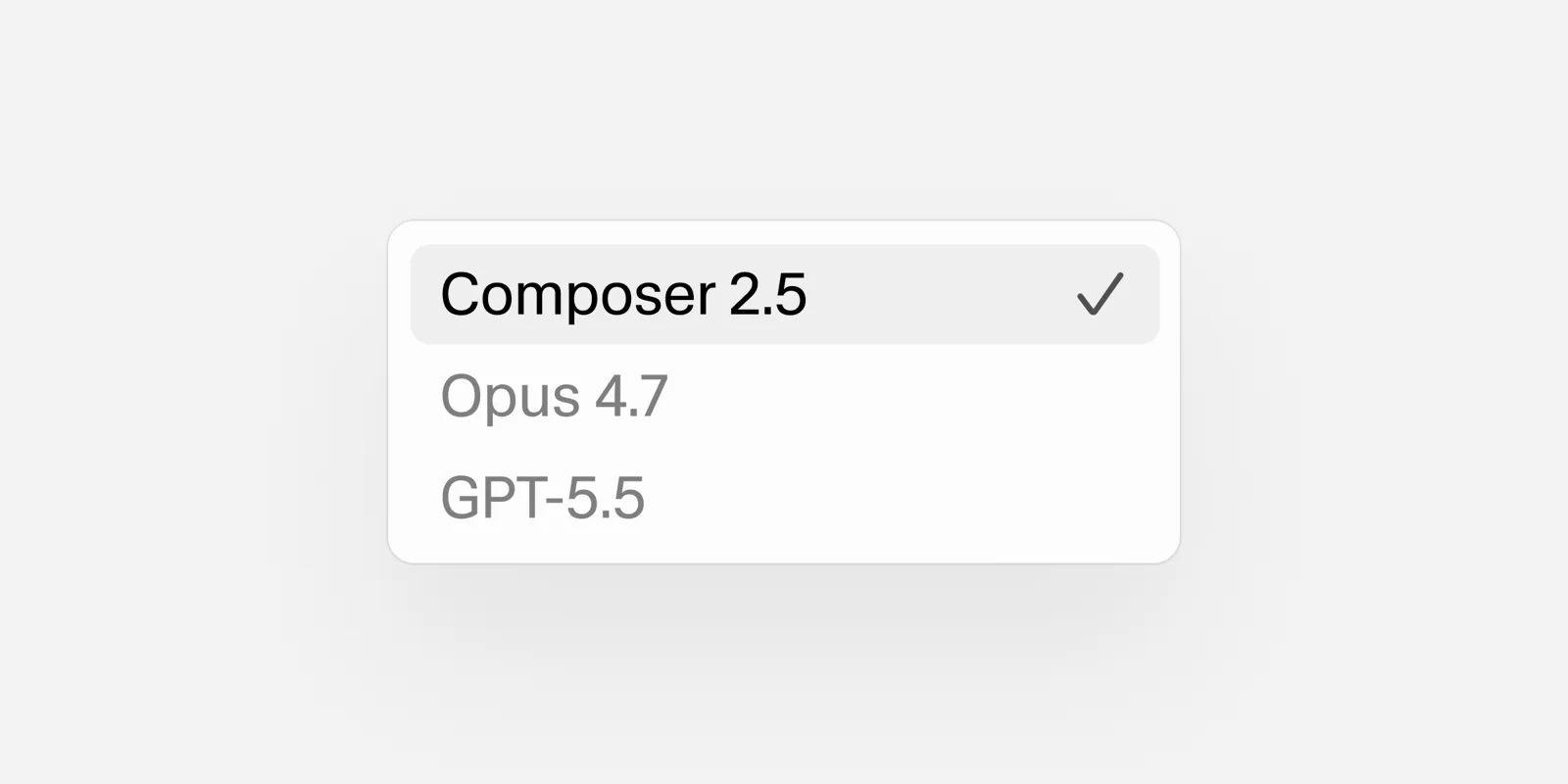
- Pick your model. Open the model selector at the top of the chat or agent panel and choose a model, or Auto. Cursor's help center says you can also press Cmd + / to cycle through models, and that "your selection persists across conversations until you change it."
- Start a new chat with the + button and check that the picker still shows your model.
Cursor's staff explained the setting in an August 20 forum reply: choosing Last Used "stops Cursor from switching your selection to the recommended model on app open and new chats." In a later reply on September 25, the same support engineer said Last Used tells Cursor to skip its model recommendations entirely.
Why Cursor keeps switching to Grok
With Default Model on Cursor Default, new chats that start from an older Grok model are moved to the newest one, Grok 4.7. A Cursor staff member called this "currently expected" in a September 23 reply and gave the Last Used fix above.
Users have reported two more problems on the forum, and they are worth knowing about:
- Ctrl+N in the Agent window. A user reported on August 24 that a new chat opened with Ctrl+N jumped to Grok 4.6 even with Last Used set, while a chat started from the + button kept Auto. A reply in the thread said this wasn't intended and that it had gone to the team.
- The setting flipping back. Some users said their Default Model returned to Cursor Default around the Grok 4.7 release. Cursor's support engineer replied that nothing on Cursor's side flips the setting back on its own and asked for a way to reproduce it.
If either happens, set Last Used again and start chats from the + button.
The choice Cursor makes for you is not neutral on cost. Grok 4.7 and Composer 2.5 draw from your plan's weekly pool, while Claude, GPT and Gemini are billed from prepaid credit at API rates. If you pay for a third-party model on purpose, Last Used is the setting that keeps you on it.
How to make Auto your default
Auto lets Cursor pick a model for each request. To make it your default, set Default Model to Last Used and select Auto at the top of the model picker.
What Auto does depends on your plan, according to Cursor's router docs:
- Individual plans get only Cost mode, the classic Auto. It bills as a Cursor-model request from the weekly pool, whichever model answers.
- Teams and Enterprise with Cursor Router turned on can pick a mode under Optimize For: Cost, Balance or Intelligence. Balance and Intelligence bill at the price of the model the router chose, and the docs say they use up limits faster than Cost.
- Plus does not include Auto at all.
Team admins can force the choice. Cursor Router's team settings include Impose Auto: "Soft" starts each new chat on Auto but lets members switch, and "Hard" locks the picker to Auto. Both are off by default.
How to hide models you never want
Disabling a model is the backup plan if the picker keeps landing on one you don't use. Open Cursor Settings > Models and turn the model off. Cursor's support engineer wrote on the forum that Cursor won't switch to a disabled model.
One catch from the same thread: each new Grok release shows up as its own entry in Settings > Models, so turning off Grok 4.6 does not turn off Grok 4.7. You have to disable each new one.
The same Settings > Models page is where you add your own API keys from OpenAI, Anthropic, Google, Azure or AWS, per Cursor's API keys help page. Plus does not allow your own keys.
Default models for Agent, Ask, Plan and subagents
Cursor's docs don't describe a separate default model for each mode. The model in the picker applies to the chat whatever the mode.
Subagents are different. Per the subagents docs:
- The built-in subagents (Explore, Bash, Browser) choose their model on their own based on the subtask.
- Custom subagents default to
inherit, which means they use the parent agent's model. - You can pin a custom subagent to a model with the
modelfield in its YAML frontmatter.
Subagent files live in .cursor/agents/ for one project or ~/.cursor/agents/ for all your projects. This example from Cursor's docs pins a planner to Claude Opus 5 at high effort:
---
name: planner
description: Plans complex changes before implementation.
model: claude-opus-5[effort=high]
---

Break the task into a clear, ordered implementation plan.
The docs list exceptions: Cursor ignores the field when a team admin has blocked that model, or when a legacy request-based plan needs Max Mode for it and Max Mode is off.
How to set the default model in the Cursor CLI
The Cursor CLI's docs call the command agent. Three things control its model, per the parameters reference and configuration docs:
List the models your account can use:
agent models
Start a session on a specific model:
agent --model gpt-5.6-sol "fix the failing tests"
Switch models inside a running session:
/model auto
--list-models prints the same list as agent models. The CLI keeps your selection in the model field of its global config file, ~/.cursor/cli-config.json on macOS and Linux. Only permissions can be set per project, so the model choice is global.
Two notes from the CLI changelog: fresh installs start on Auto since the July 6, 2026 release, and since the August 26 release, a team admin's model limits apply in the CLI too, so a saved model outside the allowed list switches to an allowed one. These commands come from Cursor's docs; they were not run for this guide.
How to set the default model for cloud agents
Cloud agents have their own default. Workspace admins set it in the Cloud Agents dashboard under Default settings. It is the model a run uses when it doesn't name one.
Max Mode only matters on legacy plans
Max Mode extends a model's context window beyond its default limit. According to Cursor's help center, it now exists only on legacy request-based plans. There, you turn it on in the model selector, it stays on across conversations, and it bills at the model's API rate plus 20%. Models that need it turn it on when you select them. Current plans don't have it.
What your default model costs
The model you leave as default decides how fast your usage goes. Cursor's plans, from its pricing page and help center, as of November 15, 2026:
| Plan | Price | Models |
|---|---|---|
| Free | $0 | Cursor models, limited usage |
| Plus | $8 a month | Cursor models only, fixed settings, no Auto |
| Premium | $30 a month | 4x Plus usage, third-party models at API list price |
| Super | $100 a month | 15x Plus usage |
| Ultra | $200 a month | 50x Plus usage |
| Teams | $30, $100 or $200 per seat a month | Matches the seat's tier |
Every paid plan has a weekly pool for Cursor's own models: Grok 4.7, Grok 4.6, Grok 4.5 and Composer 2.5. Third-party models sit outside the pool and come out of prepaid credit. Prices per million tokens from Cursor's models and pricing page, as of November 15, 2026:
| Model | Billed from | Input | Output |
|---|---|---|---|
| Composer 2.5 | Weekly pool, then these rates | $0.50 | $2.50 |
| Grok 4.7 | Weekly pool, then these rates | $2 | $6 |
| Gemini 3.8 Flash | Prepaid credit | $0.75 | $3.75 |
| Claude Sonnet 5.5 | Prepaid credit | $2 | $10 |
| GPT-5.6 Sol | Prepaid credit | $4 | $20 |
| Claude Opus 5.5 | Prepaid credit | $4 | $20 |
On Teams and Enterprise, eligible third-party models also carry the Cursor Token Rate of $0.25 per million tokens. Cost mode Auto does not.
To see how fast your chosen model is draining the pool, follow our guide on how to check token usage in Cursor. For the full plan breakdown, see Cursor pricing and the weekly pool.
Frequently asked questions
Can I set a specific model as the default in Cursor?
Not directly. The Default Model setting offers only Last Used and Cursor Default, so set it to Last Used and pick the model you want once in the model picker.
Why does Cursor keep switching my model to Grok?
With Default Model set to Cursor Default, Cursor moves new chats to its recommended model, which Cursor staff say is Grok 4.7 for chats that started on an older Grok. Setting Default Model to Last Used turns this off, and disabling Grok in Settings > Models is a backup.
How do I change the model in the Cursor CLI?
Start a session with agent --model followed by a model ID, or type /model inside a session. Run agent models to see the IDs your account can use.
Does Auto cost extra in Cursor?
On individual plans Auto runs in Cost mode, which bills as a Cursor-model request from the weekly pool. On Teams and Enterprise, Balance and Intelligence bill at the price of the model the router picks.
Sources
- Available modelsCursor
- New chat always selects Grok 4.7 (staff reply, September 23, 2026)Cursor Community Forum
- Default model defaults to Grok instead of Auto (staff reply, August 20, 2026)Cursor Community Forum
- Grok set as default every timeCursor Community Forum
- Cursor RouterCursor
- SubagentsCursor
- CLI parametersCursor
- CLI configurationCursor
- Cursor CLI changelogCursor
- Cloud Agents settingsCursor
- Max Mode on legacy plansCursor
- API keysCursor
- Models and pricingCursor
- Pricing and plansCursor
- Cursor pricingCursor