Key takeaways
- Personal Finance in Claude is a beta for Pro, Max and Ultra plans in the US, announced on November 5, 2026.
- You connect accounts through Plaid from the Personal Finance side menu item, and Claude's access is read-only.
- You can unlink a bank at any time, or disconnect at my.plaid.com, but unlinking your last bank resets the dashboard.
Personal Finance in Claude lets you connect a US bank or card account through Plaid and ask Claude about your spending, bills and savings. Anthropic announced it on November 5, 2026 as a beta for Pro, Max and Ultra plans. To connect an account, open Personal Finance from the Claude side menu, select "Link accounts with Plaid" and sign in to your bank in Plaid. Access is read-only: Claude can look at your data, but it can't move money.
This guide follows Anthropic's announcement and its help center article, as of November 5, 2026. Anthropic says the rollout is gradual, so you may not see the feature yet. For the news side of the launch, see our report on the Plaid connection.
Who can use Personal Finance in Claude
| Requirement | What Anthropic says |
|---|---|
| Plans | Pro, Max and Ultra, in beta. Not available on Free, Team or Enterprise. |
| Country | US only. You can link US banks only. |
| Where | Claude on the web, Claude Desktop, Claude for iOS and Claude for Android. |
| Rollout | Gradual, so the option may not be there yet. |
Moving to a Team or Enterprise plan unlinks your banks. If a paid plan ends, Personal Finance closes and Claude can no longer read your accounts in chats. The banks stay linked until you unlink them, and resubscribing restores them and your dashboard, though a bank may ask you to sign in again.
How to connect your bank to Claude
- Open Personal Finance from the side menu. If you don't see it, hover over "More."
- Select "Get started," choose your goals or skip, then select "Continue."
- Select "Link accounts with Plaid." On the "Connect Plaid to Claude" screen, review the access Claude asks for and select "Continue."
- In Plaid, choose your bank, sign in and select the accounts to share.
- Back in Claude, wait for the accounts to appear, then select "Link another account" or "Done."
Plaid opens in a new window, a browser or an in-app view, depending on your device. Finish within 10 minutes and return to Claude right away. Transactions can take a few minutes to sync. You sign in through Plaid, and Claude never sees your bank password. You choose which accounts to share.
Linking more than one bank
You can link up to 16 banks. At the limit, unlink one before adding another.
- On web and Desktop, select "Link another account" at the top of the page.
- On iOS and Android, tap the gear icon, then "Link another account."
- To add an account at a bank you already linked, link that bank again and share every account you want included.
If the bank is already linked, Claude asks what to do. "Switch to the new link" replaces the old sign-in, and Claude reads only the accounts you shared this time. "Keep it as it is" keeps the existing link. "Keep both" is for a second login at the same bank, and shared accounts may be double-counted if the bank shows them differently.
What you can ask Claude about your money
Anthropic's examples:
- Where your money went this month, sorted by category.
- Whether this month's spending is higher than usual compared with earlier months.
- Which payments are coming up and what will be left before your next payday.
- Duplicate charges, unexpected fees, or bills that have risen over the year.
- Plain-language explanations of financial terms, and how much interest you have paid at a given APR.
- Affordability and savings questions, such as whether you can afford a trip.
- Custom outputs: weekly spending charts, a calendar of due bills, or a dashboard you keep adjusting.
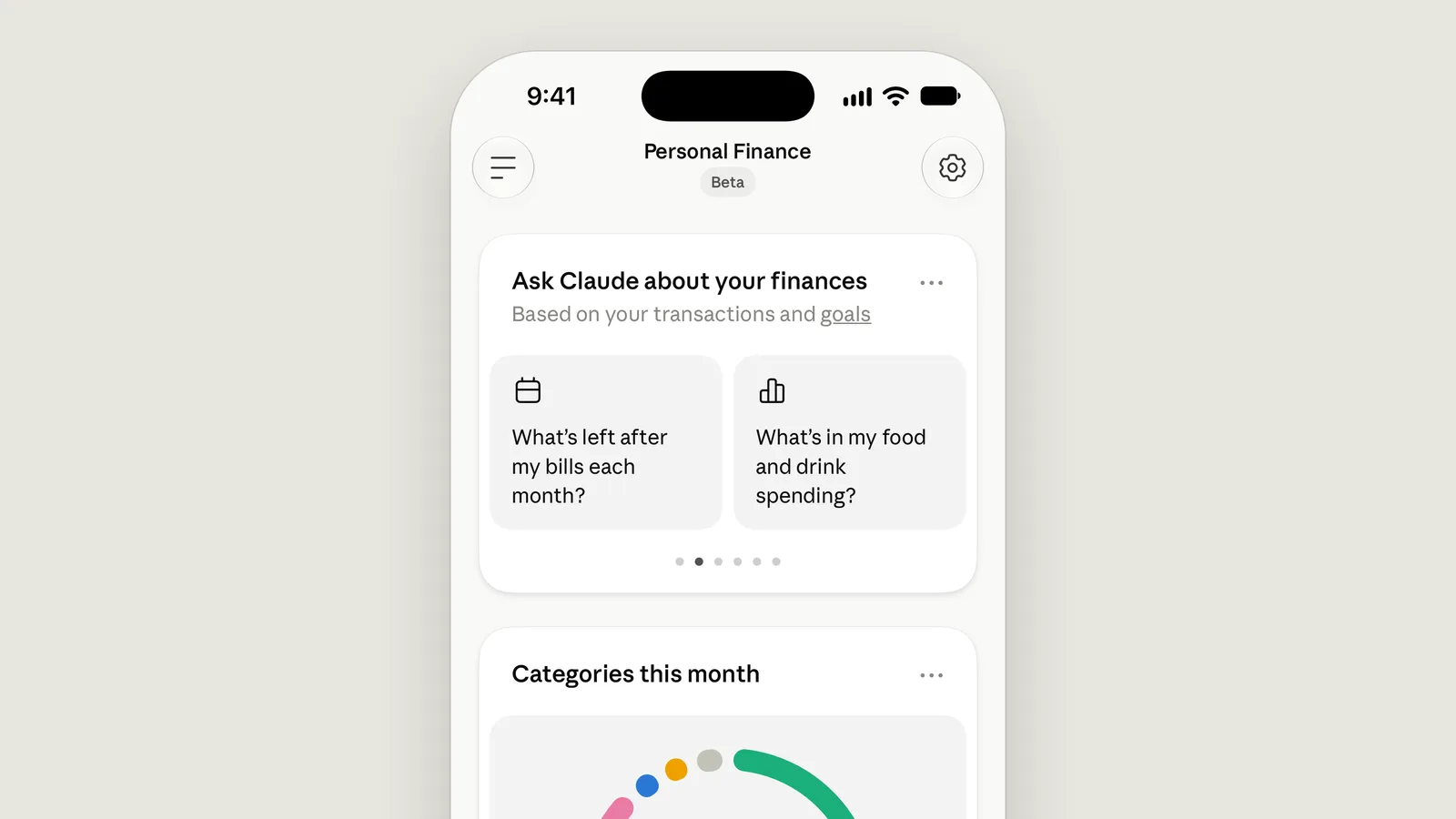
The Personal Finance screen in the Claude app suggests starting points such as "What's left after my bills each month?" and "What's in my food and drink spending?"
What Claude can and can't do
Claude can read your connected accounts. It can't move, manage or invest your money. Anthropic says Personal Finance isn't designed to give investment advice, and that licensed professionals are the better fit for major financial decisions. Claude doesn't offer its own credit cards, loans or savings accounts, and Anthropic says there are no ads or sponsored recommendations.
For the accounts you connect, Claude can see:
- the bank name, and each account's name, type and last four digits;
- balances and credit limits;
- up to 24 months of transactions, with amount, date, merchant, category and the bank's description.
It doesn't see holdings, trades, rates or terms. It gets only the last digits of account numbers, though a full number can show up if it appears in an account name or a transaction description.
Anthropic's own cautions:
- Claude can make mistakes. Ask which transactions sit behind a figure and check important numbers with your bank.
- Balances may be a day or two old.
- Spending figures leave out banks Claude can't read, so a budget may overstate what's left.
- Two logins at one bank can double-count accounts.
It also doesn't work everywhere. Personal Finance can't be used in scheduled tasks, Cowork tasks or Claude Code, and may not work inside projects. It isn't available in Claude Duet, and data exports don't yet include the dashboard.
Privacy: how your data is used
- Anthropic says conversations in the Personal Finance hub aren't used to train its models. Chats outside the hub follow your privacy settings at claude.ai/settings/privacy.
- Claude reads linked accounts in chats without asking each time, unless you change the setting. It asks before linking or unlinking.
- Chats that use your accounts aren't saved to memory, can't be searched later and are left out of your monthly recap.
- Artifacts from those chats ask for approval before publishing, may contain bank data and persist until you delete them. Shared chat links and artifacts can show your figures to whoever opens them.
- Data stays in your chat history until you delete the chat. Plaid handles data under its own terms.
Full details are in Anthropic's Privacy Center.
Turn Plaid on or off for chats
On web and Desktop, select "+" in the message box, then "Connectors," then toggle Plaid. On iOS and Android, tap "+" next to the message box, then "Connectors" and "Plaid." Under "All tools" (on Android, "Set all tools"), choose "Blocked" or "Always allow." "Needs approval" asks before each read. The setting applies to new chats too.
How to disconnect your bank and delete your data
- Open Personal Finance, then your linked accounts. On web and Desktop, select "..." then "Manage linked accounts." On mobile, tap the gear icon.
- Select "Unlink" on the bank (on mobile, open the bank first), then confirm "Unlink."
After that, Claude can no longer see the bank's data. Some things to know:
- Unlinking removes every account tied to that bank login. You can't remove a single account.
- Past chat content, artifacts and shared links stay until you delete them.
- Unlinking your last bank resets your dashboard, including widgets, settings such as budgets and your setup answers. Anthropic says this can't be undone.
- To stop access entirely, select "Unlink all banks" under linked accounts, or disconnect at my.plaid.com.
- After a paid plan ends, go to Customize (or Plugins), then Connectors, then Plaid, then "Unlink." You can also disconnect through my.plaid.com or Support.
- Deleting your Claude account unlinks your banks automatically once the deletion is processed.
The help article points to a separate "data handling and retention" article for retention details. The announcement itself doesn't say how to delete stored data beyond unlinking.
Common problems and fixes
| Problem | What the help article says to do |
|---|---|
| No Personal Finance option | Check your plan, use a personal account, update the app. It's unavailable outside the US and may not appear over some VPNs. |
| "Nothing new was linked" or "already linked" | Link again and share the new accounts in Plaid. |
| Link fails on Desktop or Android | Finish in the browser Claude opened, and don't reload Plaid's page. |
| Bank missing after linking | Wait, refresh, and relink within 10 minutes if needed. |
| Missing transactions | Allow time to sync. Use "Sign in again" if prompted, or relink and choose "Switch to the new link." |
| "Sign-in expired" or "Claude's access to this bank has ended" | Open Personal Finance, open linked accounts, select "Sign in again" and use the same bank login. |
| "Claude can't read this bank" | Relink first. Unlink only if the old entry remains, or first if you're at 16 banks. |
| Accounts not used in a chat | Update the app, check Plaid is on, or start a new chat outside a project. Chats that ran code, made files or came from an artifact can't use accounts. |
For other help, click your name or initials at the lower left, then "Get help." Anthropic says never to share your bank login or full account numbers with anyone, Support included.
Is Claude good for personal finance?
Based on what Anthropic published, it is a way to read and summarize your own transactions, not an adviser. It is read-only, US-only and in beta, it can be a day or two behind your bank, and Anthropic tells users to check important figures with their bank. We haven't tested it, so we can't say how accurate its answers are.
Frequently asked questions
Is Claude Personal Finance free?
No. Anthropic says the beta is available on the Pro, Max and Ultra plans. It is not available on Free, Team or Enterprise.
Can Claude move money or make payments from my accounts?
No. Access is read-only. Anthropic says Claude can't move, manage or invest your money.
Does Claude see my bank password?
No. You sign in through Plaid, and Anthropic says Claude never asks for or sees your bank password.
Does Anthropic train its models on my financial chats?
Anthropic says conversations in the Personal Finance hub aren't used to train its models. Chats outside the hub follow your privacy settings.
Sources
- Introducing Personal Finance in ClaudeAnthropic
- Use Personal Finance with ClaudeAnthropic