Key takeaways
- Claude Code desktop is the Code tab in the Claude desktop app and runs the same engine as the CLI.
- It requires a Pro, Max, Ultra, Team or Enterprise plan; Pro costs $20 a month as of November 9, 2026.
- Desktop adds parallel sessions, diff review and a browser pane, but has no scripting mode or agent teams.
Claude Code desktop is the Code tab inside the Claude desktop app. It runs the same Claude Code engine as the terminal tool, with a graphical interface, and it needs a paid Claude plan: Pro ($20 a month), Max, Ultra, Team or Enterprise, according to Anthropic's desktop quickstart and pricing page as of November 9, 2026. You don't need Node.js or the CLI installed to use it.
If you already pay for Pro, you have what you need. Our piece on whether Claude Code is included in Pro covers how the shared limits work.
What the Claude Code desktop app is
The Claude desktop app has three parts: chat, Cowork (for Dispatch and longer agentic work) and Code. Claude Code is the Code tab at the top of the sidebar. Each conversation there is a session with its own history and project folder.
Anthropic's docs describe the pitch plainly: ask Claude to work on code in a folder on your computer, then review the changes yourself, without using a terminal.
What the Code tab adds on top of a terminal:
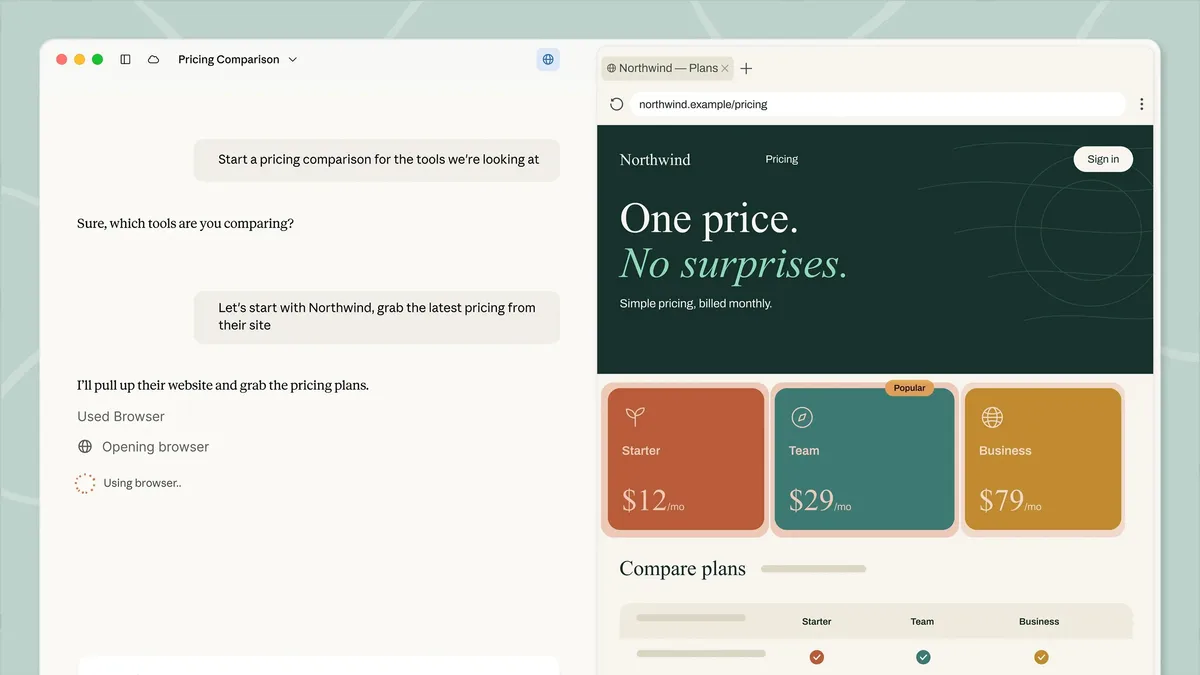
- Parallel sessions. Open new sessions from the sidebar (Cmd+N on macOS, Ctrl+N on Windows) and work on several tasks at once. Each can run in its own Git worktree, a separate checkout of the repository, if you turn on the Worktree option before you start. It is off by default.
- Diff view. Review changes file by file and comment on specific lines. Claude reads the comments and revises. The
/code-reviewcommand has Claude review the changes itself. - Browser pane. Claude can start your dev server, take screenshots, inspect the page and click through it to check its own work.
- Pull request monitoring. After a PR opens, Claude can watch CI and fix failures (Auto-fix), or merge when checks pass. This needs the GitHub CLI (
gh), installed and signed in. - Terminal, side chats and scheduled tasks. An integrated terminal, side chats that stay out of the main conversation, and recurring tasks such as a daily code review.
- Four places to run. Local (your machine), Cloud (Anthropic's infrastructure, sessions continue if you close the app), SSH (a remote machine or dev container) and WSL 2 on Windows.
How to install Claude Code desktop
- Download the installer. macOS has a universal build for Intel and Apple Silicon. Windows has separate x64 and ARM64 installers. Linux is in beta.
- Run it, launch Claude, and sign in with your Anthropic account.
- Click the Code tab. If you get an upgrade prompt, you need a paid plan first. A 403 error usually clears when you sign out and back in.
- Under the prompt box, pick an environment (Local for your own machine), then choose your project folder with Open folder....
- Pick a model, type a task, and review the result in the diff view.
Installing on Linux
Linux support is a beta for Ubuntu 22.04 or later and Debian 12 or later, on x86_64 or arm64. Fedora and Arch are not supported yet; use the CLI there. Anthropic's docs give these steps:
sudo curl -fsSLo /usr/share/keyrings/claude-desktop-archive-keyring.asc https://downloads.claude.ai/claude-desktop/key.asc
echo "deb [arch=amd64,arm64 signed-by=/usr/share/keyrings/claude-desktop-archive-keyring.asc] https://downloads.claude.ai/claude-desktop/apt/stable stable main" | sudo tee /etc/apt/sources.list.d/claude-desktop.list
sudo apt update && sudo apt install claude-desktop
The docs also tell you to check the key fingerprint with gpg --show-keys before installing. Updates come through apt upgrade, because the app doesn't update itself on Linux. Computer use and dictation are not in the Linux beta yet. We did not run these commands.
Claude Code desktop vs the CLI
They run the same engine and share configuration. Your CLAUDE.md files, MCP servers, hooks, skills and settings.json apply to both. You can run both at once, even on the same project, though each keeps its own session list.
| CLI | Desktop | |
|---|---|---|
| Interface | Terminal | Graphical app |
| Multiple sessions | Separate terminals | Sidebar tabs |
| Session isolation | --worktree flag |
Worktree toggle |
| File attachments | Not available | Images and PDFs |
| Recurring tasks | Cron jobs, CI pipelines | Built-in scheduled tasks |
Scripting (--print, Agent SDK) |
Yes | No, interactive only |
| Bedrock, Google Cloud, Foundry | Yes | Only through Anthropic's separate setups for those providers |
| Agent teams | Yes | No |
| Permission modes | All, including dontAsk |
Manual, Accept edits, Plan, Auto, plus Bypass once enabled |
| Platforms | macOS, Windows, Linux and more | macOS, Windows, Debian-based Linux (beta) |
Anthropic's own rule of thumb: use Desktop to manage parallel sessions in one window, arrange panes side by side or review changes visually. Use the CLI for scripting, automation or a terminal-first workflow.
Two details trip people up. The Code tab runs its own copy of Claude Code, so its version can differ from the claude command in your terminal, and updating one does not update the other. And Shift+Tab does not cycle permission modes in Desktop the way it does in the terminal.
To move work between them, type /desktop in the CLI (macOS and x64 Windows, with a Claude subscription sign-in) or run claude --desktop, which needs Claude Code v2.1.285 or later. In Desktop, /resume lists sessions you started from the CLI.
How much Claude Code desktop costs
Anthropic doesn't sell the desktop app separately. Claude Code needs a paid plan, and desktop sessions draw on that plan's limits. Prices below are from the Claude pricing page as of November 9, 2026.
| Plan | Price | Claude Code |
|---|---|---|
| Free | $0 | Not included |
| Pro | $20 a month, or $17 a month billed annually ($200 up front) | Included |
| Max | $100 a month | Included |
| Ultra | $200 a month | Included |
| Team, Standard seat | $25 a seat monthly, $20 billed annually | Included |
| Team, Premium seat | $125 a seat monthly, $100 billed annually | Included |
| Enterprise | $20 a seat, 20-seat minimum, plus usage at API rates | Included |
Cloud sessions count toward your plan limits with no separate compute charge, per the desktop docs. Some features have plan rules of their own. Computer use and Dispatch need Pro, Max or Ultra and are not available on Team or Enterprise.
The CLI is the way in if you want to pay per token through an API key. The /desktop command doesn't work with API-key sign-in.
What Desktop doesn't do
It has no inline code suggestions. It works through prompts and explicit changes. It offers no scripting mode and no coordinated agent teams. Commands that open a terminal dialog, such as /permissions, reply that they aren't available, and /config opens the Settings screen instead. If any of those matter, keep the CLI installed next to it. For a comparison with other tools, see our Claude Code vs Gemini CLI piece.
Frequently asked questions
Is Claude Code desktop free?
No. Anthropic's docs say Claude Code requires a Pro, Max, Ultra, Team or Enterprise subscription. The Free plan does not include it. Pro costs $20 a month as of November 9, 2026.
Do I need the CLI to use Claude Code desktop?
No. The desktop app includes Claude Code, so you don't need Node.js or the CLI. You can install the CLI as well, and both share CLAUDE.md files, MCP servers, hooks and settings.
Is there a Claude Code desktop app for Linux?
Yes, as a beta for Ubuntu 22.04 or later and Debian 12 or later, installed through Anthropic's apt repository. Fedora and Arch are not supported yet, and computer use is missing from the beta.
Can I move a CLI session into the desktop app?
Yes. Run /desktop in the terminal on macOS or x64 Windows, or use claude --desktop. Inside Desktop, /resume lists sessions you started from the CLI. It needs a Claude subscription sign-in, not an API key.
Sources
- Use Claude Code DesktopAnthropic
- Get started with the desktop appAnthropic
- Claude Desktop on Linux (beta)Anthropic
- Claude pricingAnthropic