Key takeaways
- Anthropic gave individual Pro subscribers $100 and Max subscribers $250 in bonus credit for Claude Code cloud sessions starting September 23, 2026.
- The credit had to be claimed by October 7 and any unused balance expired November 4, 2026 at 11:59 PM PT.
- As of November 28, 2026, cloud sessions count toward your plan's normal usage limits, with no separate charge for the cloud VM.
Claude cloud session credits were a one-time bonus Anthropic gave individual Pro and Max subscribers for running Claude Code in the cloud: $100 on Pro and $250 on Max. According to Anthropic's cloud sessions bonus credit promotion page, the claim deadline was October 7 and unused credit expired November 4 at 11:59 PM PT. As of November 28, 2026, the offer is over, and Anthropic's pages list no new one.
Cloud sessions themselves still work. They now count toward your plan's normal usage limits, and the docs say there is no separate charge for the cloud machine. The rest of this guide covers what the credit was, what happened to any balance, and how to run cloud sessions today.
What Claude cloud session credits were
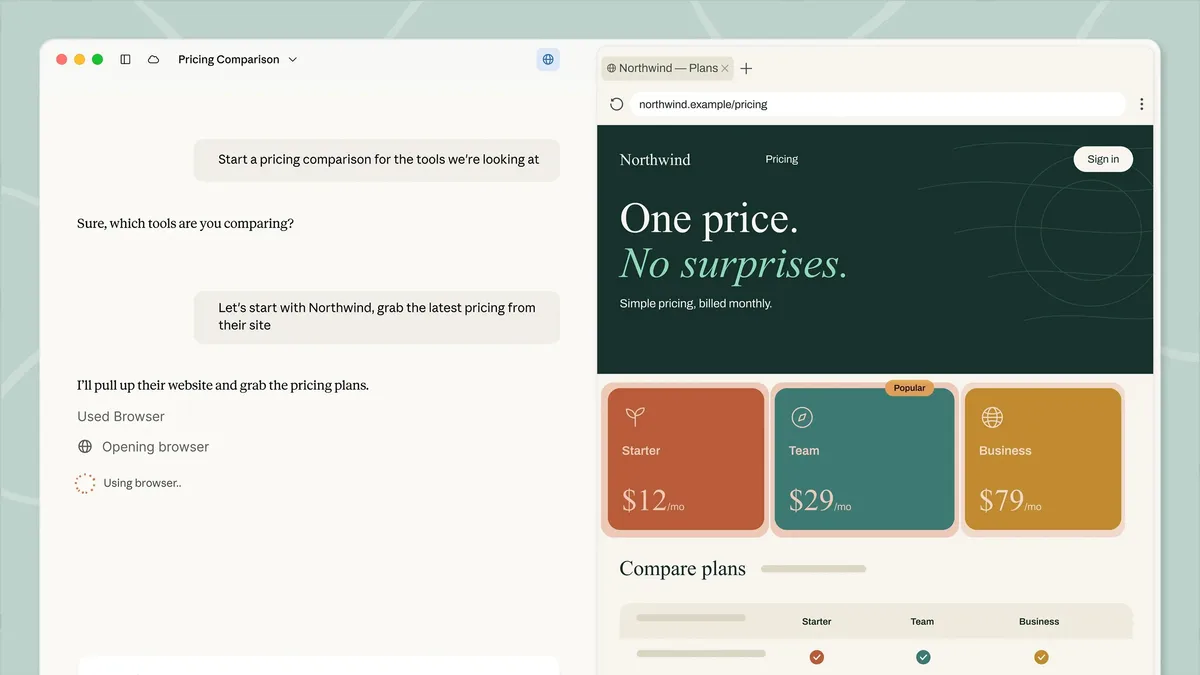
A cloud session is a Claude Code session that runs on a virtual machine Anthropic manages instead of on your laptop. Claude clones your GitHub repository into it, makes changes, runs tests and pushes a branch. The session keeps going after you close the tab, and you can check on it from the browser, the desktop app, the Claude mobile app or the terminal. Anthropic used to call this "Claude Code on the web."
On September 23, 2026, Anthropic moved cloud sessions out of research preview and made them generally available. The same day it started the bonus credit promotion. The credit paid for cloud session usage, so while you had a balance, work in cloud sessions did not eat into your plan's limits.
Who got the credit, and how much
All figures below are from Anthropic's promotion page, as of November 28, 2026.
| Pro | Max | |
|---|---|---|
| Bonus credit | $100 | $250 |
| Claim deadline | October 7, 11:59 PM PT | October 7, 11:59 PM PT |
| Credit expired | November 4, 11:59 PM PT | November 4, 11:59 PM PT |
| Who qualified | Individual subscribers active on September 23 | Individual subscribers active on September 23 |
To qualify, you needed an active individual Pro or Max subscription when the promotion began, on September 23, 2026 at 2:00 PM PDT, and you had to sign in with a claude.ai account.
These accounts did not get it:
- Team and Enterprise plans
- Free trials
- Accounts with overdue payments
- Claude Code used through Amazon Bedrock, Google Vertex AI or an API key
Each account could get one credit, and it could not be combined with other offers. Switching plans changed the credit to the new plan's amount, minus what you had already used. Moving from Max down to Pro kept the credit, and upgrading did not add a second one.
What the credit covered and what it didn't
The credit applied only to cloud sessions. Anthropic's page lists what it did not pay for:
- Projects and Routines (scheduled cloud tasks)
- Remote Control sessions, which run on your own machine
- Chat and Cowork sessions
- Any other Claude usage outside cloud sessions
You did not need to turn on usage credits, the separate paid balance in your account, to use the bonus. There was one exception. On Pro, picking the Fable model in a cloud session required usage credits to be on with a balance, and that balance started to draw down as soon as the bonus was spent.
How the credit was claimed and used
Some accounts got the credit automatically. Everyone else claimed it in one of these ways before October 7:
- A banner in the Claude desktop app or in your IDE.
- The
/claim-creditcommand in the Claude Code CLI. - The claim page at claude.ai/code/claim-credit.
After that, the credit applied by itself whenever you started a cloud session, from the web, desktop, CLI or mobile. Your remaining balance showed in the usage menu.
Since the claim window closed on October 7 and the balance expired on November 4, none of these steps will add a credit now.
What happened to unused credit
Any balance left after November 4 at 11:59 PM PT expired. Anthropic's page does not mention an extension, a refund or a cash value for unused credit.
Once the credit is gone, cloud sessions count toward your plan's limits the same way local Claude Code sessions do. The cloud sessions documentation puts it this way: a session "counts toward your plan's usage limits alongside the rest of your Claude and Claude Code usage, and there's no separate charge for the cloud VM."
How much Claude cloud sessions cost now
As of November 28, 2026, there is no separate price for cloud sessions. You pay for them through your existing plan:
- Plans that include them: Pro, Max, Ultra and Team, plus Enterprise users with premium seats or Chat + Claude Code seats.
- Usage: each session draws on the same limits as chat and local Claude Code. The docs say cloud sessions "share rate limits with all other Claude and Claude Code usage," so running several tasks in parallel uses those limits faster.
- The machine: no extra fee for the VM.
If you hit your limits often, it helps to know when they reset. Our guide to when the Claude usage limit resets explains the windows.
One more thing can look like a credit. On October 7, 2026, Anthropic's release notes said Max and Team plans now include monthly API credits "for running your own apps and agents on the Claude Platform." Those are for the API, claimed by linking a Claude Console organization. The release note does not tie them to cloud sessions.
How to start a Claude cloud session
These steps come from Anthropic's cloud sessions quickstart.
- Sign in. Go to claude.ai/code with your claude.ai account.
- Connect GitHub. Follow the prompt to authorize GitHub. Sessions can clone any public repository. For a private one, install the Claude GitHub App on the account or organization that owns it.
- Get an environment. On Pro, Max and Ultra you get one called Default automatically. On Team and Enterprise, onboarding shows a Create your first cloud environment form. Keep the defaults and click Create & finish.
- Pick a repository and branch with the selector under the message box.
- Choose a permission mode. Cloud sessions offer Auto, Accept edits and Plan.
- Describe the task and press Enter. Each task gets its own session and its own branch.
If you already use the GitHub CLI, you can connect from the terminal instead:
gh auth login
Then, inside the Claude Code CLI, sign in with your claude.ai account and run:
/web-setup
On success it prints Connected as <your-github-username>. After that you can start cloud sessions straight from the terminal:
claude --cloud "Fix the flaky test in auth.spec.ts"
To pull a cloud session back to your machine, run claude --teleport from a checkout of the same repository. The older --remote flag still works as an alias for --cloud. On Team and Enterprise plans, /web-setup stays hidden until an Owner turns on Quick setup.
What the Claude cloud environment includes
Every session runs in a cloud environment, a saved setup for network access, environment variables and a setup script. The Default environment uses Limited network access, which reaches package registries, GitHub and other allowlisted domains. You can switch to None or Full.
As of November 28, 2026, the docs list these defaults for Anthropic-hosted sessions:
| Item | What you get |
|---|---|
| Resources | About 4 vCPUs, 16 GB of RAM and 30 GB of disk |
| Languages | Python 3, Node.js 20 to 22, Ruby 3.1 to 3.3, PHP 8.3, OpenJDK 21, Go, Rust, C and C++ |
| Services | Docker, PostgreSQL 16, Redis 7.0 |
| Setup script | Runs as root on Ubuntu 24.04; cached when it finishes in about five minutes |
| Idle sessions | The VM pauses after a few minutes without activity and can later be reclaimed |
A reclaimed session can be reopened from claude.ai/code. Your conversation comes back, but shell commands and subagents that were still running do not.
What to watch
The promotion page was last updated on October 22, 2026, and still shows the October 7 and November 4 dates. Anthropic has not announced a second round. If it does, it will most likely appear on the Claude release notes and the help center first. Until then, plan for cloud sessions to come out of your normal usage limits.
Frequently asked questions
Can I still get free Claude cloud session credits?
No. As of November 28, 2026, the promotion has ended: claims closed October 7 and the credit expired November 4. Anthropic's pages list no new offer.
How much do Claude cloud sessions cost?
There is no separate price. Cloud sessions come with Pro, Max, Ultra and Team plans and eligible Enterprise seats, count toward the same usage limits as chat and local Claude Code, and the cloud VM carries no extra charge, as of November 28, 2026.
Did Team and Enterprise plans get the $250 credit?
No. The promotion was for individual Pro and Max subscribers only. Team, Enterprise, free trials, past-due accounts and API key, Bedrock or Vertex AI users were excluded.
What is the Claude cloud environment?
It is the saved setup each cloud session runs in: network access level, environment variables and a setup script. The Default environment uses Limited network access and comes with common languages, Docker, PostgreSQL and Redis installed.
Sources
- Cloud sessions bonus credit promotionAnthropic
- Use Claude Code in the cloudAnthropic
- Get started with Claude Code in the cloudAnthropic
- Configure cloud environmentsAnthropic
- Claude Code on the webAnthropic
- Release notesAnthropic