Key takeaways
- OpenAI removed canvas from GPT-5.5 Instant and Thinking on May 28, 2026, leaving it to paid users on legacy models until those are retired.
- Claude artifacts are on every plan, Free included, with Docs, Slides and Design templates, while Data, Sheets, connected apps and stored data need Pro or higher.
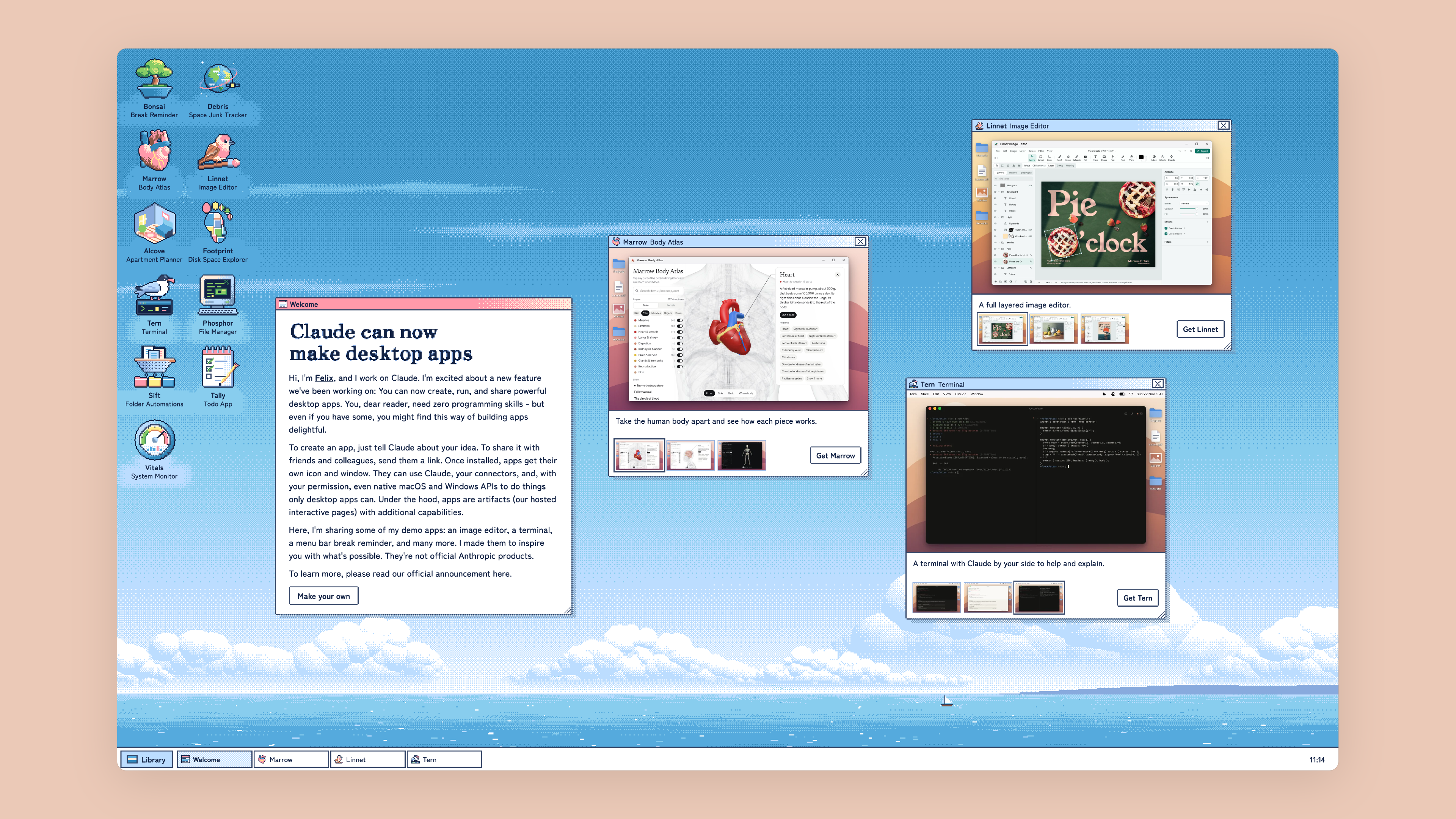
- On November 24, 2026, Anthropic added a beta that installs Claude artifacts as Mac and Windows desktop apps.
Claude artifacts vs ChatGPT canvas comes down to one fact as of November 24, 2026: Claude artifacts are growing, and ChatGPT canvas is a legacy feature. OpenAI's model release notes say that since May 28, 2026, canvas "will no longer be available in GPT-5.5 Instant or GPT-5.5 Thinking", and that paid users can keep it only through legacy models until those are retired. Anthropic, on the same day as this comparison, added a beta that turns artifacts into Mac and Windows apps.
So the real comparison today is Claude artifacts against what replaced canvas in ChatGPT: writing blocks and code blocks inside the chat. Gemini Canvas, Google's version of the idea, is still a full side panel and gets a short section at the end.
This comparison is based on the products' own help centers, release notes and pricing pages, read on November 24, 2026. No product was tested hands-on.
Claude artifacts vs ChatGPT canvas at a glance
| Claude artifacts | ChatGPT canvas (and its replacement) | Gemini Canvas | |
|---|---|---|---|
| Status, as of November 24, 2026 | Active, new features in November 2026 | Canvas removed from GPT-5.5 on May 28, 2026; legacy models only, for paid users. Writing blocks and code blocks replace it | Active |
| What it makes | Docs, slides, designs, dashboards, spreadsheets (beta), whiteboards (beta), animations (beta), websites and small apps | Writing blocks for drafts; code blocks for code with previews | Docs, slides, apps, games, code, web pages, quizzes, infographics |
| Plans | Every plan, Free included; some templates need Pro or higher | Code and writing blocks vary by plan, device and workspace; legacy models on Plus and Pro | All Gemini users; Gemini 3 and a 1M-token context window on Google AI Pro and Ultra |
| Running code | Interactive pages and apps; can call Claude and connected apps | Previews for HTML, React, SVG, Mermaid, Vega; Python runs in a sandbox | Live preview with a console; Python exports to Colab |
| Sharing | Private by default; link, email or organization sharing | Help page on blocks doesn't describe sharing | Public g.co/gemini/share link; recipients can copy it |
| Desktop apps | Yes, beta on Mac and Windows since November 24, 2026 | No | No |
What each one makes
Anthropic's artifacts help article defines an artifact as something Claude makes "that you'd show someone": a document, deck, design, dashboard or small interactive tool. Claude opens one beside the chat when the content is self-contained and "typically over 15 lines". Everything lands in an Artifacts tab in the sidebar.
Since September 16, 2026, artifacts also come from templates. Docs, Slides and Design work on every plan. Data (dashboards built from connected data sources) needs Pro or higher. Sheets and Whiteboards are in beta for Pro and higher. Motion, which makes animated explainers you export as MP4, is in beta for Team and Enterprise only.
ChatGPT canvas launched on October 3, 2024 with GPT-4o as a side panel that, in OpenAI's words, knew "when to open a canvas, make targeted edits, and fully rewrite". Its successor is smaller in scope. OpenAI's help article on writing and code blocks says writing blocks hold drafts such as emails, posts and documents, and code blocks hold code with a language label. Since June 8, 2026, long writing blocks can open in a full-screen editor and be saved to the Library.
OpenAI's English help article on canvas returned a "page not found" error when checked on November 24, 2026.
Which plans include them
Claude artifacts are on Free, Pro, Max, Ultra, Team and Enterprise. To use them, the "Create and edit files" setting (also called code execution and file creation) must be on under Settings > Capabilities. Prices from claude.com/pricing, as of November 24, 2026:
| Claude plan | Price, as of November 24, 2026 | Artifact extras |
|---|---|---|
| Free | $0 | Chat artifacts, Docs, Slides, Design |
| Pro | $20 a month, or $17 a month billed yearly | Adds Data, Sheets (beta), Whiteboards (beta), connected apps, stored data |
| Max | $100 a month | Same as Pro, 5x Pro usage |
| Ultra | $200 a month | Same as Pro, 10x Pro usage a week |
| Team | $25 a seat monthly, $20 yearly (standard seat) | Adds Motion (beta), organization sharing |
| Enterprise | $20 a seat yearly plus usage at API rates, 20-seat minimum | Adds Motion (beta); some templates start switched off |
For ChatGPT, the help article on writing and code blocks says the available actions depend on your plan, device, workspace settings and rollout, without a plan list. Canvas itself survives only on legacy models, which chatgpt.com/pricing lists for Plus and Pro. Plus costs $20 a month as of November 24, 2026. OpenAI's release notes give no date for retiring the legacy models that still carry canvas.
Sharing and publishing
Claude artifacts start private. Anthropic's sharing article lists the options. Pro, Max and Ultra users pick "Only you" or "Anyone with the link" and can invite people by email (beta). Team and Enterprise add "Anyone at" the organization and invited people only. Most link-shared artifacts open without a Claude account. Docs and sheets are the exception: viewers must sign in and can only read them.
Each artifact can have up to 50 invited people from outside your organization. Older chat artifacts made before September 16, 2026 are published instead, and only published ones can be embedded on other websites with an embed code.
OpenAI's blocks article covers copying and saving, not sharing. Edits are saved with the conversation after a short delay. In Temporary Chat they may be lost when the chat ends.
Editing
Both let you type into the draft yourself and ask the AI to change a selected part.
In Claude, you highlight text in a doc, click "Edit with Claude" and describe the change, and Claude edits that spot. In template artifacts you type in the doc, edit a slide or move elements on a design canvas. Docs export to Word, PDF, Markdown or Google Docs, and slides to PowerPoint, PDF or Google Slides.
In ChatGPT, you select text in a writing block and edit it or ask for a revision. Undo and redo cover recent AI edits, which is less than a full version history. Formatting covers bold, italics, headings, links, lists and checklists.
Running code
This is where the two differ most. ChatGPT code blocks show a Preview for HTML pages, React components, SVG images, Mermaid diagrams and Vega or Vega-Lite charts. A Run button executes supported Python and shows console output. Both happen in a sandbox, and workspace admins can turn off code execution and network access.
Claude artifacts run as live pages and small apps. According to Anthropic's help article, they can:
- Call Claude. People who open a shared AI-powered artifact sign in with their own account, and the usage counts against their plan, not yours.
- Read from and write to connected apps such as Asana, Google Calendar and Slack, on Pro and higher, after the user approves each tool.
- Store data, privately per user or shared with everyone who opens it. The default limit is 100 MB and 25,000 documents. Uploaded files can be up to 20 MB each, with 5,000 files and 1 GB in total.
When an artifact shows an error, a "Try fixing with Claude" button sends the error to Claude. Anthropic says the fix isn't guaranteed.
New: install Claude artifacts as desktop apps
On November 24, 2026, Anthropic's release notes added "Install artifacts as apps (beta)". The help article says it is rolling out on every plan and needs Claude for Mac or Windows version 6.28899.0 or later. You open an artifact in Claude Desktop, choose "Install as app" from its title menu or from Share, and confirm. Our news story on the launch has more.
The app gets its own window and icon, stays linked to the artifact, and can ask for notifications, keyboard shortcuts, a menu bar or tray icon, or full access to the computer. Anthropic warns that it "doesn't review apps before you install them". The beta doesn't work on Linux, the web or mobile, nor for Docs, Slides or Sheets artifacts. Team plans have it on by default. Enterprise owners must turn it on.
None of the OpenAI or Google help pages read for this comparison describe anything similar.
Gemini Canvas in short
Google's Canvas help article describes a side panel for docs, apps, slides and code. A finished doc can become an Audio Overview, a quiz, an infographic, a web page or a slide show. Apps get a live preview with a console for errors, a Code view you can edit, and an option to add Gemini features such as text or image generation, for users 18 and over.
Sharing makes a public g.co/gemini/share link. Anyone with it can view and edit the app's associated data, and others can press "Copy Canvas" to get their own copy. Shared links open only at gemini.google.com, not in the mobile app. Docs export to Google Docs, slides to Google Slides or PDF, and Python to Colab.
Google's Canvas overview says Canvas "is available for all Gemini users", and that Google AI Pro and Ultra subscribers get it with Gemini 3 and a 1 million token context window.
Which one to use
For a draft or a code snippet you only need inside a conversation, ChatGPT's writing and code blocks cover it, and Python runs in place. Anyone who built a workflow on ChatGPT canvas should plan for it to end, since OpenAI ties it to models it has said it will retire.
For something other people will open, use or keep, Claude artifacts and Gemini Canvas are the two still built for it. Claude's version goes further on access control, connected apps, stored data and, since November 24, desktop apps. Gemini's is free to all users, ties into Google Docs, Slides and Colab, and makes sharing a single public link.
Frequently asked questions
Is ChatGPT canvas still available?
Only partly. OpenAI's release notes say canvas was removed from GPT-5.5 Instant and GPT-5.5 Thinking on May 28, 2026, and paid users can use it through legacy models until those models are retired. Writing blocks and code blocks in the chat replace it.
Are Claude artifacts free?
Yes. As of November 24, 2026, artifacts and the Docs, Slides and Design templates work on the Free plan. Data, Sheets, Whiteboards, connected apps and stored data need Pro ($20 a month) or higher.
What is the difference between Claude artifacts and Gemini Canvas?
Both make docs, slides and small apps in a side panel. Claude adds per-person sharing controls, connected apps, stored data and a desktop-app beta, while Gemini Canvas is available to all Gemini users, shares through a public link and exports to Google Docs, Slides and Colab.
Can Claude artifacts become desktop apps?
Yes, in beta since November 24, 2026. With Claude for Mac or Windows version 6.28899.0 or later, you choose "Install as app" on an artifact; it does not work on Linux, web or mobile, or for Docs, Slides and Sheets artifacts.
Sources
- What are artifacts and how do I use them?Anthropic
- Model release notesOpenAI
- Working with writing blocks and code blocks in ChatGPTOpenAI
- ChatGPT release notesOpenAI
- Release notesAnthropic
- Install an artifact as an appAnthropic
- Share artifactsAnthropic
- Claude pricingAnthropic
- ChatGPT plans and pricingOpenAI
- What is ChatGPT Plus?OpenAI
- Create docs, apps and more with CanvasGoogle
- Gemini CanvasGoogle