Key takeaways
- Anthropic released Install as app in beta on November 24, 2026, turning Claude artifacts into Mac and Windows apps.
- Apps can use Claude and your connectors, send notifications and, with full access, run programs and change files.
- It is rolling out on all plans; Enterprise owners must turn it on, and HIPAA-ready organizations can't use it.
Anthropic released "Install as app" in beta on November 24, 2026, a feature that turns Claude artifacts into desktop apps on Mac and Windows. An installed artifact gets its own icon and window, can send notifications, and with your permission can run programs and change files on your computer, according to Anthropic's announcement.
Artifacts began as things Claude made for you to look at: a chart, a web page, a small tool inside the chat. This makes them software you keep. Anyone who can describe an app to Claude can now ship one to their own dock or taskbar, with no code signing, no API key and no separate login.
What an installed artifact can do
An installed app opens outside Claude, like any other program. It can call Claude and use your connectors, so a meeting-prep page can pull from your calendar and email, which is one of the examples Anthropic gives. When you or someone else edits the underlying artifact, the installed app updates itself.
Apps can also add items to the macOS menu bar or the Windows system tray, register global keyboard shortcuts, stay on top of other windows and send notifications. You can share an app with other people by link.
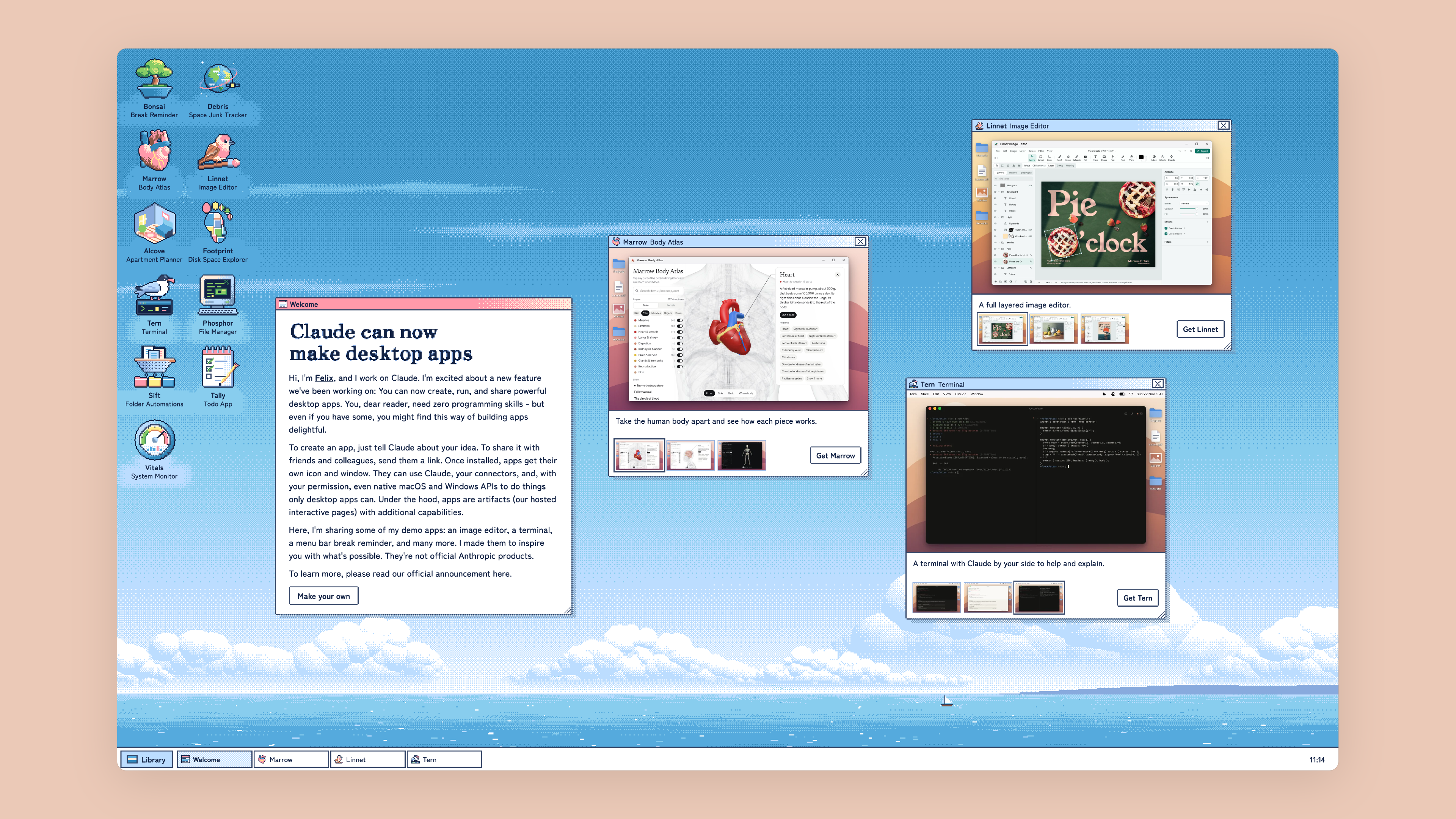
Anthropic staff built a set of demo apps to show the range: Linnet, a layered image editor; Phosphor, a file manager; Sift, which sorts folders with Claude; Tern, a terminal with Claude alongside; and Vitals, a menu bar monitor for your computer's performance.
Requests an app makes to Claude count toward your plan's usage limits, the same as chatting.
Three levels of permission
Each app gets one of three levels, and you choose:
- Default. The app can do only what a web page in a browser could do.
- App permissions. The app can ask for features Claude controls closely, such as notifications, global shortcuts and always-on-top windows.
- Full computer access. The app can run programs and read, change or delete your files without asking each time.
Permission covers one version of the app. Claude asks again after every update, including your own edits. Anthropic points out one gap: if part of an app loads from another website, that part can change without a new prompt.
You can give full access only to apps you made yourself or, on Team and Enterprise plans, apps made by people in your organization. Anthropic says it does not review apps before you install them.
That last point matters most. Full access hands a generated program the run of your files, and the safeguard is your own judgment about code you probably didn't read. Keeping full access to your own apps and your company's limits the damage, but a prompt-injected connector or a script loaded from an outside site is still a way in.
Plans and availability
The beta is rolling out on all plans in Claude for Mac and Claude for Windows. On Team plans it is on by default, with full computer access off. On Enterprise it stays off until an owner turns it on, and admins on both plans can switch app permissions and full access on or off for everyone.
Some cases are excluded:
- HIPAA-ready organizations and hybrid deployments can't use it.
- Claude Docs, Slides and Sheets artifacts can't be installed.
- Apps need an internet connection and a signed-in Claude account to open.
To try it, update the desktop app, open an artifact and choose "Install as app" from the Share menu. Our comparison of the Claude desktop app and the web version covers what else the desktop app adds.
What to watch
Anthropic calls this a beta and hasn't said when it will leave it, or whether apps will ever open offline. The open question is how Team and Enterprise admins treat full computer access, which Anthropic ships switched off by default for both.