Key takeaways
- Copilot Workspaces is the renamed, team-first version of Copilot Notebooks in the Microsoft Copilot app, shown at Microsoft Ignite on November 17, 2026.
- The new team version is available through Microsoft's Frontier early-access program, which needs a Microsoft 365 Copilot license and an admin opt-in.
- Microsoft has announced no separate price; Microsoft 365 Copilot costs $30 per user per month paid yearly for enterprises as of November 18, 2026.
Copilot Workspaces is the new name and the next version of Copilot Notebooks in Microsoft 365: a shared space in the Microsoft Copilot app where a team keeps the files for one project and works on them together with Copilot and its agents. Microsoft showed it at Microsoft Ignite on November 17, 2026, and for now the new team version is available only through Microsoft's Frontier early-access program. Microsoft has not announced a separate price for it.
It has nothing to do with GitHub Copilot Workspace, the coding experiment from GitHub, or the @workspace command in Visual Studio Code. Those are covered at the end.
What Copilot Workspaces is
Copilot Notebooks was mostly a personal tool: you gathered files, emails and meeting notes in one notebook, and Copilot worked from those references. Microsoft's support page on the change says it plainly: "Copilot Notebooks is now called Copilot Workspaces."
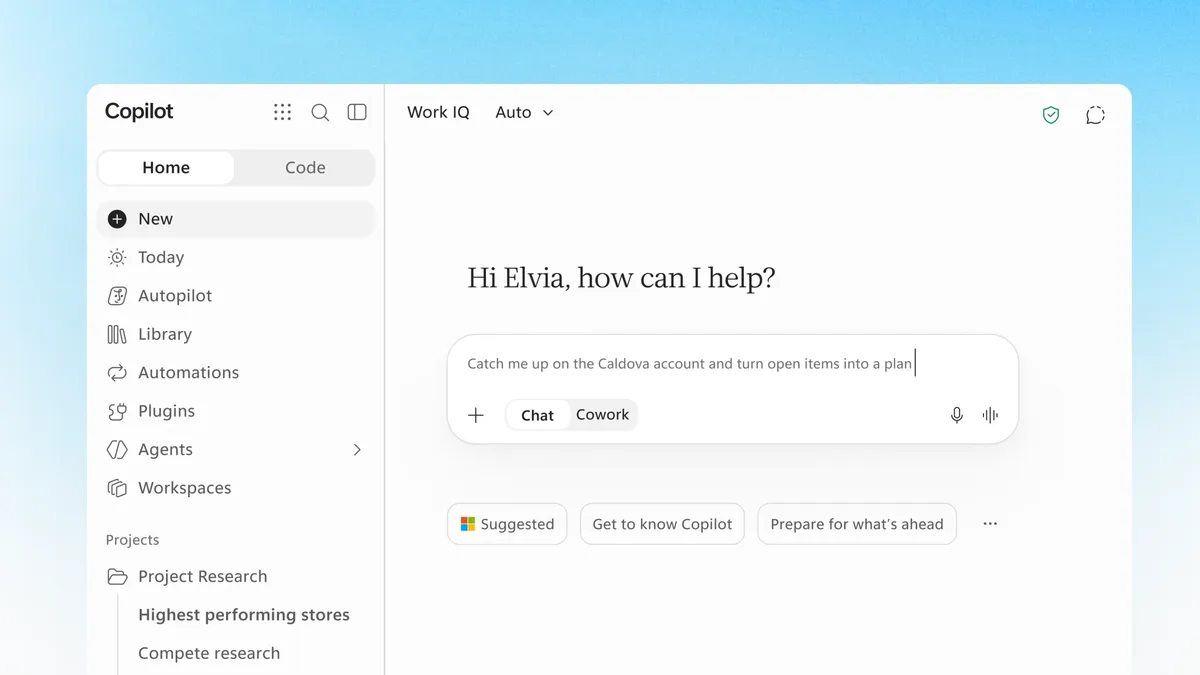
A workspace is meant for a group working on one ongoing piece of work, such as a launch or a client account. Microsoft now splits the Copilot app in two:
- Projects are for your own work. They hold your chats, tasks, files and results, and they work with Chat and Cowork, Copilot's agent mode that carries out multistep tasks.
- Workspaces are for group work: a shared place where a team works with Copilot.
You can use both, and Microsoft says you will be able to move a file or item from a project into a workspace to share it.
How Copilot Workspaces works
According to the support page and the Ignite 2026 Book of News, a workspace does these things:
- Shared files and pages. Members add files and pages to the workspace and work on them together.
- Live presence. Team members can work in different documents at the same time and see each other's cursors and what each person is working on.
- Catch-up tracking. Copilot tracks what changed, which questions are still open and which actions need attention across the shared documents, so someone coming back can catch up.
- Suggested workspaces. Work IQ, Microsoft's layer that reads your work context, can recommend workspaces that match what you are working on.
- Agents in the loop. In the Ignite post, Jared Spataro, Microsoft's chief marketing officer for Copilot, describes agents drafting parts of a document for people to review, and people's comments prompting agents to act. He calls it "a truly multiplayer experience, where people and agents drive towards a common goal, with shared context."
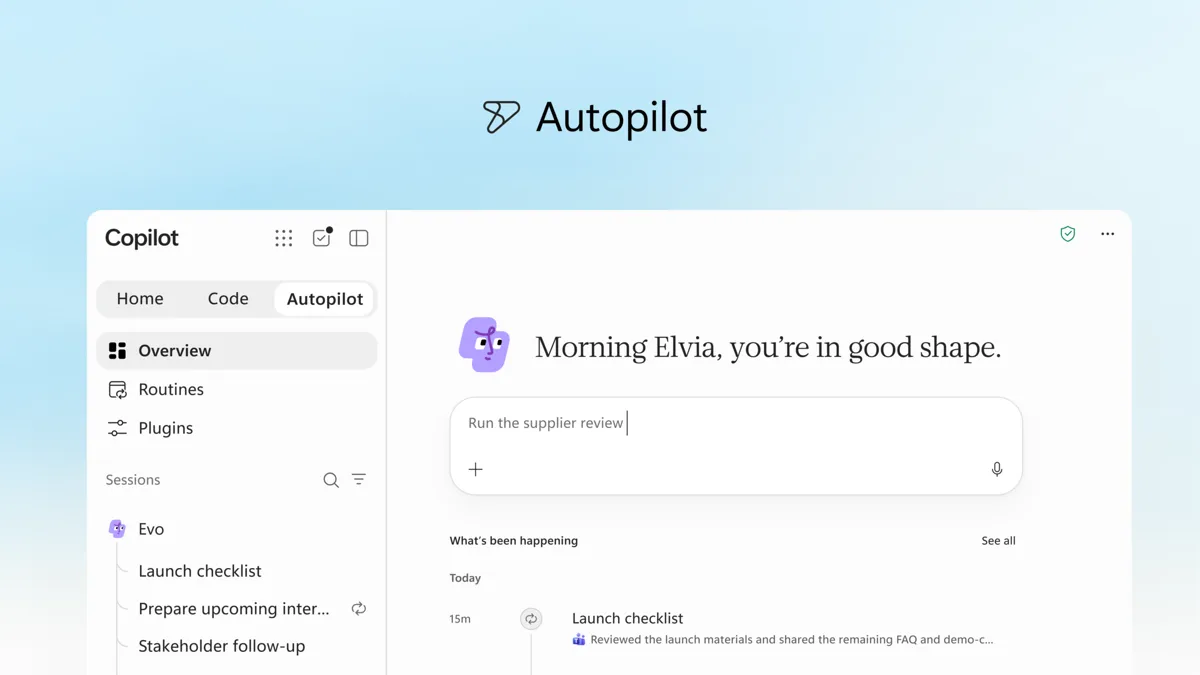
- Autopilot, later. The Book of News says that "coming soon, teams will be able to bring their personal Autopilot into Workspaces." Autopilot is Copilot's new always-on agent, explained in our Autopilot explainer. Microsoft gave no date.
The Ignite post adds that "the collaboration continues in Microsoft Teams," without more detail. The support page says the team features will come to Copilot Workspaces in OneNote over time.
What happens to existing Copilot Notebooks
Nothing is lost, according to Microsoft:
- Existing notebooks become workspaces automatically, with their content intact.
- Notebooks you shared stay shared; notebooks you never shared stay private.
- No Notebooks feature is removed, and you don't need to move anything.
- Existing links keep working, with redirects if a web address changes.
- Microsoft 365 security, compliance and governance controls still apply.
Under the hood, the Notebooks FAQ says each notebook is stored in a personal SharePoint Embedded container that belongs to its creator. Invitees get editing access; read-only members and adding whole groups as members aren't supported. Sharing a notebook can also give people access to the files inside it, which is worth checking before you invite anyone. Microsoft hasn't said whether this changes for workspaces.
Who gets Copilot Workspaces, and when
There are two stages, and they are easy to mix up.
| What | Status as of November 18, 2026 | Who |
|---|---|---|
| Rename of Notebooks to Workspaces in the Copilot app | Rolling out in phases since late October 2026 | Notebooks users; timing varies by organization |
| Team-first Workspaces shown at Ignite | Available in the Copilot app through the Frontier program | Organizations that opted into Frontier |
| Personal Autopilot inside Workspaces | "Coming soon," no date | Not announced |
Microsoft's support page tells admins to check the Microsoft 365 Message center for their organization's rollout schedule.
Frontier is Microsoft's early-access program for experimental Copilot features. Per Microsoft's Frontier page, for a business user it works like this:
- The organization needs Microsoft 365 Copilot licenses.
- An admin turns on Frontier for Copilot in the Microsoft 365 admin center.
- The admin manages which features and agents are available and assigns access to eligible users.
Microsoft warns that Frontier features are previews that "may be modified, suspended, or discontinued," may lack the usual support commitments and service level agreements, aren't covered by a HIPAA Business Associate Agreement, and don't meet ISO 27001, 27002 or 27018 requirements. That matters for regulated teams thinking about putting real project files into a workspace now.
Microsoft has not given a date for general availability.
Is Copilot Workspaces free
There is no separate charge announced for Workspaces. Access comes with the Copilot license you already pay for, or don't:
- Notebooks, and so the renamed Workspaces: Microsoft's getting-started page says "A Microsoft Copilot or Copilot Chat license is required," and creating one needs a SharePoint or OneDrive service plan. Microsoft 365 Personal, Family, Premium and Pro subscribers can use Notebooks too.
- The new team version through Frontier: a business user needs a Microsoft 365 Copilot license, and the organization has to opt in.
What that license costs, from Microsoft's pricing pages as of November 18, 2026:
| Plan | Price per user per month |
|---|---|
| Microsoft 365 Copilot (enterprise add-on) | $30.00 paid yearly, or $31.50 paid monthly with an annual commitment |
| Microsoft 365 Copilot Business (add-on) | $18.00 paid yearly (promotion from July 1 to December 31, 2026; normally $21.00), or $25.20 paid monthly |
| Microsoft 365 Business Standard with Copilot | $23.50 paid yearly, or $28.20 monthly |
| Microsoft 365 Business Premium with Copilot | $32.00 paid yearly, or $38.40 monthly |
The enterprise page lists Copilot Workspaces, "A shared space for teams, their work, and Copilot," among the features of Microsoft 365 Copilot. Copilot Chat itself comes at no extra cost with eligible Microsoft 365 plans. Frontier is free to join, but Microsoft says access and any usage-based costs "vary by feature, role, and subscription," and some agent features use Copilot Credits, its pay-as-you-go currency.
Microsoft hasn't said whether consumer Microsoft 365 subscribers will get the team features. The pages above describe Workspaces only for work accounts.
Copilot Workspaces vs. GitHub Copilot Workspace and @workspace
Three different things share almost the same name.
- Microsoft 365 Copilot Workspaces (plural) is the product above: shared project spaces for office work in the Microsoft Copilot app.
- GitHub Copilot Workspace (singular) was an experiment from GitHub Next, GitHub's research team. You described a coding task in plain language, and Copilot planned and made the changes across a whole repository in a cloud environment. Its user manual repository was archived on September 2, 2025, and is now read-only.
@workspaceis a chat participant in GitHub Copilot Chat in Visual Studio Code that answers questions about the code in your open project. VS Code's migration guide says chat participants are deprecated and unsupported in the new Copilot harness, and the Local harness that still supports them will be removed in February 2027. The replacement is to ask the agent directly and attach the files you mean, or use#codebase, which VS Code describes as semantic search that "finds code by meaning rather than exact keywords."
For the rest of what Microsoft announced that week, see our Ignite 2026 guide.
Frequently asked questions
Is Copilot Workspaces free?
Microsoft has not announced a separate charge. Notebooks, now Workspaces, need a Microsoft Copilot or Copilot Chat license, and the new team version through Frontier needs a Microsoft 365 Copilot license, which costs $30 per user per month paid yearly for enterprises as of November 18, 2026.
What happened to Copilot Notebooks?
Copilot Notebooks was renamed Copilot Workspaces, with the rename rolling out in phases from late October 2026. Existing notebooks become workspaces automatically, keep their content and sharing settings, and lose no features.
Is Copilot Workspaces the same as GitHub Copilot Workspace?
No. GitHub Copilot Workspace was a GitHub Next coding experiment for making changes across a repository, and its user manual repository was archived on September 2, 2025. Microsoft 365 Copilot Workspaces is a shared project space for office work.
When will Copilot Workspaces be generally available?
Microsoft has not given a date. As of November 18, 2026, the team version is available in the Copilot app through the Frontier program, and bringing Autopilot into Workspaces is listed as coming soon.
Sources
- Copilot at Microsoft Ignite: Expanding what's possible with intelligence built for workMicrosoft
- Microsoft Ignite 2026 Book of NewsMicrosoft
- Copilot Notebooks is now Copilot WorkspacesMicrosoft Support
- Frequently asked questions about Microsoft 365 Copilot NotebooksMicrosoft Support
- Get started with Microsoft 365 Copilot NotebooksMicrosoft Support
- Frontier programMicrosoft
- Microsoft 365 Copilot for enterpriseMicrosoft
- Microsoft 365 Copilot business pricingMicrosoft
- Copilot Workspace user manualGitHub Next
- Migrate customizations to the Copilot harness in VS CodeVisual Studio Code
- Workspace contextVisual Studio Code