Key takeaways
- Obsidian is free and stores notes as Markdown files in a folder on your device; Notion stores them in its cloud, in the US by default.
- Notion AI is included on the Business plan ($20 a seat a month billed yearly) and Enterprise, while Free and Plus get only a limited trial.
- Obsidian has no built-in AI and no live co-editing, but its Sync add-on costs $4 a month and is end-to-end encrypted by default.
Obsidian vs Notion comes down to where your notes live. Obsidian keeps them as Markdown files in a folder on your own device and costs nothing to use. Notion keeps them in a cloud workspace built for teams, with Notion AI included only on the $20-a-seat Business plan and above. Pick Obsidian if you want private notes you fully own, and Notion if several people need to edit the same pages at once.
Everything below comes from the two companies' pricing pages and help centers, as of November 27, 2026. Neither app was tested hands-on for this comparison.
Obsidian vs Notion at a glance
| Obsidian | Notion | |
|---|---|---|
| Where notes live | Markdown files in a folder (a "vault") on your device | Notion's cloud, hosted in the US by default |
| Price to start | Free, no sign-up | Free plan with limits |
| Main paid options | Sync $4 or $8 a month, Publish $8 a month (billed yearly) | Plus $10, Business $20 a seat a month (billed yearly) |
| Built-in AI | None | Notion AI: a limited trial on Free and Plus, included on Business and Enterprise |
| AI through add-ons | Community plugins and the Web Clipper, with your own API key or a local model | Extra Notion credits for more AI usage |
| Offline | Notes are local files | Desktop and mobile apps only, for pages you download |
| Live co-editing | No | Yes, with "an unlimited number of people" |
| Shared notes | Shared vaults through Sync, up to 20 people | Workspaces, teamspaces and guests |
| Platforms | Windows, macOS, Linux, iOS, Android | Web, macOS, Windows, iOS, Android |
| Privacy | No telemetry; Sync is end-to-end encrypted (AES-256) by default | Data on Notion's servers; AI providers keep it up to 30 days, zero retention on Enterprise |
How each app stores your notes
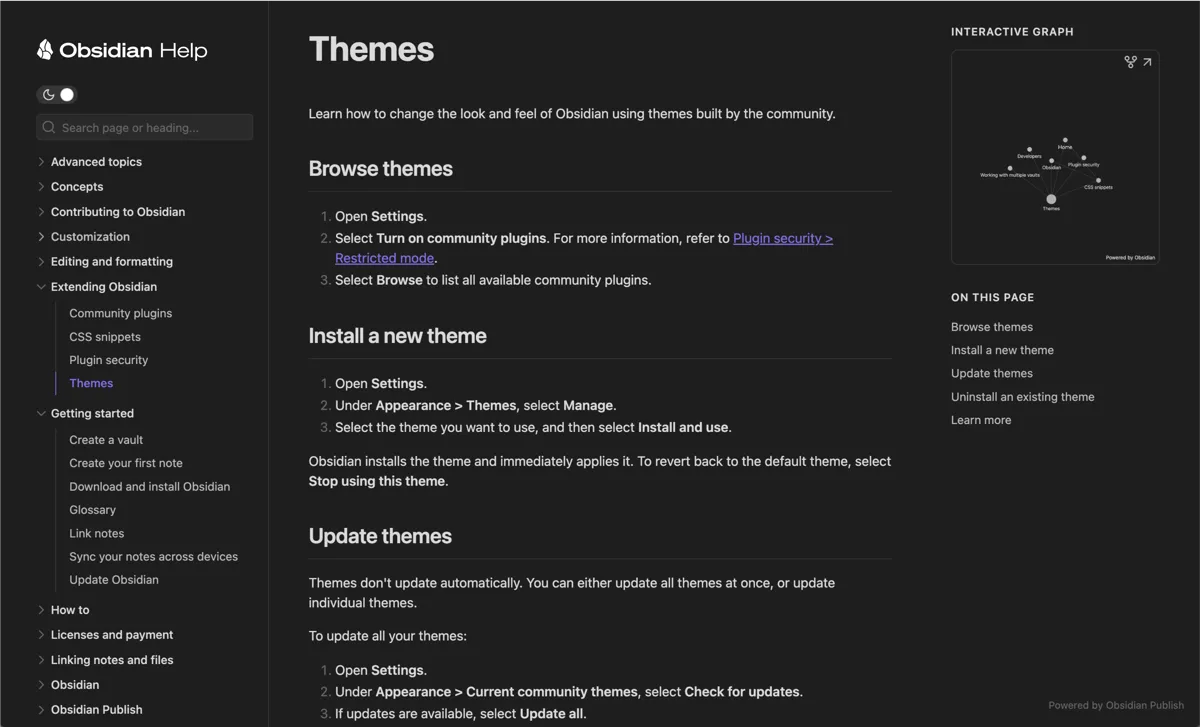
Obsidian works on plain files. A vault is "a folder on your local file system," and each note is a Markdown text file in it, Obsidian's help center says. Because they are plain text, you can open and edit the same notes in any other text editor or file manager. Settings, themes and plugins sit in a hidden .obsidian folder inside the vault.
Notion keeps pages, made of blocks such as paragraphs and images, in its cloud. By default, Notion says, "your data will continue to reside in the United States." Enterprise customers can move it to Frankfurt, Tokyo or Seoul through data residency, free on that plan.
This is the difference that matters most. Leaving Obsidian costs nothing: the folder stays where it is. Notion owners can export every page as HTML, Markdown or CSV, but that is a copy. In return, Notion gives you databases with properties, filters and charts that plain files can't.
Offline use
Obsidian notes are files on your disk, so the app does not need a server to open them. Its pricing page says your data "is stored locally on your device, making it inaccessible to us."
Notion works offline only in its desktop and mobile apps, not in a web browser, and only for pages saved to the device. On every plan you can mark a page "Available offline." On Plus, Business and Enterprise, Notion also downloads recently visited and favorited pages on its own. Subpages are not downloaded with their parent, and a database saves only the first 50 rows of its first view. Embeds, AI blocks, forms and buttons need a connection, and you can't share pages or change permissions offline.
Collaboration
Notion is built for it. People can "edit the same page at the same time with an unlimited number of people," and their edits and comments appear "instantly," according to Notion's help center. You can @-mention colleagues, comment on a block, and invite guests from outside the company. The Free plan allows 10 guests.
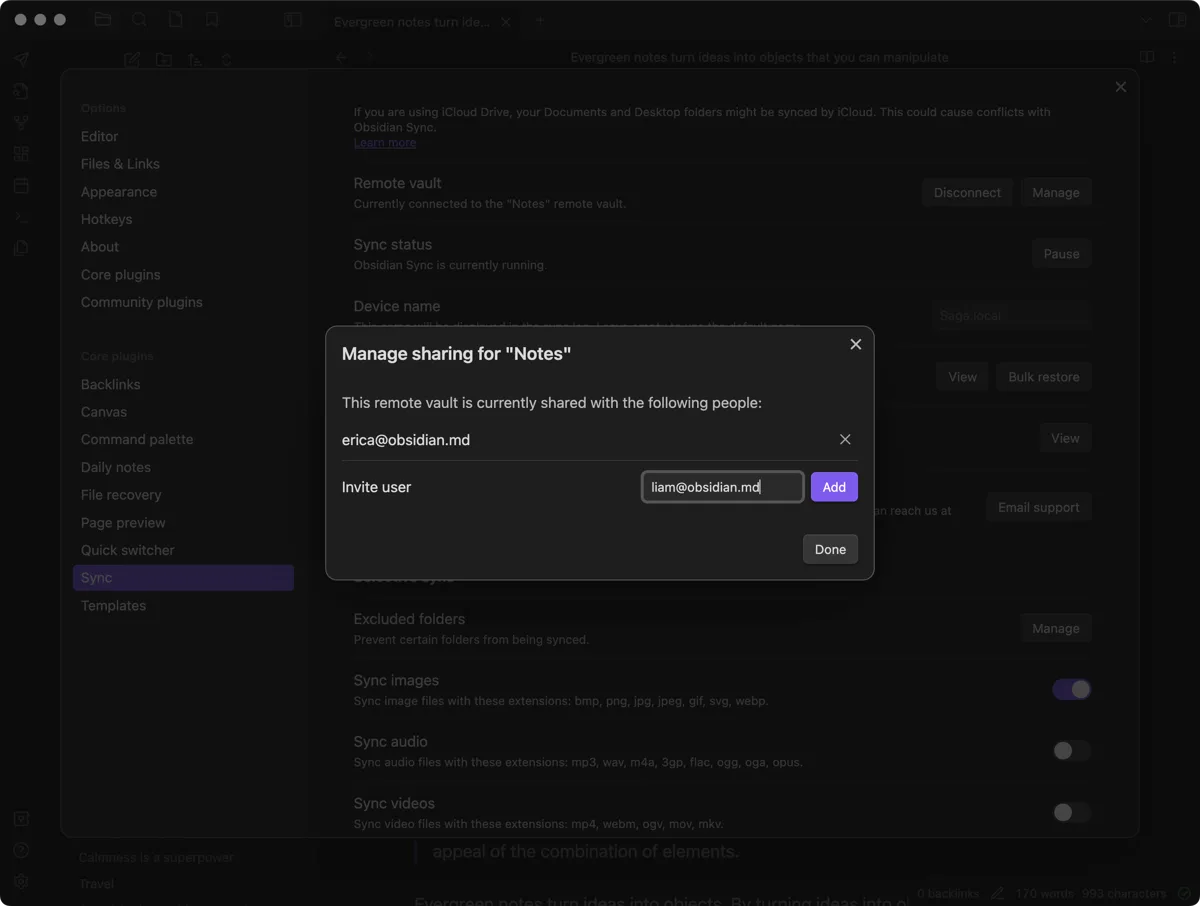
Obsidian shares through its Sync add-on. An owner can share a remote vault with up to 20 people, but "all collaborators must have an active Sync subscription," and "Obsidian does not yet support collaborative live editing on the same file," the shared vault docs say. Other people's edits show up after a sync, and if two people change one file at once, Sync merges the changes.
For a team writing docs together every day, Notion is the better fit.
AI features: Notion AI vs Obsidian plugins
Notion has AI built in. Obsidian does not.
Notion AI is a feature of the Business and Enterprise plans. Free and Plus users "get a limited number of complimentary AI responses" to try it. On Business, the pricing page lists Notion Agent, which chats, writes and edits docs and fills in databases using your workspace, plus Custom Agents that run repeated tasks, AI Meeting Notes that transcribe and summarize meetings, and Enterprise Search across connected apps such as Slack and GitHub.
AI on Notion is metered in credits. Each Business seat gets 1,500 Standard credits a month, for work where Notion picks the model, and 500 Select credits a month, for work where you pick the model and for your own Custom Agents. Admins can buy more credits. Enterprise gets custom amounts.
Obsidian ships no AI of its own. Users add it with community plugins. The plugin directory lists AI plugins such as AI Agent, which lets Google Gemini, Anthropic Claude, OpenAI or a local Ollama model read, write and search the notes in a vault. It is desktop only and comes from an individual developer.
Obsidian's own Web Clipper browser extension has an Interpreter feature that runs a language model over a web page as you clip it. It works with providers including Anthropic, Google Gemini, OpenAI, DeepSeek, OpenRouter and xAI, using your own API key, or with Ollama, which runs models locally and needs no key.
The trade-off: Notion AI works out of the box and knows your whole workspace, but you need the $20 plan for more than a trial. Obsidian costs nothing extra for AI, yet you choose the plugin, pay the model provider directly, and trust code from a third party. Obsidian warns that plugins "can access files on your computer," "can connect to internet" and "can install additional programs," per its plugin security page. It says it scans every plugin version for vulnerabilities and malware, and reviews popular, featured and flagged plugins by hand.
Obsidian vs Notion pricing
Obsidian is "free without limits," with no account needed, according to its pricing page. You pay only for optional services:
| Obsidian | Billed yearly | Billed monthly | What you get |
|---|---|---|---|
| App | Free | Free | The full app, no account needed |
| Sync Standard | $4 a user a month | $5 | 1 vault, 1 GB, files up to 5 MB, 1 month of history |
| Sync Plus | $8 a user a month | $10 | 10 vaults, 10 GB (up to 100 GB), files up to 200 MB, 12 months of history |
| Publish | $8 a site a month | $10 | Your notes as a website |
| Commercial license | $50 a user a year | Optional, even for work use |
Sync limits come from Obsidian's plans page, and Sync Plus prices from the Sync page. Students, faculty and nonprofit staff get 40% off Sync and Publish. A commercial license is not required: Obsidian says it encourages organizations to buy one but you "are not required to pay."
Notion charges per member of the workspace:
| Notion | Billed yearly | Billed monthly | Notable limits |
|---|---|---|---|
| Free | $0 | $0 | 5 MB file uploads, 7-day page history, 10 guests, limited blocks, AI trial |
| Plus | $10 a seat a month | $12 | 5 GB uploads, 30-day history, AI trial |
| Business | $20 a seat a month | $24 | 90-day history, Notion AI with 1,500 Standard and 500 Select credits a seat |
| Enterprise | Custom | Custom | Zero data retention with AI providers, SCIM, audit log |
Monthly figures come from the price data in Notion's pricing page, which says yearly billing saves "up to 20%." On Free, a one-person workspace can add up to 5,000 blocks and a shared one 1,000, Notion's help center says. After that you can still read and edit, but not add new content. Plus is free for students and educators, limited to one member.
For one person, Obsidian with Sync Standard costs $48 a year. Notion's Plus plan costs $120 a year, and that still has AI only as a trial. Notion Business, the plan with Notion AI, is $240 a year per seat.
Platforms
Obsidian has apps for Windows, macOS, Linux, iOS and Android, and no web app.
Notion runs in a web browser and has desktop apps for macOS and Windows and mobile apps for iOS and Android. Its download page lists no Linux app.
Privacy and security
Obsidian says its apps "do not collect telemetry data" and that it never sells user data. If you use Sync, new remote vaults are end-to-end encrypted with AES-256 by default, meaning data is encrypted "from the moment it leaves your device" and Obsidian can't read it, its Sync security page says. You can pick a weaker standard mode where Obsidian manages the key. Sync servers run on DigitalOcean in Singapore, Frankfurt, San Francisco and Sydney.
Notion stores your content on its servers, so Notion can process it. For AI, Notion says your data is not used to train models by default and that its contracts bar AI providers from training on it, per its AI security page. On Free, Plus and Business, AI providers keep data for up to 30 days. On Enterprise, most models run with zero data retention, though Notion says a small number don't offer it.
For sensitive notes, Obsidian's design is the stronger privacy choice. Notion offers companies admin controls such as SSO and audit logs on its higher plans.
Which one to choose
Choose Obsidian if you write mostly alone, want notes as plain files you own, care about privacy, or work on Linux. Add AI with a plugin if you want it.
Choose Notion if a team needs to edit the same pages in real time, you want databases next to your notes, or you want AI that knows your whole workspace without setup. Budget for Business if AI is the reason.
For more on note apps and AI, see NotebookLM vs Obsidian and NotebookLM vs Notion.
Frequently asked questions
Is Obsidian free compared to Notion?
Obsidian's app is free with no account needed; you pay only for optional Sync ($4 or $8 a month billed yearly) or Publish ($8 a month). Notion has a Free plan with a block limit, 5 MB uploads and 7 days of page history, and paid plans at $10 and $20 a seat a month billed yearly, as of November 27, 2026.
Does Obsidian have AI like Notion AI?
No. Obsidian has no built-in AI. You can add it with community plugins that connect to providers such as OpenAI, Anthropic or Google Gemini, or to a local Ollama model, and its Web Clipper can run a model you choose over web pages you clip.
Which Notion plan includes Notion AI?
Notion AI is part of the Business and Enterprise plans. Business includes 1,500 Standard and 500 Select AI credits per seat each month; Free and Plus users get a limited number of free AI responses to try it.
Is Obsidian or Notion better for students?
Notion's Plus plan is free for students and educators, limited to one member. Obsidian is free for everyone, and students, faculty and nonprofit staff get 40% off Sync and Publish.
Sources
- Obsidian pricingObsidian
- How Obsidian stores dataObsidian
- Sync plans and storage limitsObsidian
- Obsidian SyncObsidian
- Collaborate on a shared vaultObsidian
- Sync security and privacyObsidian
- Community pluginsObsidian
- Plugin securityObsidian
- Web Clipper InterpreterObsidian
- Download ObsidianObsidian
- AI Agent pluginObsidian
- Notion pricing plansNotion
- What is Notion AI?Notion
- Notion AI security practicesNotion
- Use Notion pages offlineNotion
- Collaborate with people in NotionNotion
- Understanding block usageNotion
- Export your Notion contentNotion
- Data residency for NotionNotion
- Notion desktop appNotion
- Notion mobile appNotion