Key takeaways
- Open the Google Maps app and tap Ask Maps under the search bar, or on a computer click Menu, then Ask Maps.
- On November 16, 2026 Google added trip itineraries and saved-list search everywhere Ask Maps works, plus route tips and appointment finding in the U.S. first.
- Ask Maps started expanding to 30 European countries including the U.K. on November 16, which Google says brings it to more than 200 countries and territories.
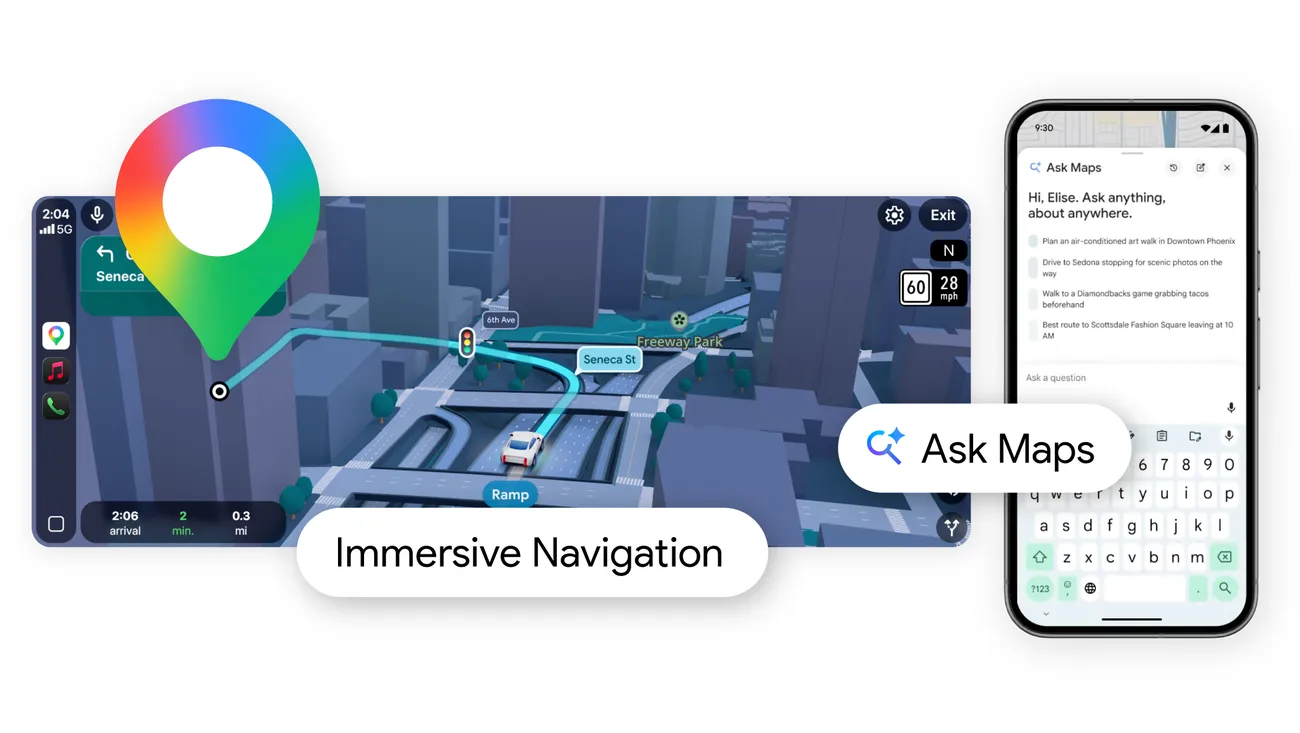
How to use Ask Maps, in short: open the Google Maps app on Android or iPhone, tap Ask Maps under the search bar, and type or say a question about places, routes or plans. On a computer, open Google Maps, click Menu, then Ask Maps. Ask Maps is the Gemini-powered chat inside Google Maps, and as of November 16, 2026 it can also plan multi-day trips, search your saved lists and, in the U.S., find appointments for you.
That is the whole trick. The rest of this guide covers what to ask, the four features Google announced on November 16, where Ask Maps works, and what to do when the button isn't there.
What Ask Maps is
Google launched Ask Maps on March 12, 2026 as a way to ask Maps questions a plain search can't answer, such as where to charge a phone without buying a coffee, or where to find a lit tennis court tonight. It runs on Google's Gemini models and draws on Maps data about more than 300 million places and reviews from over 500 million contributors, according to Google.
Answers come with places on the map, directions and links to web sources. You can keep asking follow-up questions in the same thread, the way you would in a chatbot.
How to use Ask Maps on Android and iPhone
These steps come from Google's Maps help center and are the same on Android phones and tablets, iPhones and iPads.
- Open the Google Maps app.
- Under the search bar, tap Ask Maps.
- Ask your question. Either type it, or tap Microphone and say it.
- Tap Send.
- Ask follow-up questions in the same conversation to narrow the answer down.
From an answer you can get directions, save places to a list, share them with friends or book a table, Google says.
How to use Ask Maps on a computer
- Open Google Maps in your browser.
- Click Menu, then Ask Maps.
- Type your question in the prompt box and click Send.
Ask Maps on the web needs WebGL, the browser feature that draws 3D graphics. Google's help page says some browsers block it, and Ask Maps won't work without it.
What to ask Ask Maps
Ask the way you would ask a friend who knows the area. Long questions with several parts work. Google's help center gives these examples:
- "Any fun things to do this weekend within a 15-minute drive?"
- "I need to pick up my friend from the airport. What's the fastest way to get there? When should I leave if I need to be there by 6:00 PM? Where can I get flowers on the way?"
- "My phone is about to run out of battery. Where can I buy a charger?"
Ask for what you care about: a budget, a time, how many people, dietary needs, the mood of the place. If the answer misses, rephrase or ask for more detail. Google also warns that AI answers can be wrong, so open the source links before you rely on opening hours or prices.
The new Ask Maps features from November 16, 2026
Google added four features on November 16, 2026, rolling out on Android and iOS. A separate news story covers the launch; here is how to use each one.
| Feature | What it does | Where it works |
|---|---|---|
| Trip itineraries | Builds a day-by-day plan with tips and numbered pins on the map | Everywhere Ask Maps is offered |
| Saved list search | Answers questions about the places in your saved lists | Everywhere Ask Maps is offered |
| "Know before you go" route tips | Shows parking, EV charging, weather, delays and tolls with directions | U.S. first |
| Appointment finding | Finds beauty, pet care, auto and home repair slots, and calls businesses for you | U.S. first |
How to plan a trip itinerary with Ask Maps
Ask Ask Maps to plan a trip, from a day of holiday shopping to a three-day coastal road trip. You get a schedule for each day, tips, and numbered pins on the map. While you travel, the itinerary shows live traffic and whether each place is open. You can ask Ask Maps to add a stop, such as a viewpoint or lunch, and tap for directions to the next one.
To find an itinerary later, open it from Ask Maps or look for the "itinerary" badge in your chat history. You can share it, and on a computer you can export it to Google Docs.
How to search your saved lists
If you save places to lists in Maps, you can now ask about them. Google's example: "Which spots saved in my lists have availability for five people in the next 30 minutes?"
How to get route tips
You don't ask for these. In the U.S., when you pull up directions, Maps shows tips about parking, EV charging, weather, possible delays and tolls along the route.
How to find an appointment
In the U.S., ask something like Google's example: "Find me a 4 p.m. nail appointment near me." Ask Maps looks for beauty, pet care, auto and home repair appointments online and can call local businesses for you. It then shows open slots at nearby businesses so you can pick one. Google's post doesn't say whether Ask Maps completes the booking itself.
Where Ask Maps is available
Ask Maps has spread fast this year. As of November 16, 2026:
- March 12, 2026: launched in the U.S. and India on Android and iOS.
- August 6, 2026: expanded to Australia, Brazil, Canada, Indonesia, Japan and Mexico, plus over 150 other countries and territories in English, according to Google's August post.
- November 16, 2026: started expanding to 30 countries in Europe, including the U.K., Spain and Germany. Google says that brings Ask Maps to more than 200 countries and territories.
Google hasn't published the full list of the 30 European countries or which languages Ask Maps supports in each. The August expansion was in English.
Some features stay narrower than Ask Maps itself. Ordering food through third-party apps inside Ask Maps requires you to be 18 or over, in the U.S., signed in with a Google Account and using English, according to Google's help page on third-party actions. Route tips and appointment finding launch first in the U.S.
How Ask Maps personalizes answers
If personalization is available in your country and you have turned on Personalized Recommendations, Ask Maps uses your account data to tailor answers. Google's page on AI features and your data lists what it may draw on:
- Searches and directions, if you save your Maps history
- Your past Ask Maps conversations, if you save your Maps history
- Saved lists and labels
- Reviews, ratings and photos you posted
- Your Search history
- Connected Google apps. Since August, you can connect Gmail so Ask Maps knows about flights and dinner reservations. Gmail is off by default.
Google says it may use your Ask Maps chats, searches and feedback to improve its products, and that some of this is seen by human reviewers after it is disconnected from your account.
How to find and delete Ask Maps conversations
- In the Google Maps app, tap Ask Maps under the search bar. On a computer, click Menu, then Ask Maps.
- Tap or click History to see past conversations, and tap one to reopen it.
- To delete one, tap Delete next to it.
You can delete only a whole conversation, not part of one. Your Maps history page also lists and deletes Ask Maps threads.
Ask Maps not showing: what to check
If you can't find the Ask Maps button under the search bar, work through these:
- Your country may still be waiting. The European rollout started on November 16, 2026, and Google describes it as rolling out, so it reaches phones over time rather than all at once.
- Update the Google Maps app. The new features ship in the Android and iOS apps, so an old version may not have them.
- Check WebGL on a computer. The Maps help center links to a WebGL check. If your browser blocks it, Ask Maps won't run.
- Some features are U.S.-only for now. If Ask Maps works but you don't see route tips or appointment finding, that is expected outside the U.S.
- Sign in for history and personal answers. Picking up old conversations and personalized answers depend on your account's history and Personalized Recommendations settings.
How to turn off or remove Ask Maps
Google's help pages describe no switch to remove the Ask Maps button from Google Maps. You can ignore it and keep using the normal search bar. What you can control is the data it uses, from Google's data page:
- Turn Personalized Recommendations off so answers aren't based on your account.
- Pause or delete your Maps history.
- Delete Ask Maps conversations from its History list.
Giving feedback on an answer
Below each answer, tap the thumbs-up or thumbs-down. With thumbs-down, pick a reason, add details and tap Submit. Google says this is also how to report an answer that is unsafe or wrong.
Frequently asked questions
Is Google Ask Maps available in the UK?
Yes, it is rolling out. Google said on November 16, 2026 that Ask Maps starts expanding to 30 countries across Europe, including the U.K., Spain and Germany, on Android and iOS.
Why is Ask Maps not showing in Google Maps?
Your country may not have it yet, since the European rollout began on November 16, 2026, or your Maps app may be out of date. On a computer, Ask Maps needs WebGL, which some browsers block.
How do I remove Ask Maps from Google Maps?
Google's help pages describe no way to remove the Ask Maps button. You can delete its conversations from History, turn off Personalized Recommendations and pause your Maps history.
What is Google Ask Maps?
Ask Maps is a chat feature in Google Maps, powered by Gemini, that answers questions about places, routes and plans. Google launched it on March 12, 2026 in the U.S. and India.
Sources
- New Ask Maps features to help with holiday travel and prepGoogle
- Ask questions in Google MapsGoogle Maps Help
- How AI-powered features use your data in Google MapsGoogle Maps Help
- Taking actions within Ask Maps with third-partiesGoogle Maps Help
- Ask Maps gets more helpful with food ordering and moreGoogle
- How we're reimagining Maps with GeminiGoogle