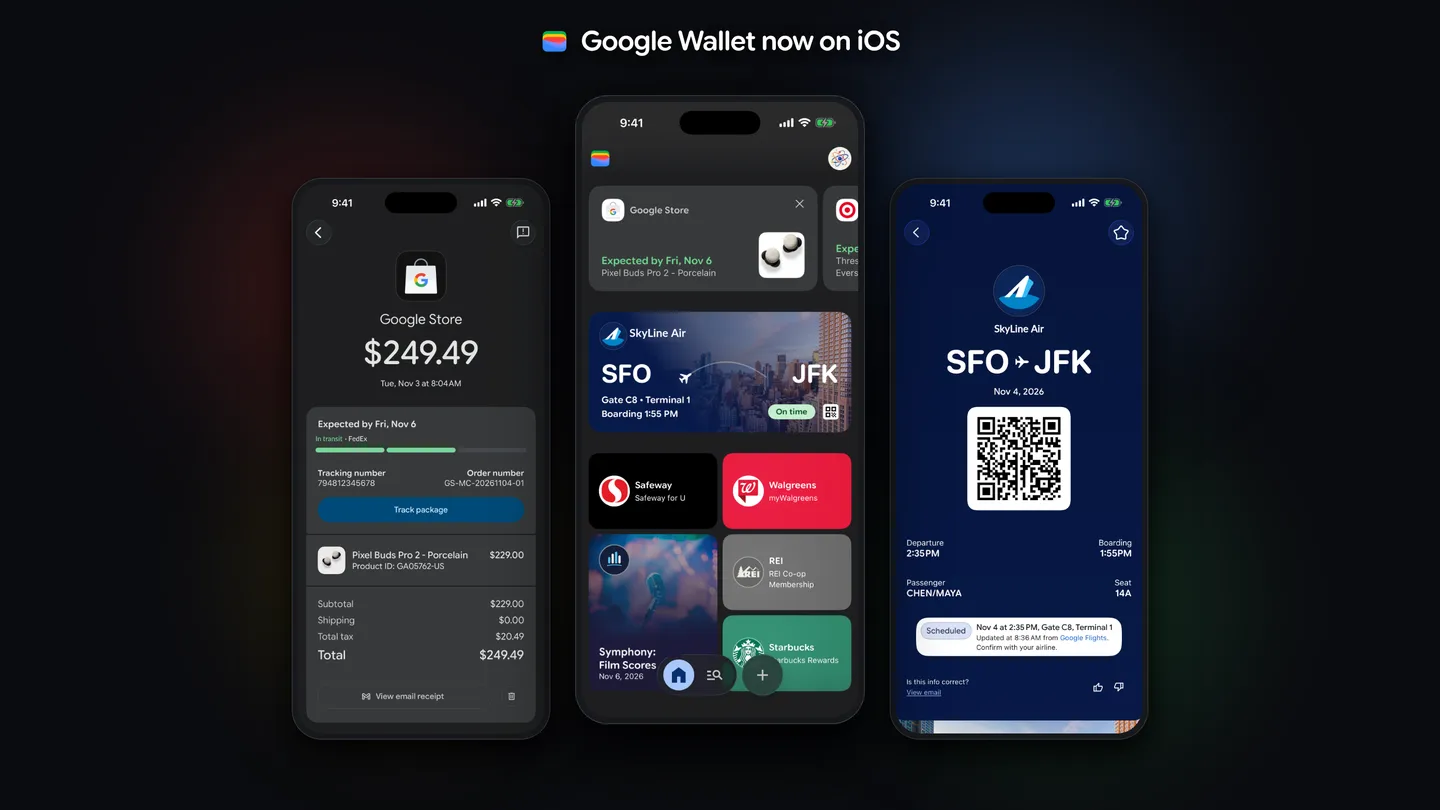
Key takeaways
- Google released a free Google Wallet app for iPhone on November 17, 2026, for users in the US only, and it requires iOS 17 or later.
- It collects orders, receipts, boarding passes and tickets from Gmail, scans loyalty cards, and keeps saved cards for online checkout.
- It can't tap to pay in stores on iPhone, so Apple Pay in Apple Wallet is still the way to pay at a card reader.
How to use Google Wallet on iPhone, in short: download the free Google Wallet app from the App Store and sign in with your Google Account. Google released the iOS app on November 17, 2026, for users in the US only. It holds your orders, receipts, boarding passes, tickets, loyalty cards and saved payment cards, but it can't pay at a store checkout. Google says "tap-to-pay functionality isn't supported on iOS at this time."
That one limit decides what the app is for. On an iPhone, Google Wallet is an organizer and an online checkout tool. To pay with your phone at a card reader, you still use Apple Pay in Apple Wallet.
Can you use Google Wallet on iPhone
Yes, if you are in the US. As of November 17, 2026, here is what the iPhone app does and doesn't do, from Google's announcement and the App Store listing:
| Google Wallet on iPhone | |
|---|---|
| Availability | United States only |
| Price | Free |
| Requires | iOS 17.0 or later |
| Order tracking and receipts from Gmail | Yes |
| Boarding passes and event tickets from Gmail | Yes |
| Loyalty cards, gym memberships, barcode passes | Yes, scanned with the camera |
| Saved payment cards for online checkout | Yes, online and across Google |
| Tap to pay in stores | No |
The App Store listing names Google LLC as the seller, rates the app 4+ and lists iPad models among compatible devices. Google hasn't said whether the app will come to other countries, or whether tap to pay will be added later.
How to install Google Wallet on iPhone
- Make sure your iPhone runs iOS 17 or later. The App Store listing requires iOS 17.0.
- Open the App Store and search for Google Wallet. Pick the app whose seller is Google LLC, or open the listing directly.
- Tap Get to download it. The app is free and about 171 MB.
- Open Google Wallet and sign in with your Google Account.
Pick the account carefully. Wallet builds most of its home screen from your Gmail inbox, and Google's help page on tracking online orders says Wallet only shows orders tied to the Gmail account you use. If your airline and shopping emails go to one Google Account, sign in with that one.
How to use Google Wallet on iPhone
Track orders and deliveries
Wallet reads receipts and shipping emails from Gmail and lists your orders with their delivery status. The App Store listing says you can check a delivery "without opening the retailer's app."
This needs two Gmail settings. Google's help center says you must turn on the setting that lets Wallet pull orders from your inbox, and turn on package tracking in Gmail for delivery updates. Both are linked from the order tracking help page.
To see an order, the help page gives these steps for the Wallet app:
- Open Google Wallet and tap View more.
- Tap View more transactions, and verify it's you if asked.
- Tap Orders, then tap the order.
- Tap Track package to open the carrier's tracking page.
Order tracking covers many large US merchants, not all of them. Smaller shops may not show up. Wallet doesn't handle returns or refunds: for those, contact the merchant. Removing an order from Wallet doesn't delete the email from Gmail.
Keep boarding passes and tickets ready
Boarding passes and concert tickets that arrive in your Gmail show up in Wallet on their own, according to the App Store listing. Travel updates are tracked automatically, and they sync to any device where you're signed in to the same Google Account.
Scan loyalty cards and memberships
You can add a physical loyalty card, gym membership or barcode pass by scanning it with the iPhone camera. 9to5Google reports that the plus button at the bottom of the app adds loyalty, gift and payment cards, and that an "Everything else" option opens the camera scanner for other items.
Use saved cards for online checkout
Wallet shows the payment methods saved to your Google Account. Google says you can use them for "faster online checkout across Google and anywhere Google Pay is accepted." On an iPhone, Chrome also fills in cards saved to Google Wallet. To edit or remove a saved card, Google's iPhone help page says to open payments.google.com in Chrome and tap Payment methods.
Find purchases made by Google's AI agents
Google calls the iOS app a hub for "agentic purchases," meaning things an AI agent bought for you across Google's services. Wallet shows the order confirmations, receipts and delivery updates for those purchases next to everything else.
Why Google Wallet can't tap to pay on iPhone
Google gave no reason. Apple does let other apps make contactless payments on iPhone in the US through its NFC and SE Platform, starting with iOS 18.1. But Apple's terms require the company to sign an agreement with Apple covering "commercial terms and any applicable fees," and in-store payments need a financial institution or a licensed payment provider. Apple doesn't publish the fees. MacRumors suggests those fees may be why Google left payments out.
Google Wallet vs Apple Wallet on iPhone
The two apps overlap more than they compete. Both hold tickets, boarding passes and loyalty cards. Only Apple Wallet can pay at a store terminal on an iPhone.
What Google Wallet adds is Gmail. If your bookings and orders already land in Gmail, Wallet collects them without you adding each one, and they show up on any device where you're signed in to the same Google Account. If you don't use Gmail, the iPhone app has much less to show you.
A sensible setup for most people in the US: keep Apple Pay for paying in shops, and add Google Wallet if you live in Gmail and want your orders and trips in one list.
If something doesn't show up in Google Wallet
- You can't find the app. Google released it for the US only and hasn't announced other countries.
- An order is missing. Google's help page lists the usual causes: the merchant isn't supported, the Gmail settings are off, or the order went to a different Gmail account than the one you signed in with.
- Order details are wrong. Tap View email receipt to compare with the merchant's email, and contact the merchant.
- A package is stuck in transit. Check Gmail for updates from the merchant, then contact them. Detailed carrier updates come only from participating US carriers.
- Tap to pay doesn't work. It isn't supported on iPhone. Use Apple Pay at the register.
The Google Wallet help center is still written mostly for Android, as of November 17, 2026. Its steps for loyalty cards, gift cards and tap to pay describe the Android app.
Frequently asked questions
Can you use Google Wallet on iPhone?
Yes, in the US. Google released a free Google Wallet app for iOS on November 17, 2026. It needs iOS 17 or later and works for orders, tickets, passes, loyalty cards and online checkout, not for paying in stores.
Can I tap to pay with Google Wallet on iPhone?
No. Google says tap-to-pay isn't supported on iOS at this time and hasn't said when it might be. Use Apple Pay in Apple Wallet to pay at a store terminal.
Is Google Wallet on iOS available outside the US?
Not yet. Google launched the iOS app in the US only and hasn't announced other countries.
Is the Google Wallet iPhone app free?
Yes. The App Store lists Google Wallet by Google LLC as a free download of about 171 MB, rated 4+.
Sources
- Google Wallet is now available on iOS in the U.S.Google
- Google Wallet on the App StoreApple App Store
- View & track your online orders in Google WalletGoogle Wallet Help
- Manage payment info in Google Wallet (iPhone & iPad)Google Pay Help
- Google Wallet HelpGoogle
- NFC & SE PlatformApple Developer
- The Google Wallet app is now available on iOS9to5Google
- Google Wallet Available on iPhone, But Without Tap to PayMacRumors