Key takeaways
- Samsung rebuilt Bixby around an LLM in One UI 8.5 as a device agent that changes Galaxy settings from plain-language requests and answers web questions.
- Gemini is free with a Google Account, and Google AI Plus, Pro and Ultra cost $4.99, $19.99 and from $99.99 a month in the US as of November 22, 2026.
- Since One UI 7, holding the Galaxy side button opens Gemini by default; Settings > Advanced features > Side button > Long press switches it to Bixby.
In the Gemini vs Bixby choice on a Samsung Galaxy phone, Gemini is the better general assistant and Bixby is the better phone remote. Google's Gemini answers questions, writes, researches and makes images, with paid plans from $4.99 to $199.99 a month. Samsung's new Bixby, rebuilt this year around a large language model, is free and built to change your Galaxy's settings when you describe what you want in plain words.
You don't have to pick one. Both come on recent Galaxy phones, each has its own wake phrase, and the side button can launch either. The real question is which one gets the button. Prices and features below are as of November 22, 2026.
This comparison is based on the products' own documentation and published information from Samsung and Google.
Gemini vs Bixby at a glance
| Google Gemini | Samsung Bixby | |
|---|---|---|
| What it is best at | General questions, writing, research, images and video | Changing Galaxy settings and troubleshooting the phone in plain language |
| Model | Gemini 4 Hydrogen on the free plan; Gemini 4 Neon and Carbon on paid plans | An LLM-based model of Samsung's; Samsung hasn't named it |
| Web answers | Yes, through Google Search | Yes, real-time web search shown inside Bixby |
| Price | Free; Google AI Plus $4.99, Pro $19.99, Ultra from $99.99 a month | No fee listed by Samsung |
| Which phones | Android phones Google lists as eligible, including Galaxy | Galaxy devices; the new Bixby needs One UI 8.5 or later, in select markets |
| Side button on Galaxy | Default long-press action since One UI 7 | Can be set as the long-press action |
| Wake phrase | "Hey Google" | "Hi Bixby" |
| Languages | Web app in more than 70 languages; mobile app may differ | 12 languages since October 14, 2026 |
| Smart home | Google Home devices, through the Gemini app | SmartThings devices |
| Account | Google Account | Samsung Account and a data connection |
What each assistant does on a Galaxy phone
Gemini is Google's chatbot, built into Android. On the free plan it does image generation and editing, Deep Research (long, sourced reports), Gemini Live voice chats and Canvas, according to Google's plans page. It is the assistant you ask for an email draft, a trip plan or an explanation of a news story.
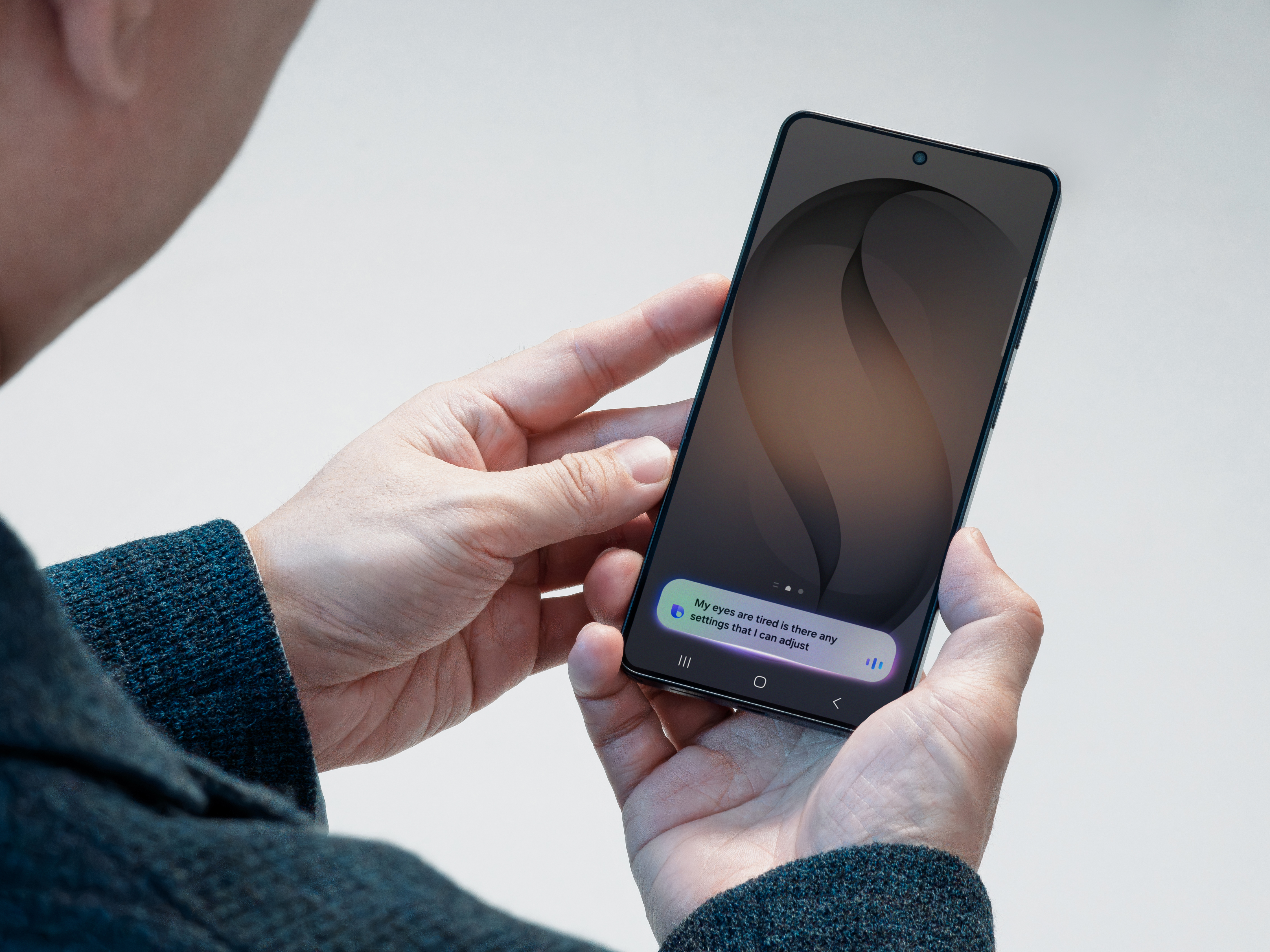
Bixby is narrower. Samsung describes the new version as a device agent you talk to. In its February 20 announcement, Samsung's example is a user saying they don't want the screen to time out while they're looking at it. Bixby turns on the "Keep screen on while viewing" setting without the user knowing the setting's name. It can also read the phone's current settings and suggest fixes, such as turning on Accidental Touch Protection when the screen keeps waking in a pocket.
Bixby also answers web questions now. Samsung says results appear inside Bixby's own window, so you don't land in a browser. Its older skills remain: opening the camera and taking a photo, sending texts, and Quick commands, which run a preset chain of actions from one phrase like "I'm leaving work," according to Samsung's Bixby page.
The split matters in practice. Ask Gemini how to make a phone screen easier on the eyes and you get an explanation. Ask Bixby and, in Samsung's interview with its head of Language AI, it turns on Eye comfort shield for you.
What models power Gemini and Bixby
Google names its models. The free Gemini plan includes Gemini 4 Hydrogen, Google AI Pro adds Gemini 4 Neon, and Google AI Ultra gives the most access to Gemini 4 Carbon, Neon and Hydrogen, per the subscriptions page.
Samsung doesn't name Bixby's model. Jisun Park, who heads Samsung's Language AI team, said in the April 8 interview that Bixby now has "an LLM at its core", and that the team refined how it trains its LLM-based models, for example to handle Korean better. He said Samsung turned individual phone functions into agents the model can call, so it can chain several of them for one request. Samsung's announcements don't say whose model it is or who supplies the web results.
Perplexity is a separate thing. On February 22, Samsung added Perplexity as another built-in assistant on its upcoming flagships, called with "Hey Plex" or by holding the side button. Samsung's Unpacked recap for the Galaxy S26 series lists all three: Bixby, Gemini and Perplexity.
Which Galaxy phones and One UI versions get them
The new Bixby arrived with One UI 8.5. Samsung said it launched in select markets including Germany, India, Korea, Poland, the UK and the US, with more to follow. Samsung dates the official launch to March 31. One UI 9 began rolling out on September 16, starting with the Galaxy S26, S26+ and S26 Ultra after it debuted on the Galaxy Z Fold8 Ultra, Fold8 and Flip8, according to Samsung Newsroom.
Galaxy AI, the Samsung feature set that Bixby belongs to, is supported on phones from the Galaxy S24 series onward, Samsung's Galaxy AI page says. Older Galaxy phones still have the older, command-based Bixby.
Gemini needs a Google Account and an eligible device in a supported country and language, per Google's help center. Google is replacing Google Assistant with Gemini on Android phones, so Gemini is Google's assistant on Galaxy phones too. Our Google Assistant vs Gemini explainer has the details.
How to set the side button to Gemini or Bixby
Since One UI 7, holding the Galaxy side button opens Gemini by default, Samsung's support page says. To change it:
- Open Settings.
- Tap Advanced features.
- Tap Side button.
- Tap Long press.
- Pick Bixby, or the digital assistant you want.
You can also do it from Bixby: open the Bixby app, tap Settings in the top-right corner, then Side button settings, Long press, and Bixby, per Samsung's FAQ.
One catch: with an assistant on the long press, the side button no longer opens the power-off menu. Turn the phone off from the Quick panel, or by holding the side button and Volume Down together.
To make Gemini the phone's assistant, Google's steps are: Settings > Apps > Assistant > Digital assistants from Google > Gemini, then follow the prompts. The Google app has to be the default assist app.
Gemini vs Bixby price: free vs Google AI plans
Bixby has no price on Samsung's pages. It needs a Samsung Account and a data connection. Samsung lists Bixby among its Galaxy AI features, and its Galaxy AI page says "Galaxy AI basic features provided by Samsung are free." The same footnote warns that future enhanced features may be paid and that third-party AI features can have other terms.
Gemini is free with a Google Account. Google's US prices, as of November 22, 2026:
| Plan | Price per month | Models | Storage |
|---|---|---|---|
| Free | $0 | Gemini 4 Hydrogen | 15 GB |
| Google AI Plus | $4.99 | Gemini 4 Hydrogen, 2x the free usage | 400 GB |
| Google AI Pro | $19.99 | Gemini 4 Neon and Hydrogen, 4x the free usage | 5 TB |
| Google AI Ultra | $99.99 or $199.99 | Gemini 4 Carbon, Neon and Hydrogen, 5x or 20x Pro's usage | From 20 TB |
Samsung has bundled six-month Google AI Pro trials with some Galaxy models in some countries, such as the Netherlands for the Galaxy S25 series and Z Fold7. The trial turns into a paid plan unless you cancel.
Privacy: Samsung Account vs Google Account
Samsung lets Galaxy AI users choose whether their data is processed on the device or in the cloud. Its Personal Data Engine, which learns from your phone use, encrypts what it gathers and keeps it in Knox Vault, Samsung's hardware security chip. When a Bixby web answer needs your location, Samsung asks first and says the location data is deleted right after the answer.
Google keeps Gemini chats in your History, which deletes them after 18 months by default; you can choose 3 months, 36 months or never, per its privacy hub. Human reviewers read a subset of chats, which Google keeps for up to three years, detached from your account. With History off, chats are still kept for about two months. A separate setting decides whether your chats train Google's models, and Google says Gemini chats aren't used for ads.
Languages and smart home: SmartThings vs Google Home
Bixby supports 12 languages since Samsung added Polish, Thai and Vietnamese on October 14: Chinese, English, French, German, Italian, Japanese, Korean, Polish, Portuguese (Brazil), Spanish, Thai and Vietnamese. Gemini's web app covers more than 70 languages, though Google says the mobile app may differ.
For the home, Bixby controls devices connected to SmartThings, Samsung's smart home app. Samsung's examples include starting a robot vacuum or switching the air conditioner to dehumidify while you're away.
Gemini controls devices in Google Home: lights, plugs, thermostats, blinds, TVs, speakers, washers and vacuums. It needs a personal Google Account with History on. It won't open a locked door, take any action that needs a PIN, or add devices. Google AI Pro and Ultra include Google Home Premium.
If your house runs on Samsung appliances and SmartThings, Bixby fits. If it runs on Nest and Google Home, Gemini does.
Which assistant to use
Put Gemini on the side button if you mostly ask questions, write or research, or if you pay for Google AI Pro. Keep "Hi Bixby" for settings and phone problems, the job Samsung rebuilt it for.
Pick Bixby for the button if you speak one of its 12 languages, live in a market with the new version, and mostly want to change settings without hunting through menus. Samsung says it wants Bixby to become the main way people use its devices, so expect it to keep getting more phone control rather than more general chat.
Frequently asked questions
Is Bixby free?
Samsung lists no fee for Bixby. It needs a Samsung Account and a data connection, and Samsung says Galaxy AI basic features provided by Samsung are free, while future enhanced features may be paid.
What does the Bixby app do?
Bixby controls your Galaxy phone by voice or text: it changes settings when you describe what you want, troubleshoots the device, answers web questions and runs Quick commands. It can also control SmartThings devices.
How do I open Bixby settings?
Open the Bixby app and tap Settings in the top-right corner. From there, Side button settings lets you make a long press of the side button open Bixby.
Can I use Bixby and Gemini on the same Galaxy phone?
Yes. Assign one to the side button's long press and call the other with its wake phrase, "Hi Bixby" or "Hey Google". On the Galaxy S26 series, Perplexity is a third option.
Sources
- Samsung Introduces the New Bixby in One UI 8.5Samsung Newsroom
- [Interview] 'Bixby Will Be Your Go-To Starting Point for Every Samsung Device' — Meet Jisun Park, Head of Language AISamsung Newsroom
- Samsung Expands Language Support Across AI Experiences on GalaxySamsung Newsroom
- Samsung Begins Official Rollout of One UI 9Samsung Newsroom
- [Galaxy Unpacked 2026] Highlights From Galaxy Unpacked: The Beginning of Truly Agentic AISamsung Newsroom
- Galaxy AI Expands Multi-Agent Ecosystem To Give Users More Choice and FlexibilitySamsung
- Galaxy AISamsung
- BixbySamsung
- How to customise the Side button with new features on your Galaxy phone and tabletSamsung
- Why does Gemini work instead of Bixby when pressing and holding the side button in One UI 7?Samsung
- Google AI plansGoogle
- Get help from Gemini on your phoneGoogle
- Gemini Apps Privacy HubGoogle
- Control your smart home devices with GeminiGoogle
- Where you can use Gemini AppsGoogle
- Discover Google AI Pro on GalaxySamsung